42
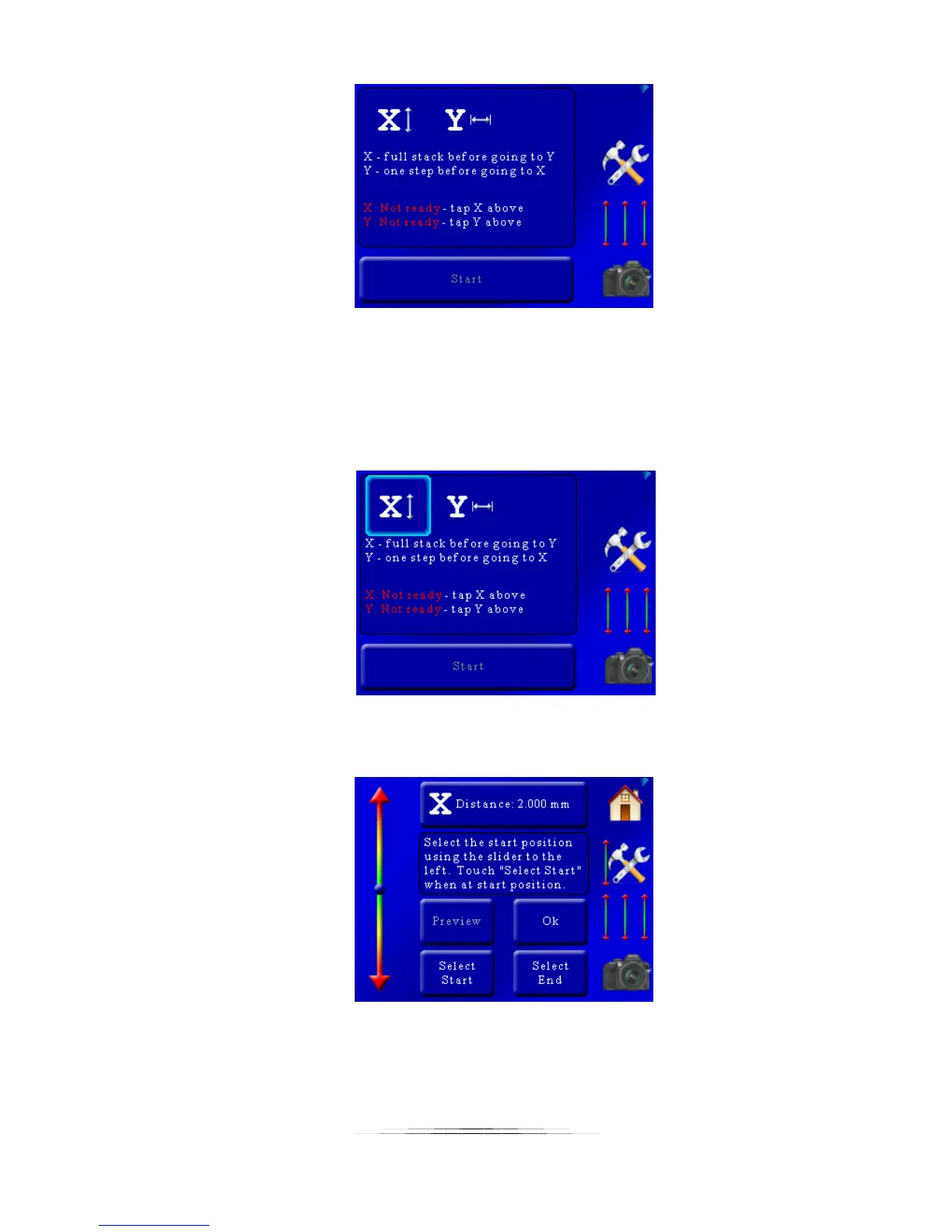
As you can see the X and Y-axis are not ready – the start and end positions need to be set. The
X-axis icon at top has a forward/back arrow next to it and the Y-axis has a left/right arrow.
These are completely arbitrary and are just shown to indicate a difference between the two. To
adjust the axis start and end positions press the “X” or “Y” at the top of the screen:
That will bring up the position settings for the X-axis:
These settings are similar to the “Auto-Distance” mode in section 5.1.2. At the top of the screen
you will see “X Distance: 2.000mm”. This is distance the rail will move for your focusing steps.
To adjust this value simply press this button and enter the step size required.



 To Next Page