LPOD Outdoor Amplifier / Block Up Converter (BUC) Revision 9
Updating Firmware MN-LPOD
3–5
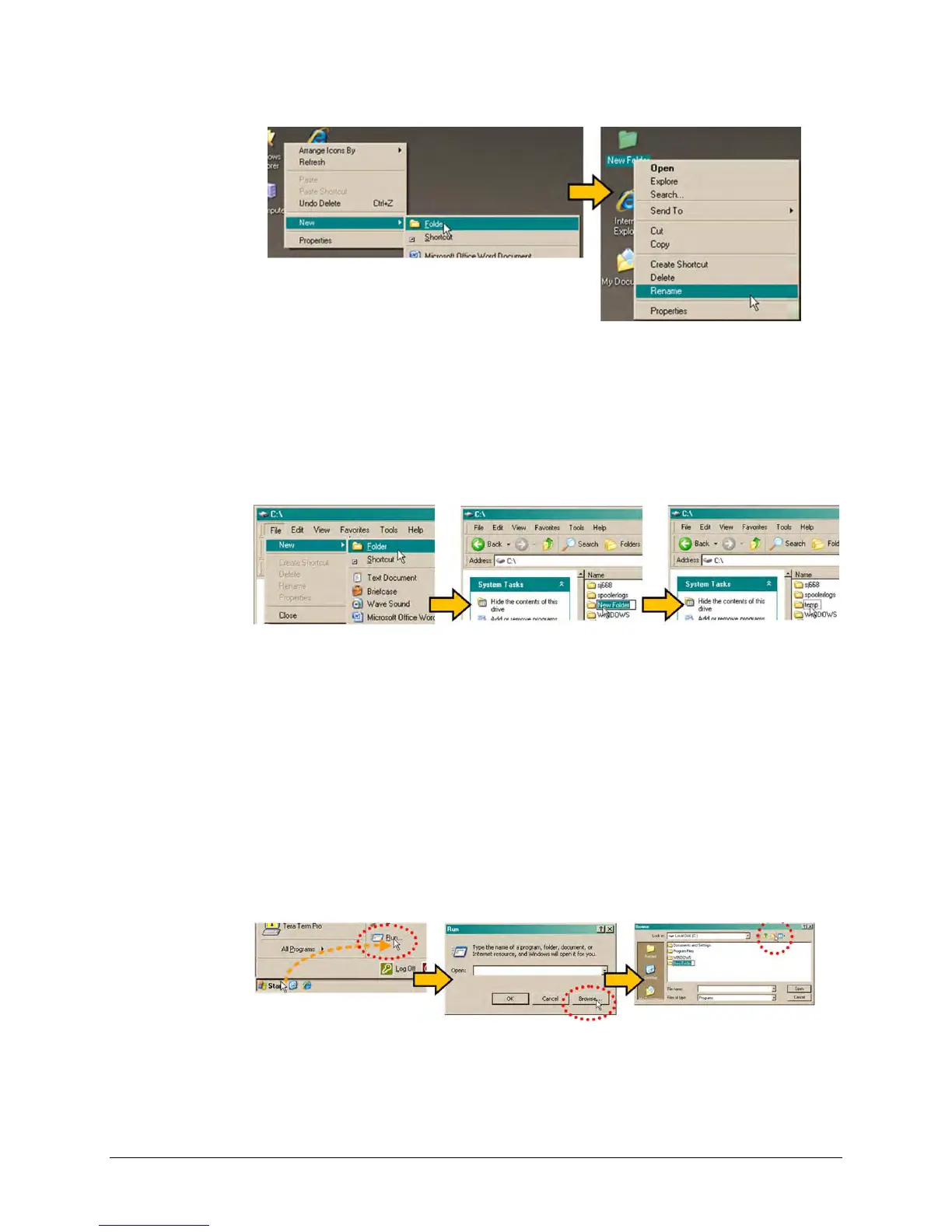
B. Use Windows Explorer to create and rename the temporary folder.
• Select File > New > Folder to create the new, temporary folder in the active
location.
• Right-click the ‘New Folder’ folder name, and then rename this folder to "temp" or
some other convenient, unused name.
C. Use the ‘Run’ and ‘Browse’ windows to create and rename the temporary folder.
• Select [Start] on the Windows taskbar and then click the Run... icon. The ‘Run’
window will open.
• Click [Browse] in the ‘Run’ window. The ‘Browse’ window will open.
• Click the Create New Folder icon in the ‘Browse’ window to create the new folder in
the active location.
• Right-click the ‘New Folder’ folder name, and then rename this folder to “temp” or
some other convenient, unused name.



 To Next Page