96 - Connecting Serial Devices DeviceMaster Installation and Configuration Guide: 2000594 Rev. F
Connecting Serial Devices
Serial Terminal (4) Straight-Through Cables (RS-232/485)
RS-232 or RS-485 straight-through cables are used to connect modems and other DCE devices.
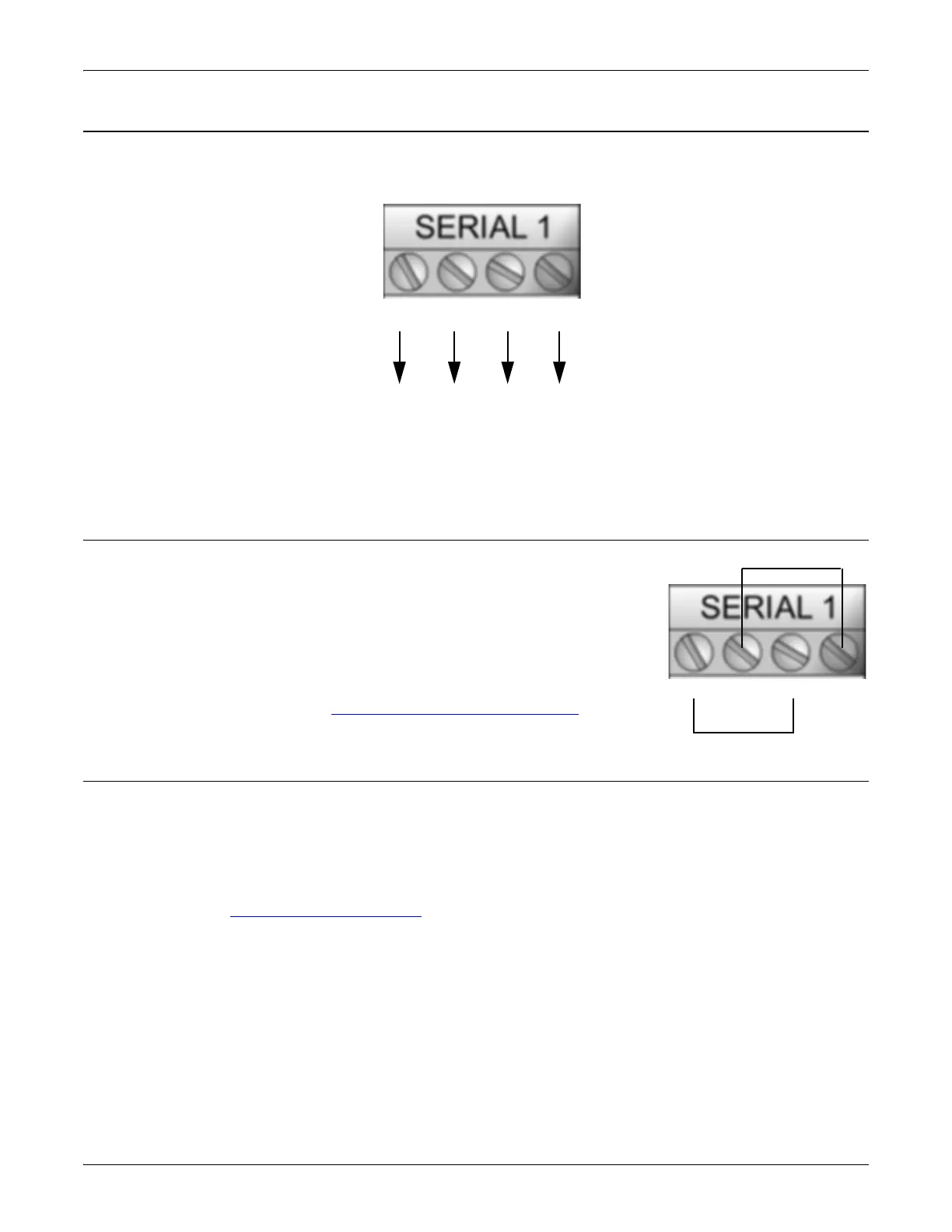
Serial Terminal (4) Loopback Signals
Use this drawing to wire a loopback, which is used in conjunction with
application software (Test Terminal for Windows or minicom for Linux) to test
serial ports.
Wire the terminals together to create a loopback.
• TxD to RxD
•RTS to CTS
Note: You can use Test Terminal (Windows) or minicom (Linux) to test the
serial port. You can refer to
Testing Ports Using Test Terminal on Page
154 for Windows systems.
Connecting Serial Devices
Use the following information to connect the DM-2202 with serial terminals.
1. Connect your serial devices to the appropriate serial port on the DM-2202 using the appropriate cable.
You can build your own cables or loopbacks using the appropriate discussions.
Note: Refer to the hardware manufacturer’s installation documentation if you need help with connector pin
outs or cabling for the serial device.
2. You can refer to Network and Device LEDs on Page 167 for information about the LEDs.
RTS RxDTxD CTS
RTS RxDTxD CTS
3728
2435
DB9
DB25
or
TRxD-
or
TRxD+
RS-232/422 Straight-Through Cable



 To Next Page