118 - Managing the DeviceMaster DeviceMaster Installation and Configuration Guide: 2000594 Rev. F
Managing the DeviceMaster
Checking the NS-Link Version
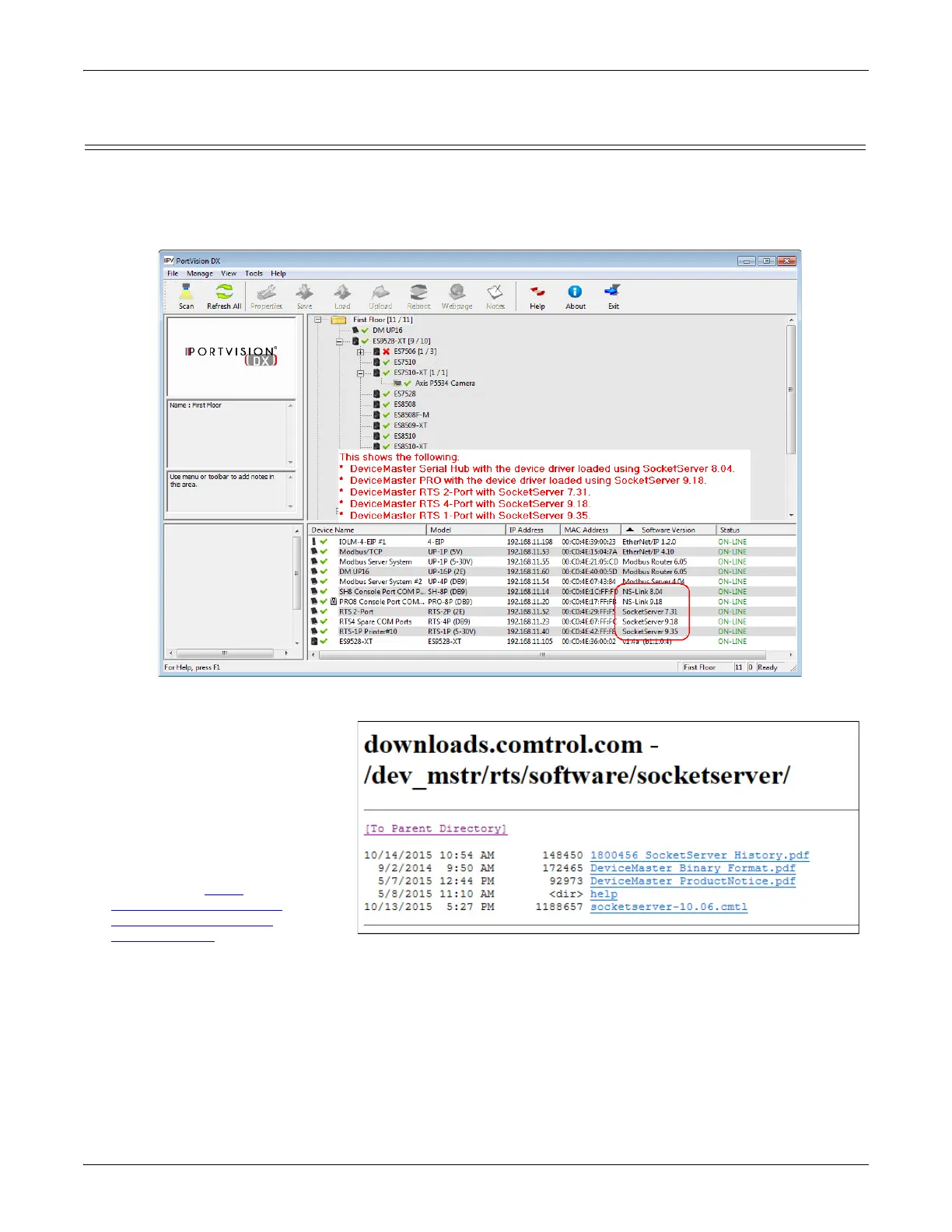
Use this procedure to check the NS-Link web page version. Remember, an NS-Link version displays when the
NS-Link device driver has been installed and configured, NS-Link is the same firmware as SocketServer.
1. Start PortVision DX.
2. If necessary, click Scan to locate the DeviceMaster.
The Device List pane displays the NS-Link (SocketServer) version.
3. Check the Comtrol ftp site to
see if a later version is
available.
To check the NS-Link version,
you will need to check to see
what version of SocketServer is
available.
You can use this link to check to
see what version of
SocketServer/NS-Link is
available at:
http:/
downloads.comtrol.com/
dev_mstr/rts/software/
SocketServer/.
4. Compare the version number
displayed in PortVision DX to the version displayed in the downloads directory.



 To Next Page