160 - Troubleshooting and Technical Support DeviceMaster Installation and Configuration Guide: 2000594 Rev. F
Troubleshooting and Technical Support
Socket Mode Serial Port Testing
This procedure illustrates using Putty, which is available in PortVision DX. Optionally, you can use any other
Winsock compatible application.
Note: The following procedure starts with resetting DeviceMaster to factory default values. You may want to
save the DeviceMaster socket configuration using PortVision DX - Saving a SocketServer Configuration
File on Page 107.
1. If necessary, install PortVision DX using Installing PortVision DX
on Page 35 and scan the network to
locate the DeviceMaster that you want to test.
2. Right-click the DeviceMaster and click Webpage.
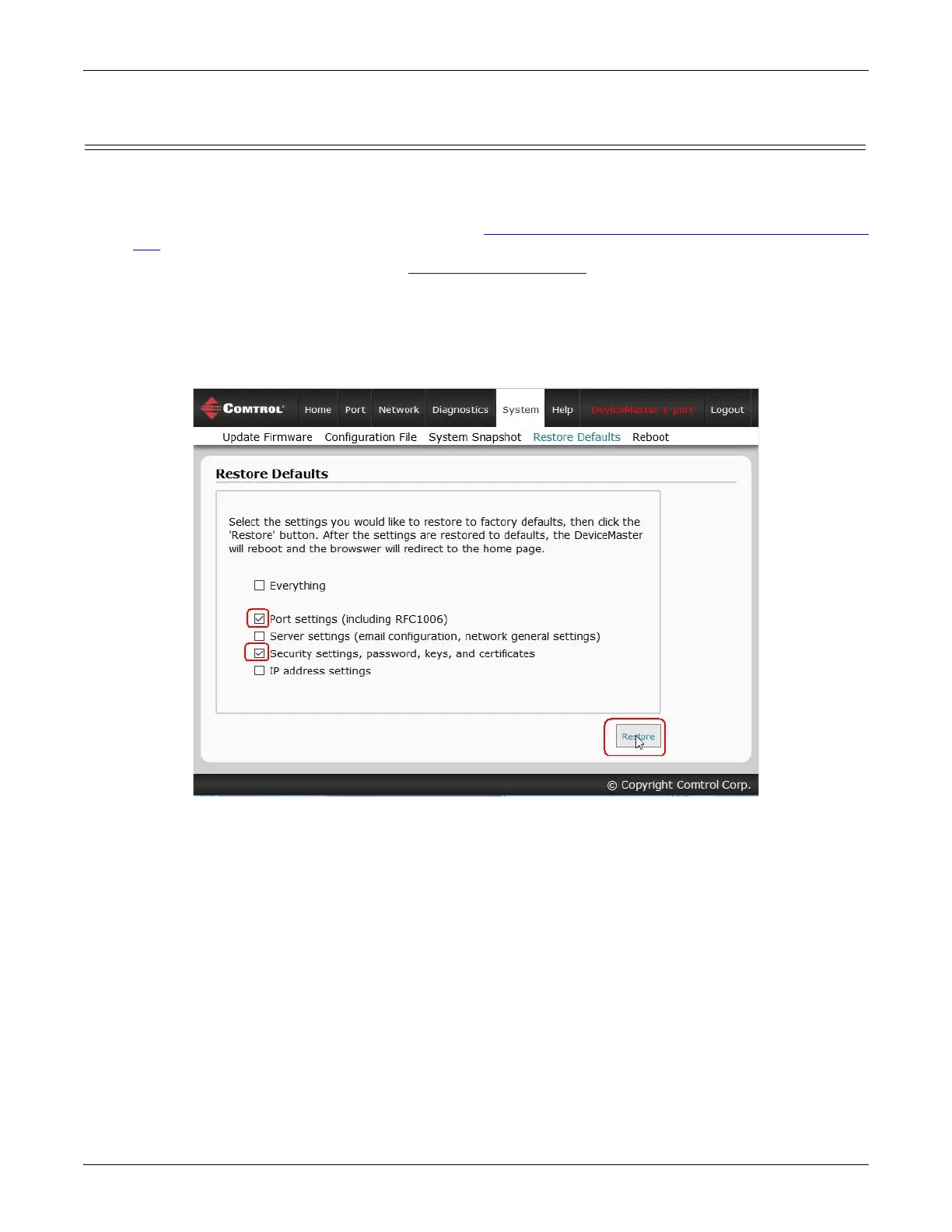
3. Click System | Restore Defaults.
4. Click the Port settings and Security settings, password, keys, and certificates options, and then the Restore
button.
Note: The DeviceMasterwill reboot.
5. If necessary, re-open the web pages and click the port that you want to test.



 To Next Page