DeviceMaster Installation and Configuration Guide: 2000594 Rev. F Managing the DeviceMaster - 115
Managing the DeviceMaster
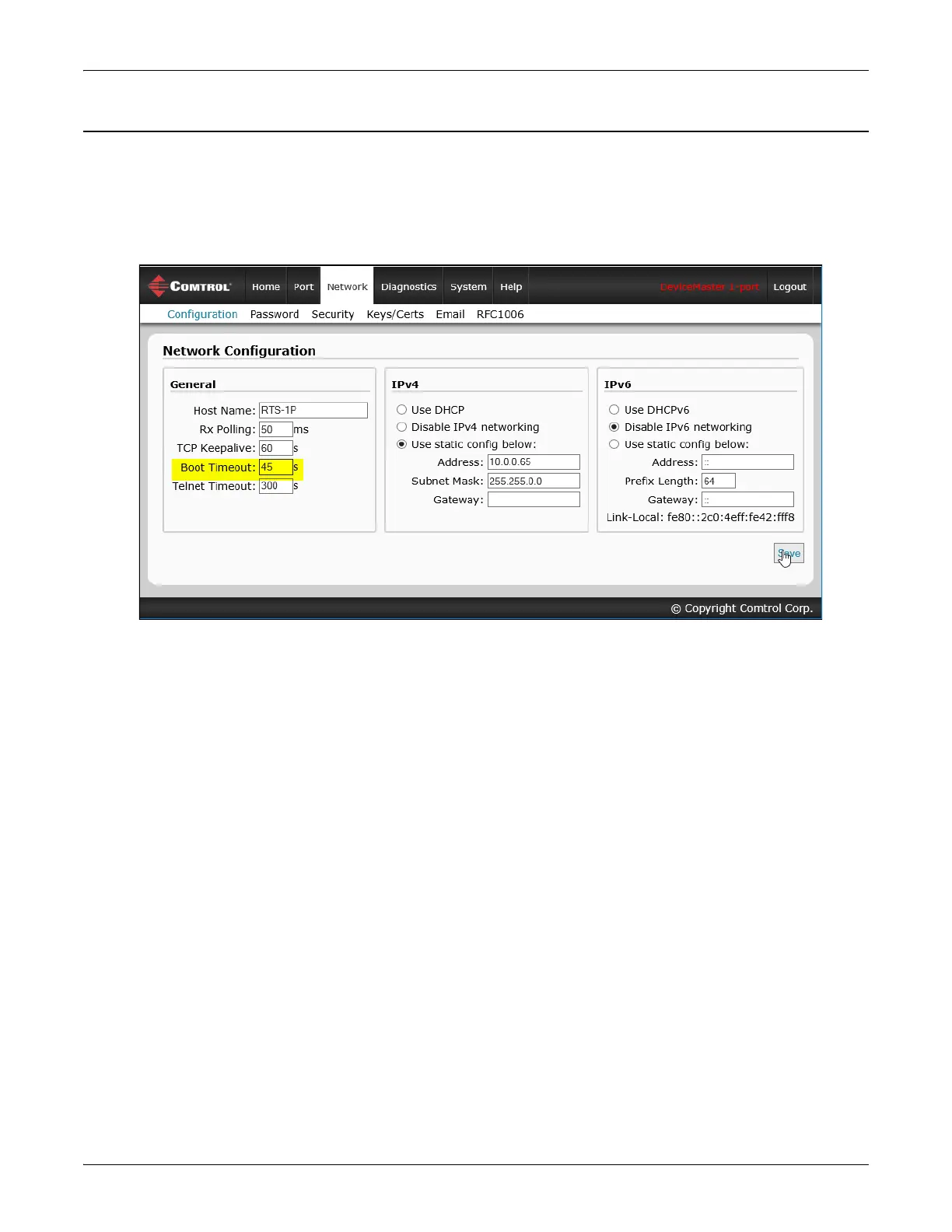
SocketServer - Changing Bootloader Timeout
Use the following procedure to change the Bootloader timeout to 45 seconds. You can use this procedure to
return the Bootloader timeout to 15 seconds after you have successfully uploaded SocketServer.
1. If necessary, use your browser to access the DeviceMaster using the IP address.
2. Click Network.
3. Enter 45 in the Boot Timeout field and click Save.
Note: You should return the Bootloader Timeout value back to 15 seconds after you upload the firmware.



 To Next Page