124 - Managing the DeviceMaster DeviceMaster Installation and Configuration Guide: 2000594 Rev. F
Managing the DeviceMaster
SSH Session
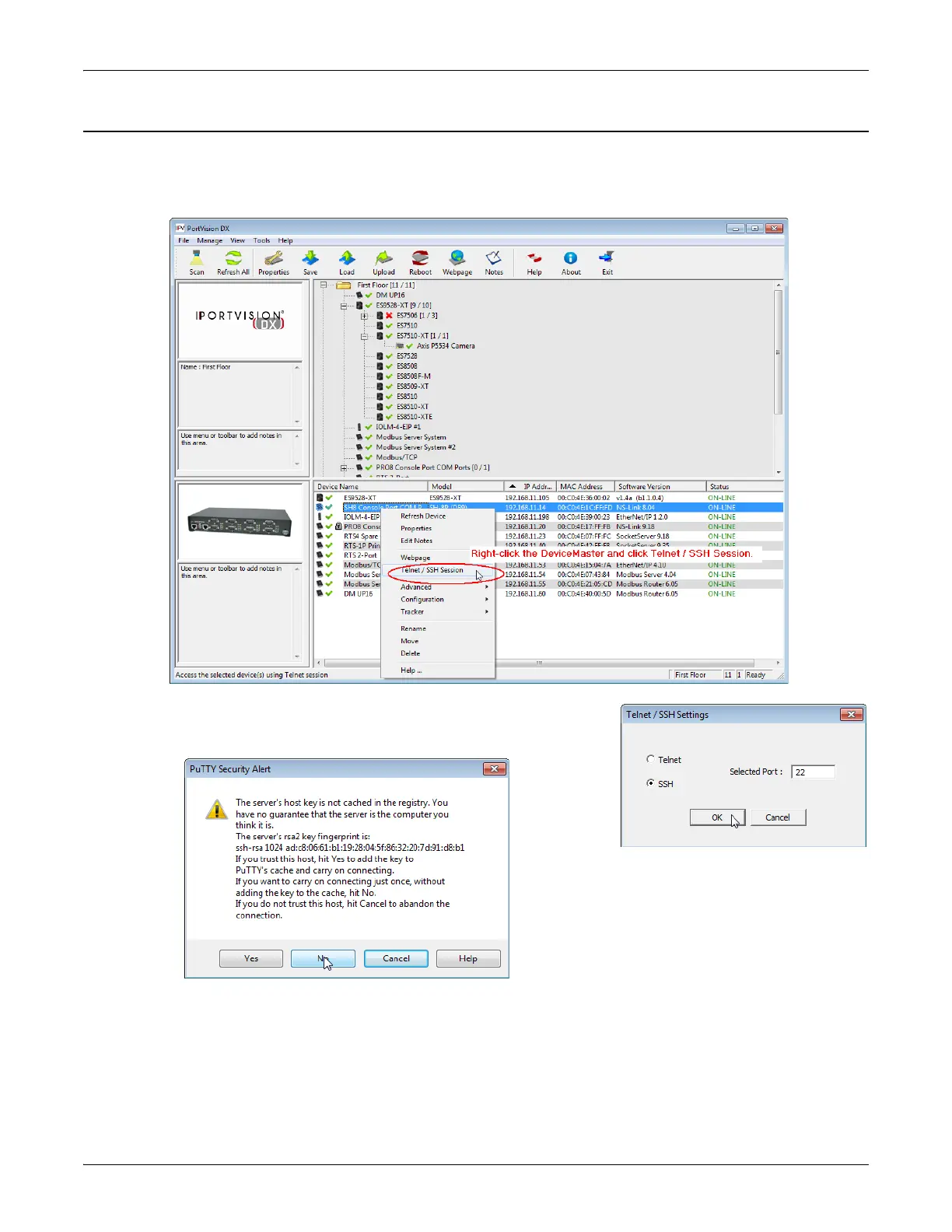
Use the following procedure to access an SSH session with PortVision DX.
1. In PortVision DX, PortVision DX, right-click the DeviceMaster in the Device List pane for which you want
to open an SSH session, and click Telnet/SSH Session.
2. Click SSH and leave the port number at the default.
3. If necessary (depending on the operating system), respond to the
security notification.
4. Press Enter.
Note: The DeviceMaster does not have a user name.
5. If necessary, enter the password and press Enter. If a password has not been set, press Enter.



 To Next Page