DeviceMaster Installation and Configuration Guide: 2000594 Rev. F Managing the DeviceMaster - 109
Managing the DeviceMaster
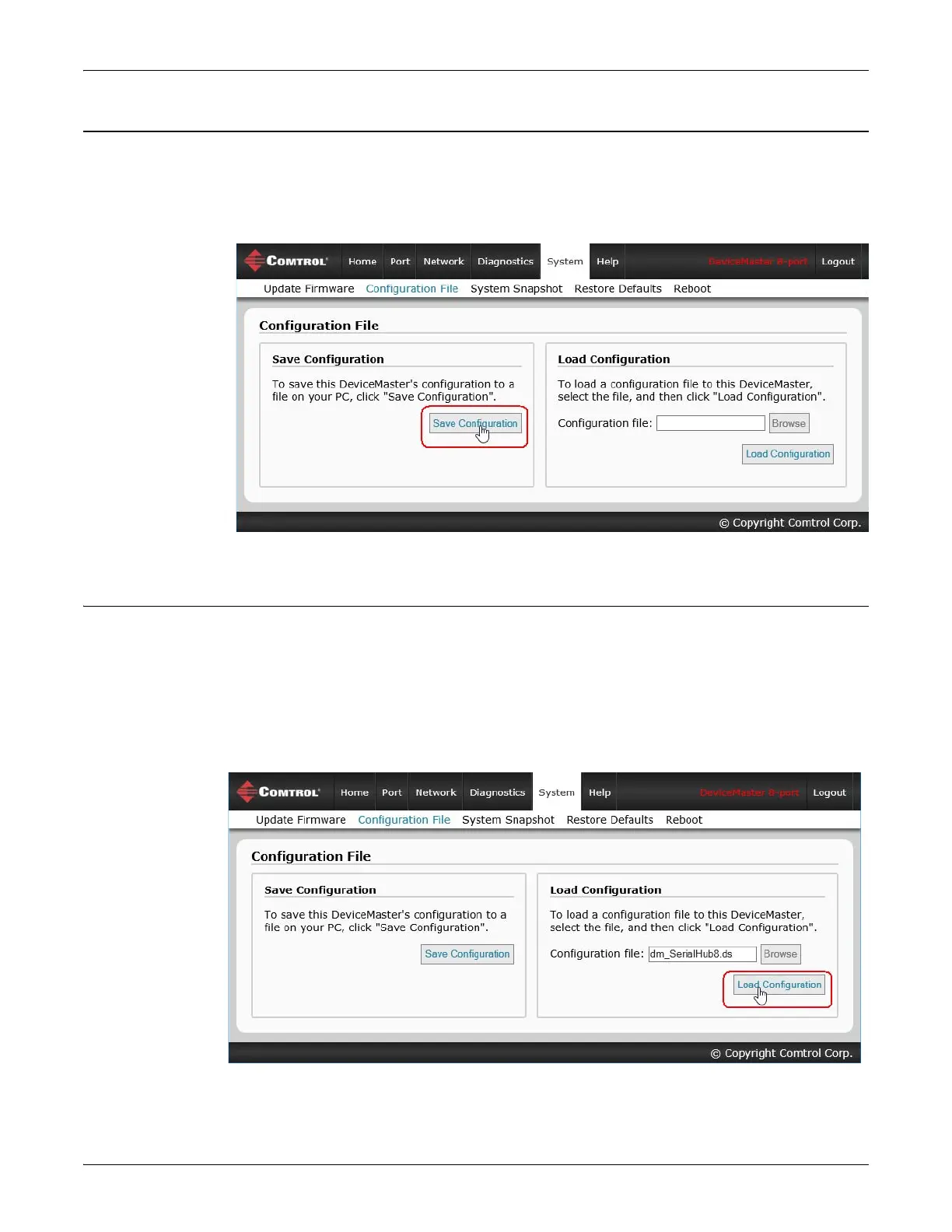
SocketServer - Saving Configuration Files
You can use the procedure to save a configuration files using the web page.
1. If necessary, access SocketServer by entering the IP address in your web browser.
2. Click System | Configuration File.
3. Click the Save Configuration button.
4. Save the configuration file to an appropriate location.
SocketServer - Loading Configuration Files
You can use this procedure to load SocketServer configuration files using SocketServer.
Note: You must have previously saved a configuration file to load.
1. If necessary, access SocketServer by entering the IP address in your web browser.
2. Click System | Configuration File.
3. Click the Browse button, highlight the configuration file, and click the Open button.
4. Click the Load Configuration button.



 To Next Page