DeviceMaster Installation and Configuration Guide: 2000594 Rev. F Troubleshooting and Technical Support - 171
Troubleshooting and Technical Support
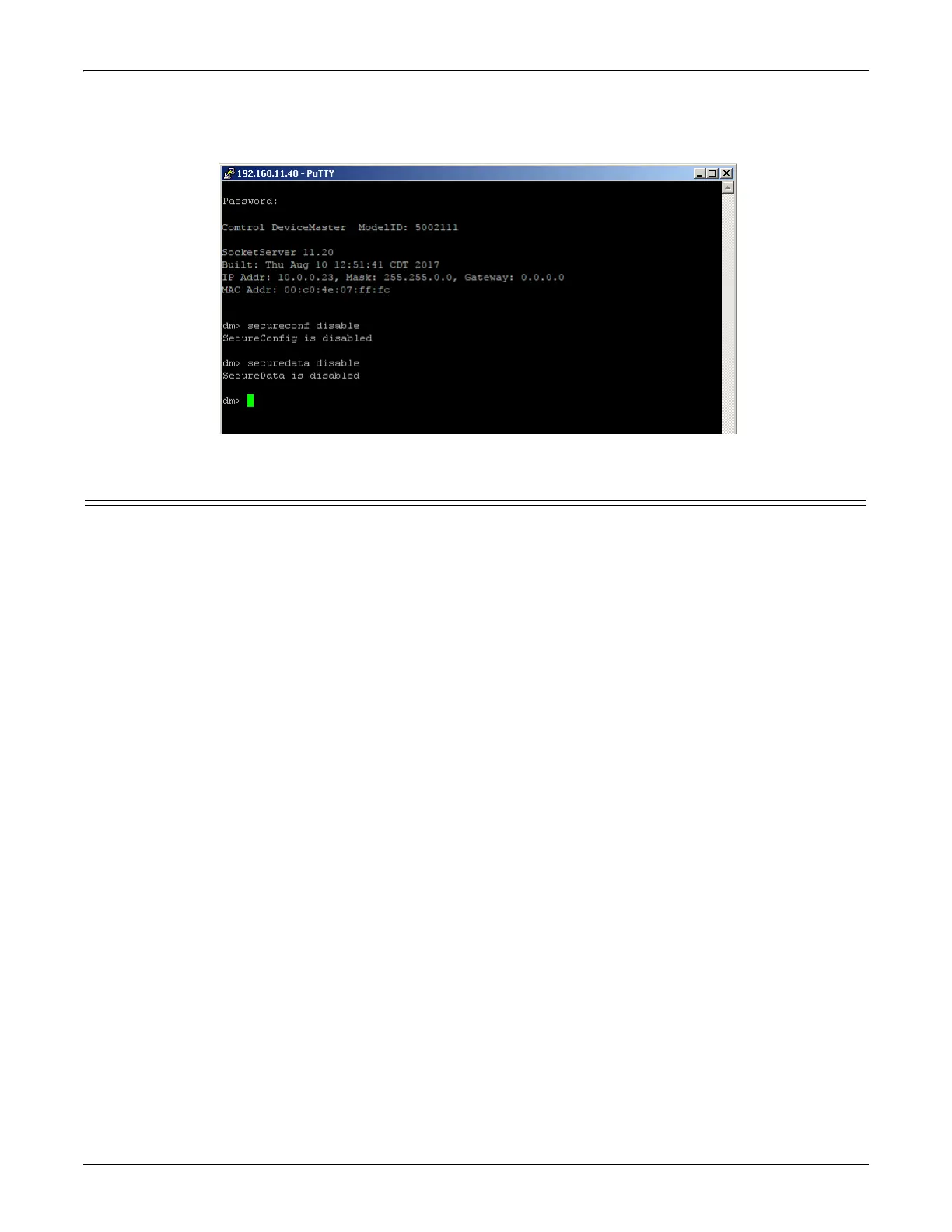
16. Enter secureconf disable and press Enter.
17. Enter securedata disable and press Enter.
Returning the DeviceMaster to Factory Defaults
The DeviceMaster uses two types of memory, volatile and non-volatile. The volatile memory is in the form of
DRAM and SRAM. They are used for program execution and buffers. Clearing the volatile memory, as its
name suggests, requires powering off the DeviceMaster.
The non-volatile memory is in the form of flash and EEPROM memories.
The flash memory is used for non-volatile program storage. Leaving the factory, there are two programs
stored in the flash:
• Bootloader binary (bootloader.bin)
The bootloader binary is loaded into DRAM for execution, when the device is turned on. After a period of
time, the bootloader loads the default application,
• Default application binary (SocketServer.bin)
SocketServer.bin or in some instances, a customer written custom application, into DRAM and it starts
execution. It continues until the unit is powered off.
The only access you have to the binaries is if they decide to load a newer version. If this is done, the newer
version overwrites that piece of flash. No user data is ever entered here.



 To Next Page