14 - Hardware Installation DeviceMaster Installation and Configuration Guide: 2000594 Rev. F
Hardware Installation
Product Name Change Notification
Comtrol has implemented a product name change for our DeviceMaster 2-port DIN rail models to align with
our new 1-port and 4-port DIN rail model names.
1-Port - Panel Mount (DB9) Installation
Use the following procedure to install the DeviceMaster 1-Port (panel mount).
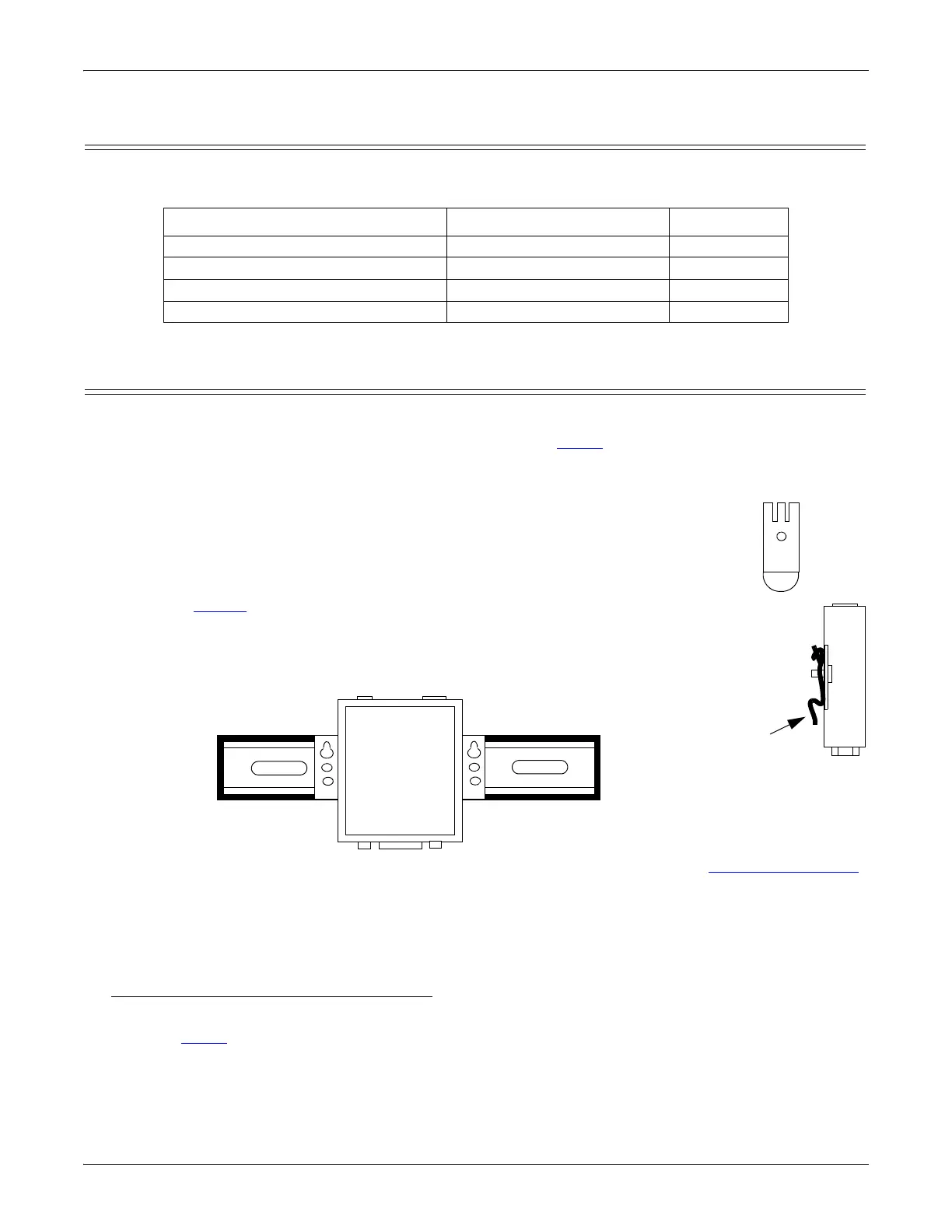
1. Place the DeviceMaster 1-Port on a stable surface and skip to Step 2 or optionally mount the
DeviceMaster using the mounting flanges or DIN rail adapters.
a. Pick up the DeviceMaster so that the front of the device is facing you.
b. Pick up a DIN rail clip. (The three tines should be on top and the M4 label should
face you.)
c. Slide the DIN rail clip behind the DeviceMaster and line it up with one of the screw
holes on the DeviceMaster.
d. Insert the M4 screw into the hole and tighten with a Phillips screwdriver.
e. Repeat Steps b through d with the second DIN rail clip. Make sure the screws on
both DIN rail clips line up.
Note: If you need to remove the DeviceMaster from the DIN rail, exert pressure on
the backside of the tabs at the bottom of both DIN rail clips.
f. Attach the DeviceMaster to the DIN rail.
Note: Do not connect multiple units until you have changed the default IP address, see Initial Configuration
on Page 33.
2. Connect the DeviceMaster port labeled 10/100 ETHERNET to the same Ethernet network segment as the
host PC using a standard network cable.
3. Apply power to the DeviceMaster using the appropriate procedure for your power supply.
Note: The supported input voltage (5VDC or 5-30VDC) is printed on the DeviceMaster.
5VDC Power Supply (Barrel Connector)
• Connect the 5VDC power supply to the DeviceMaster and to a power outlet.
• Go to Step 4 to verify that the DeviceMaster is functioning properly.
Old Name/Description New Model Name Part Number
DeviceMaster RTS 2-Port 1E DeviceMaster DM-2202 99480-0
DeviceMaster RTS 2-Port 1E DB9 DeviceMaster DM-2102 99550-0
DeviceMaster RTS 2-Port 2E DeviceMaster DM-2402 99481-7
DeviceMaster RTS 2-Port 2E DB9 DeviceMaster DM- 2302 99560-9



 To Next Page