DeviceMaster Installation and Configuration Guide: 2000594 Rev. F Device Driver (NS-Link) Installation - 59
Enabling Secure Data Mode
9. Optionally, you may need to configure one or more ports for socket mode (Socket Port Configuration on
Page 61).
Enabling Secure Data Mode
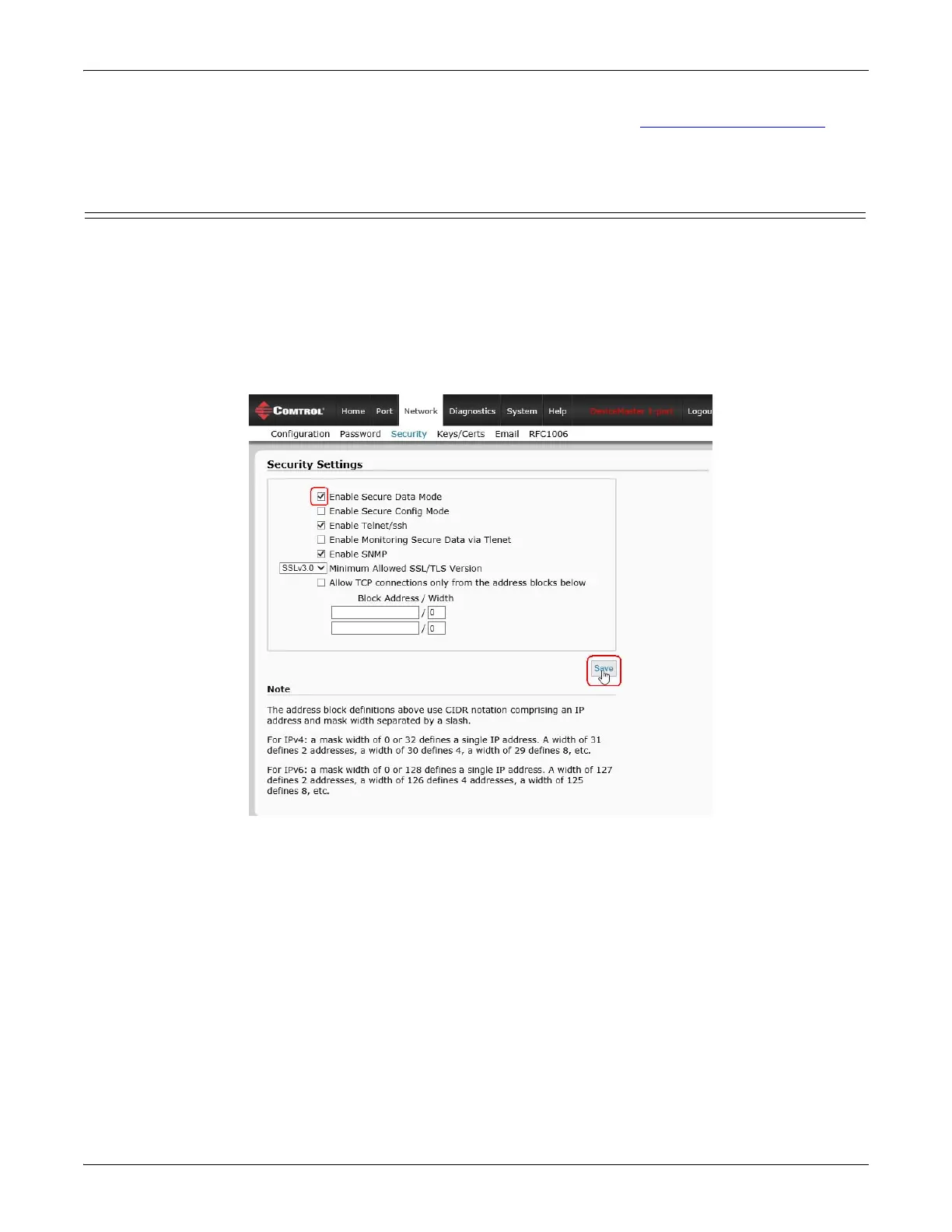
In addition to enabling SSL Mode in the driver, you must Enable Secure Data Mode in the NS-Link web page.
Use the following procedure to implement the Enable Secure Data Mode option.
1. Access the NS-Link web page using one of these methods:
• Open your web browser, enter the IP address, and press Enter.
• Right-click the DeviceMaster in the Device List pane in PortVision DX and click Webpage.
2. Click Network | Security.
3. Click Enable Secure Data Mode and Save.
4. Click Keys/Certs to configure your security key and certificate.



 To Next Page