GE Voluson E10 Training Manual
© 2017 Conquest Imaging
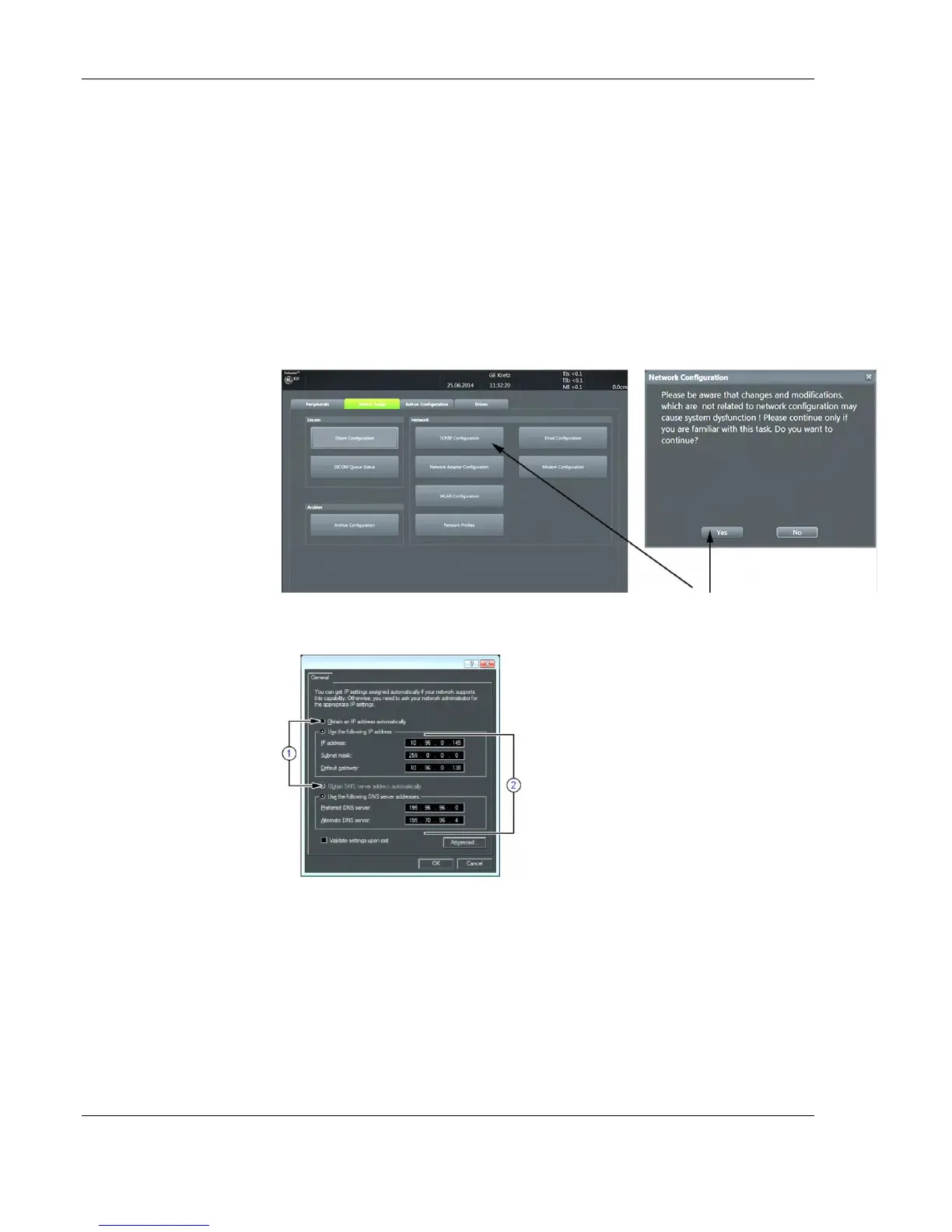
1. Press the Utilities key on the control console.
2. In the “Utilities” menu touch the Setup button to invoke the setup
desktop on the screen.
3. On the right side of the screen select Connectivity and then click
the Device Setup tab.
4. Click the TCP/IP Configuration button, read the message and
confirm with Yes.
5. The "Internet Protocol (TCP/IP) Properties" dialog appears:
The IP and DNS settings can beassigned automatically, if your network
supports this capability.
Type in:
IP address
Subnet mask
Default gateway
DNS server
The IP addresses for the
default gateway and
other routers at the site
for ROUTING
INFORMATION. Only if
necessary (e.g. for
Internet access).
Note This example shows
fictional numbers!
If fixed IP address is
required, ask your
network administrator for
the appropriate settings.



 To Next Page