Scanner Setup 24
Create printer media profiles
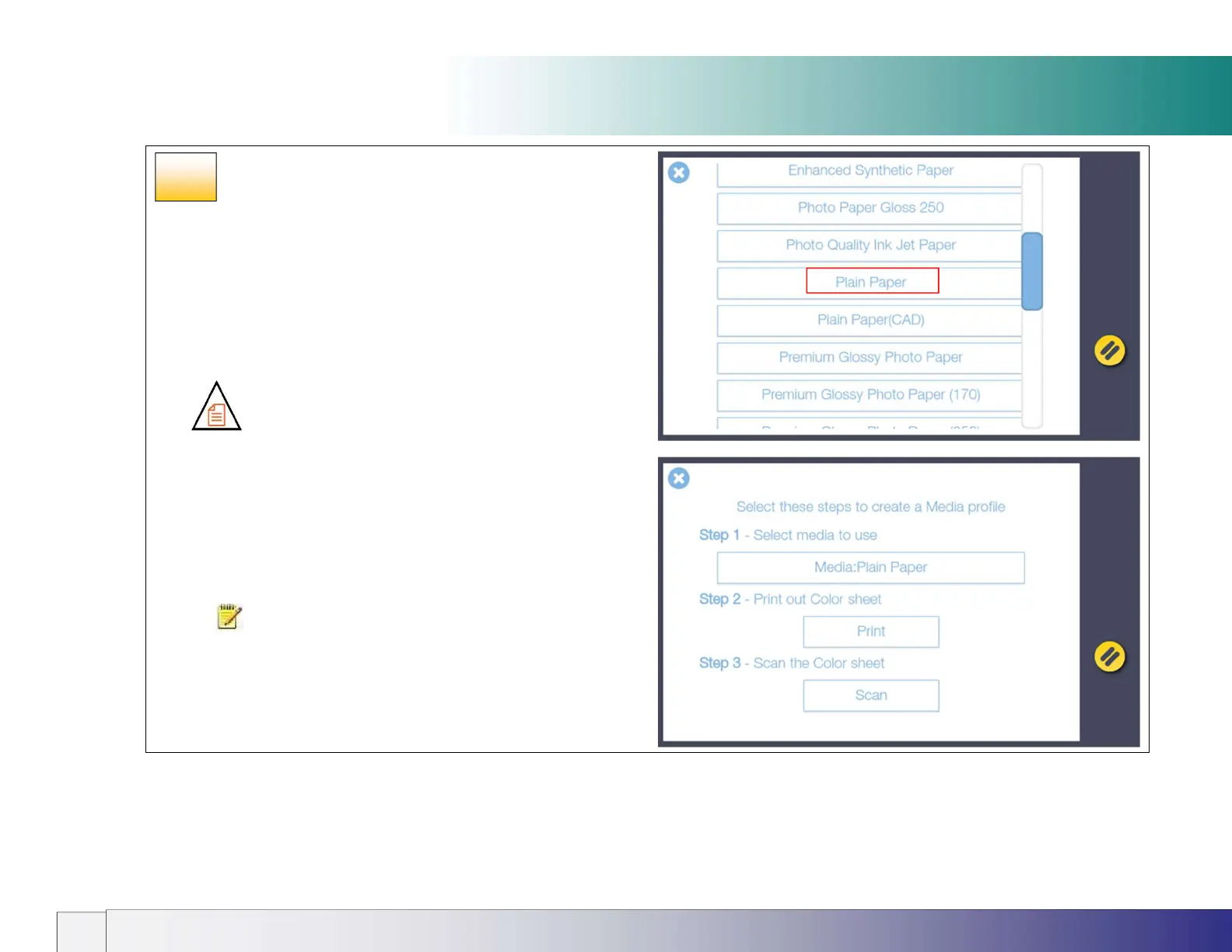
5. On the Printer screen (previous page) press Media Profiles then
select the current media type loaded in the printer (Plain Paper in this
example).
6. Now press the Print button to print the color calibration page. It is
important that the printer is working properly for this operation.
7. Load the printed color calibration page into the scanner taking care
to align the black arrow with the scanner center load point. Now
press the Scan button to scan the printed color calibration page.
8. Press OK when you see the Media Profile Created message.
Make a new profile for each different type of paper used in the printer
you wish to copy to.
NOTE: If the scanner reports that it cannot find the calibration
page reload it and press the Scan button again to repeat the
process.
19b













 To Next Page