Scanning 38
Paper sizes and guides
Scan Guides
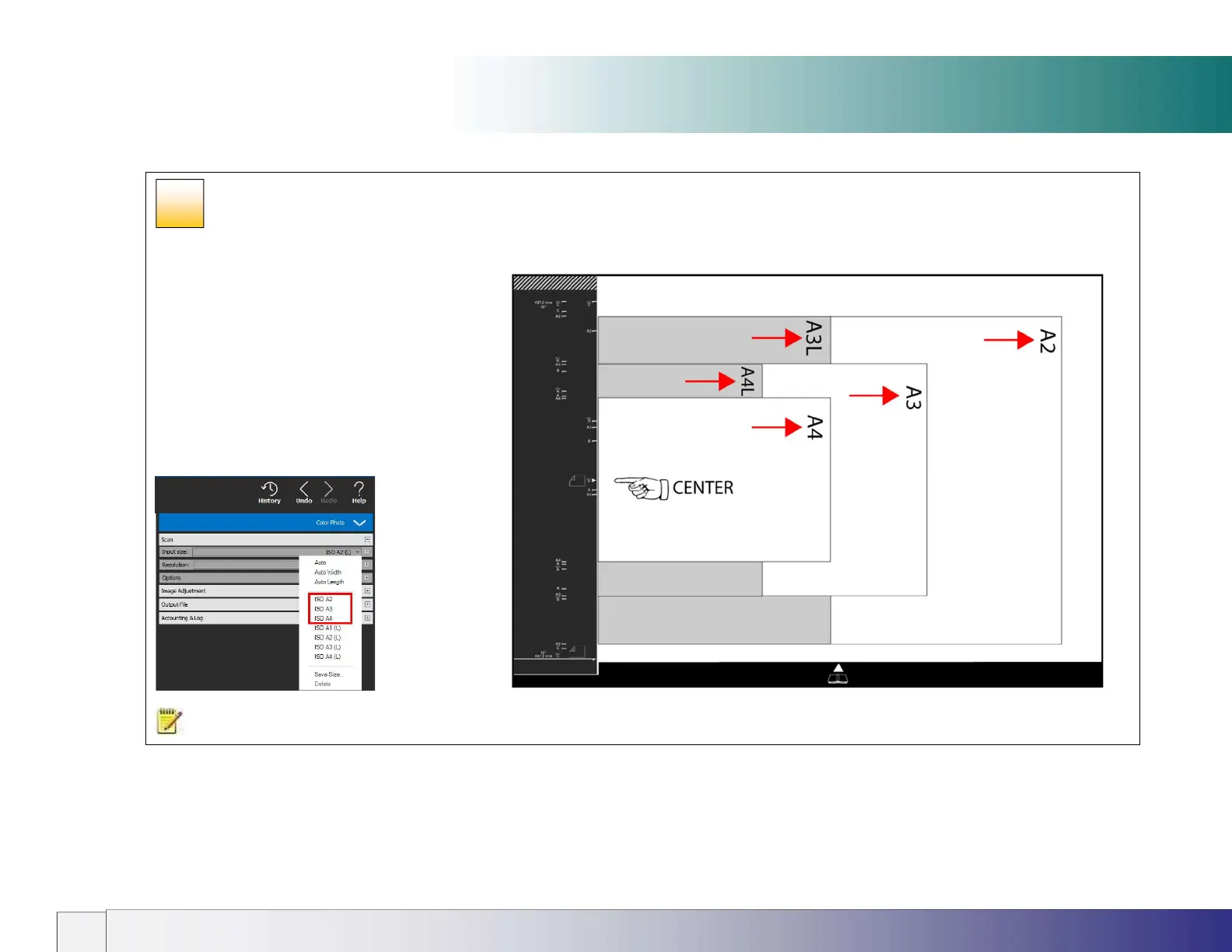
Guide markings are read from the left looking up the long axis of the scanner (not from the front of the scanner).
The guide icons refer to documents required as
portrait scans. Standard size documents A4 to A2 or
A to C should be placed on the glass face-down with
long-axis left-to-right, centered at the tick mark. Use
Nextimage settings from inside the red box (see
below).
Documents required as landscape (e.g. CAD) can be
scanned as portrait and manually rotated in software.
Alternatively position the document long-side against
the next largest size e.g. for A4 (L) inside the A3
markings. Select A4 (L) in Nextimage.
NOTE: A2 (L) and A1 (L) documents are scanned long-side against the guide in two stages using the Wizard. See the Oversize scanning section.
30













 To Next Page