Scanning 34
Oversize scan mode
Oversize Scan Mode
OVERSIZE – For documents up to A1. Oversize places
documents on the glass in two operations allowing the scanner
to see the whole of the document.
(See later in this guide for more detailed instructions)
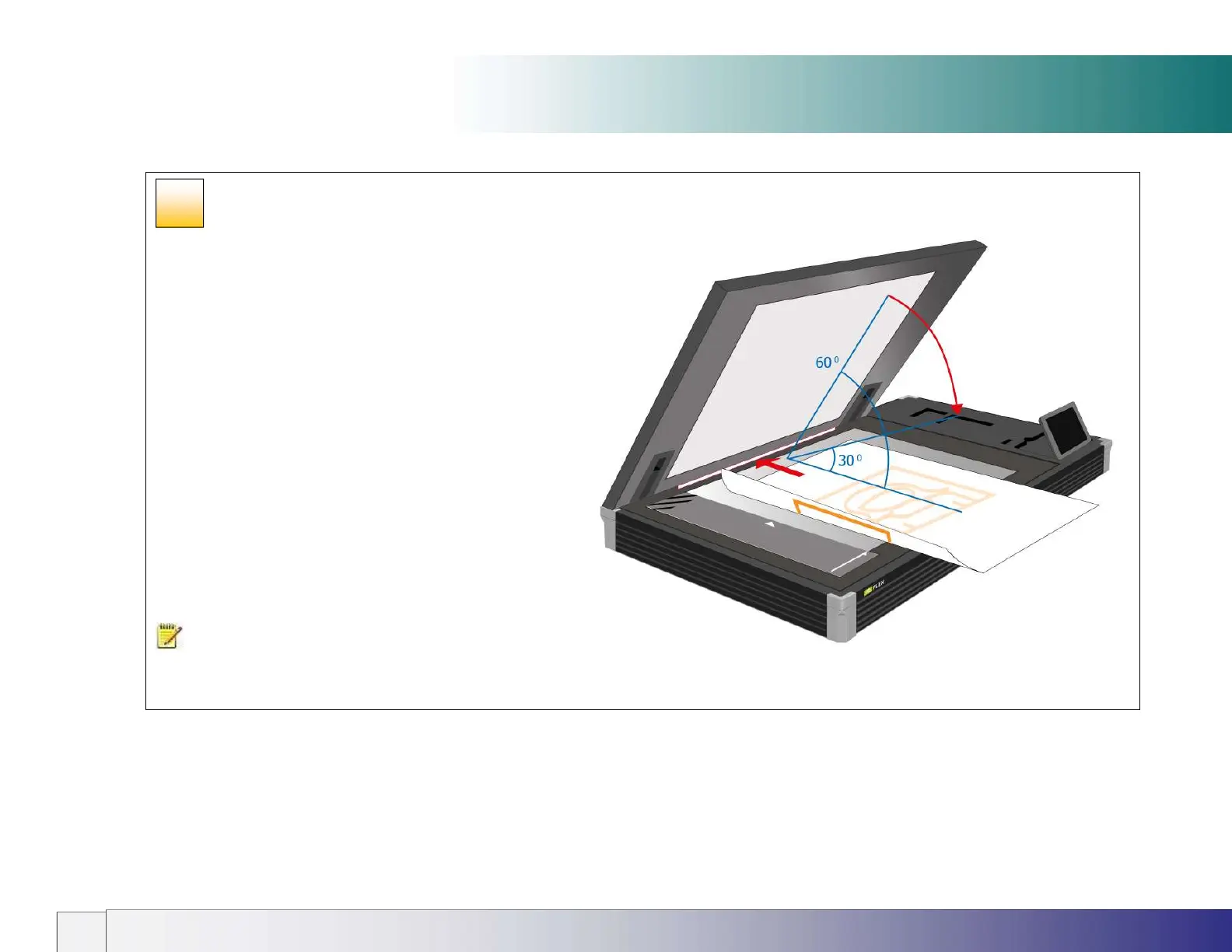
IQ FLEX has three open lid positions:
30
0
angle – for oversize scanning (allowing paper to exit rear)
60
0
angle – for access during normal and book mode scanning
Upright – for lid removal or lid height adjustment
Oversize Input size / Paper size requirements:
Original must be rectangular
Paper Size Width is Original Width ± ½” (12mm)
Paper Size Length is Original Length ± ½” (12mm)
An onscreen Oversize Wizard instructs the user on how to
place the document during Oversize scanning.
NOTE: All items to be scanned must be placed face-down
on the scan glass and the lid closed before scanning is started.
26













 To Next Page