Scanning 59
Scanning to the cloud
Connect scanning to cloud services
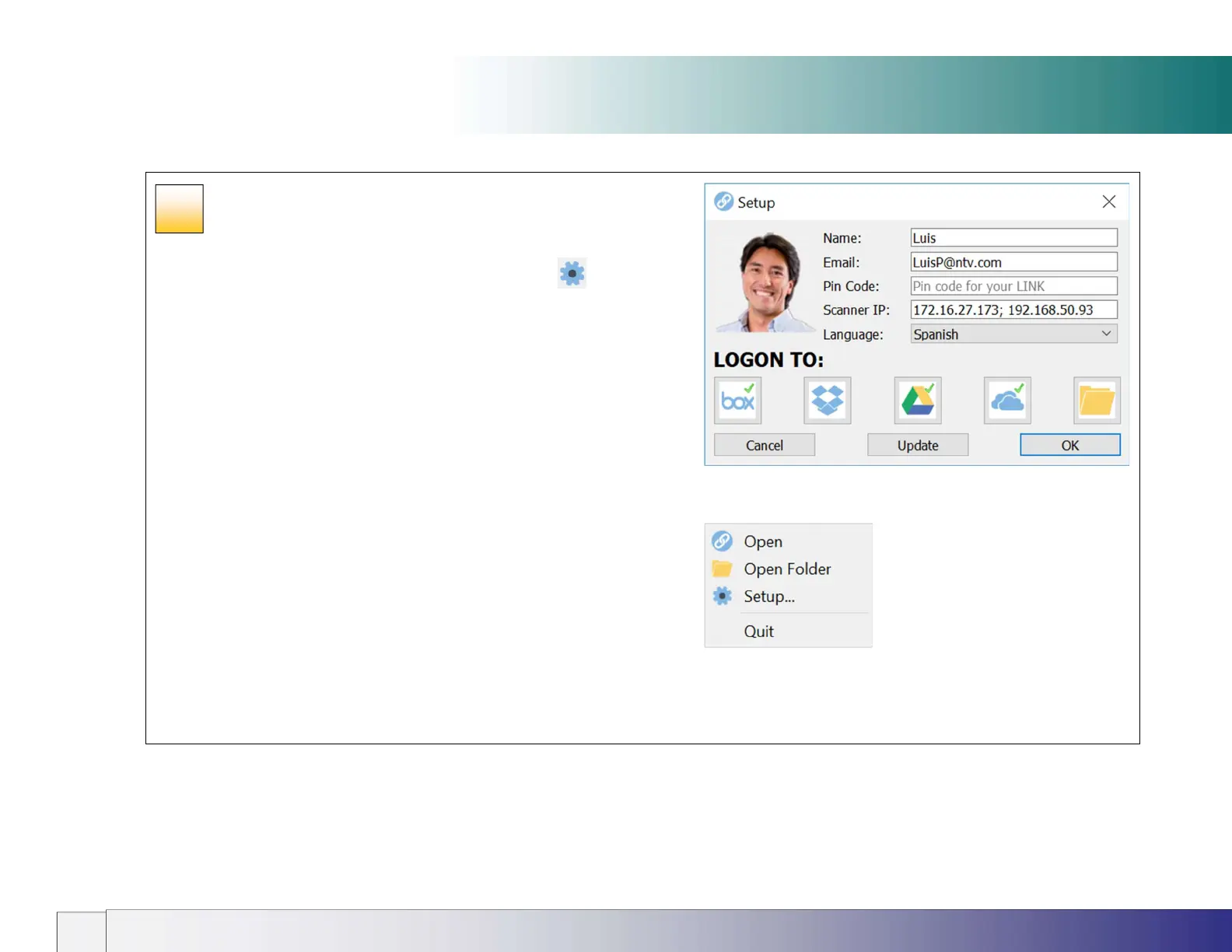
1. Start Contex LINK on your PC and press the setup icon
2. Enter your name, email address.
3. Enter a personal PIN code of your choice if you want to enforce
authentication at the scanner (optional).
4. Select your language preference.
5. Connect to your personal cloud services:
Select a cloud service by pressing its icon e.g. the Dropbox icon.
The service’s authentication screen will be displayed.
Enter your credentials to authenticate your cloud service account and
create the connection between the scanner and the cloud service.
Repeat for any other cloud services you subscribe to.
The connection setup will be saved and applied for all future scans.
The Contex LINK pc screen
The Contex LINK right-click menu
44













 To Next Page