Scanning 41
Scanning oversize documents
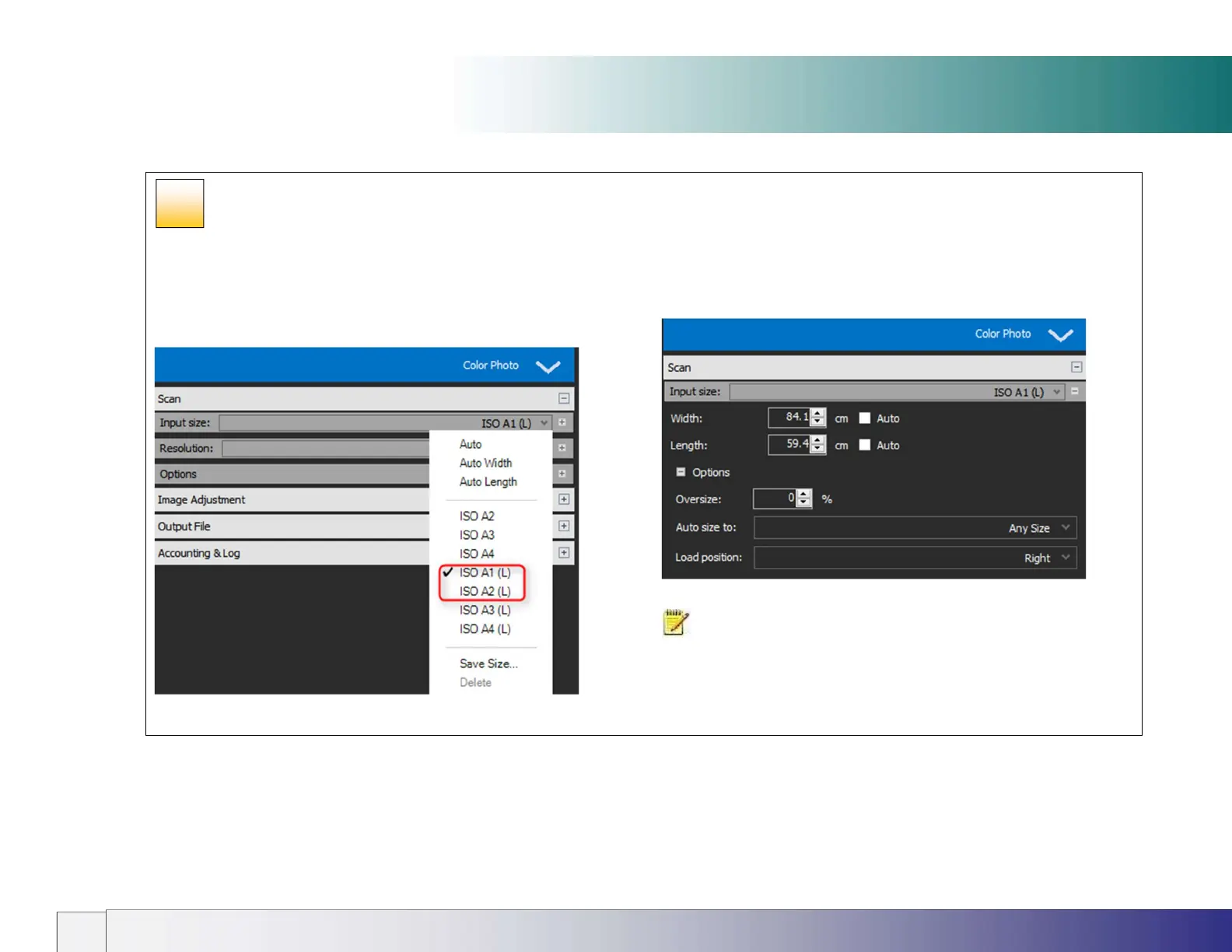
Oversize scanning settings (Nextimage)
In the scan input size settings select one of the (L) paper sizes or a
manual paper size dimension that is larger than 24” to switch on
Oversize. When scanning begins the Nextimage Wizard will appear in
the software user interface to guide the operator through the scanning
process.
The normal load position setting is ignored when scanning in Oversize
mode.
NOTE: Oversize Input size / Paper size requirements
Original must be rectangular
Paper Size Width is Original Width ± ½” (12mm)
Paper Size Length is Original Length ± ½” (12mm)
33













 To Next Page