Troubleshooting 79
Problems operating the scanner
Problem
Possible Causes and Remedies
I can’t find my scan files after scanning
You selected scan to PC or scan to a cloud service but you cannot locate your scan file.
1. If is running correctly you can locate your files in the following location for each destination:
a. Scan to PC: Select the folder icon at the top of the Contex LINK scan client interface to access the file
b. Scan to cloud service Box: the Contex Solutions folder in the root
c. Scan to cloud service Google Drive: the Contex Solutions folder in the root
d. Scan to cloud service OneDrive: the Contex Solutions folder in the root
e. Scan to cloud service Dropbox: the Contex Solutions folder in the Apps folder
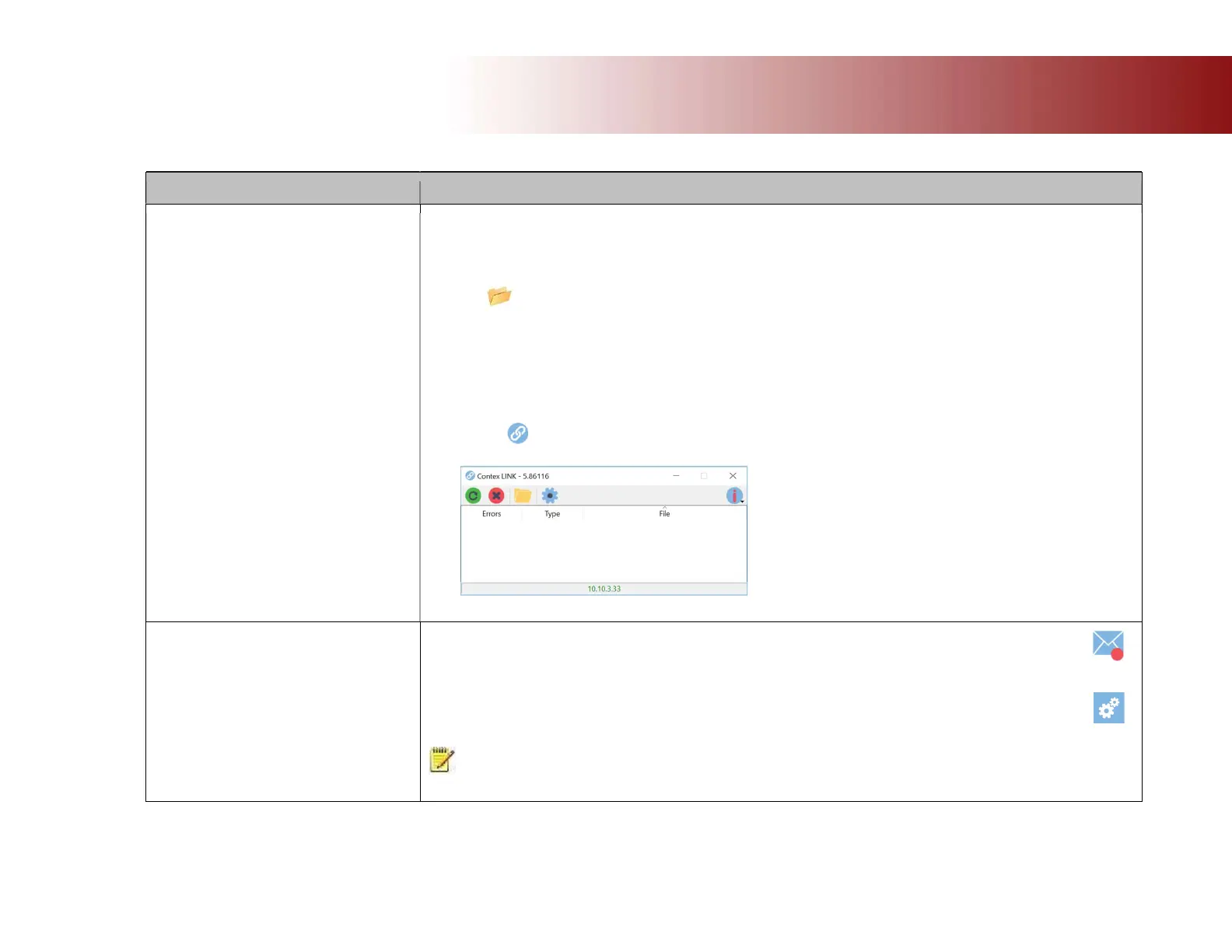
2. If the file transfer failed you will see the file listed in the Contex LINK error log. Start Contex LINK on the PC
to view.
Contex LINK error log screen
You selected scan to email and entered the right email address. But you receive an error and the scanner email icon is
marked with a red dot.
The outgoing mail parameters may not be configured correctly in the scanner.
Go to -> Settings -> System -> Email to configure the outgoing email settings.
See the section ‘Configuring the scan to email settings’ for more detail about the email parameters and what they
mean.
NOTE: The email settings relate to your company IT and its unique email solution. You may need to seek support from
your IT department or IT expert.













 To Next Page