Scanning 39
Oversize scanning settings (scanner)
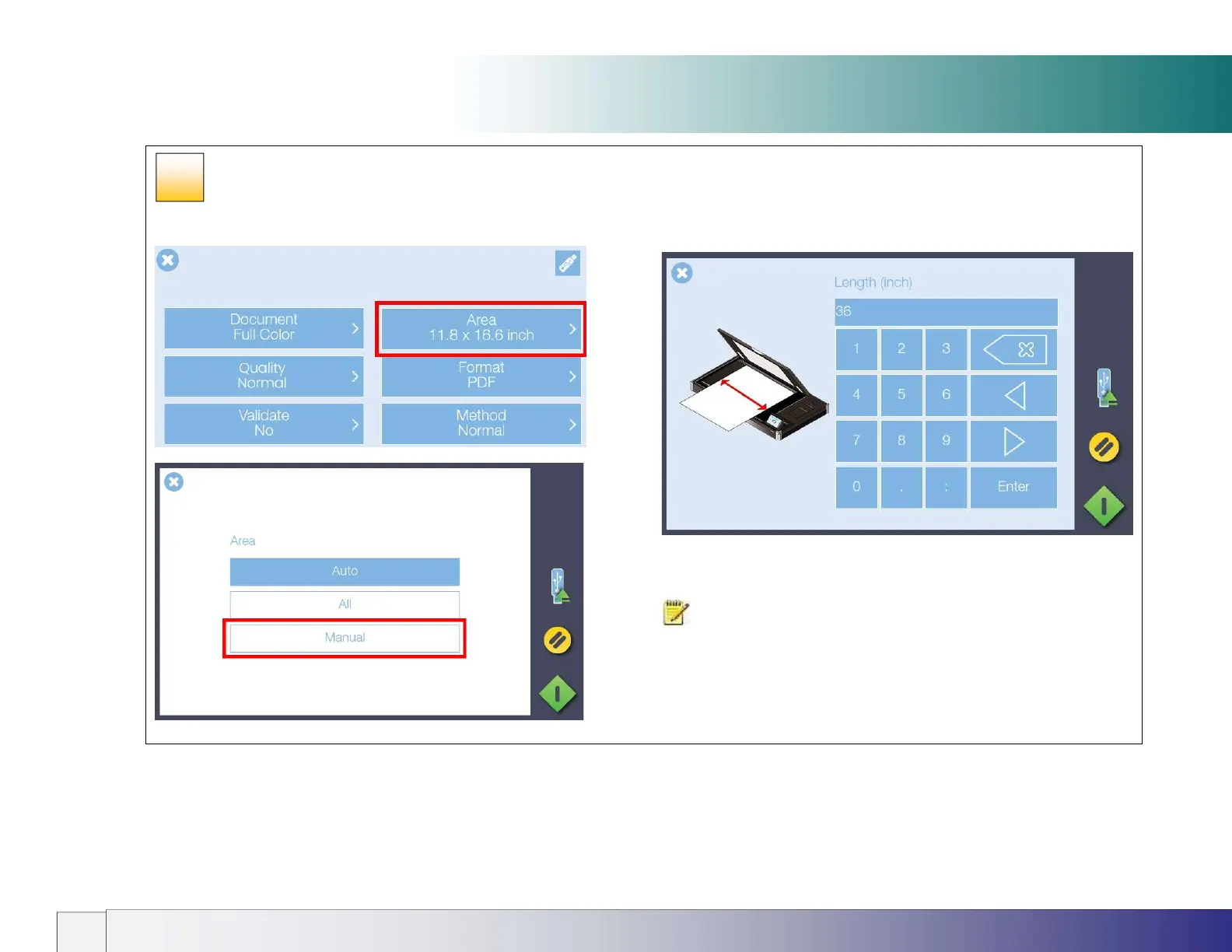
From Settings select Area then select Manual.
Next type in the Width of the oversize document followed by the
Length (length shown).
When scanning is started the Wizard will guide the operator through the
scanning process.
NOTE: Oversize Input size / Paper size requirements
Original must be rectangular
Paper Size Width is Original Width ± ½” (12mm)
Paper Size Length is Original Length ± ½” (12mm)
31













 To Next Page