Copying 62
Color Validation (add line)
Preview, Adjust, Crop and Annotate
Validate opens a preview of the document before it is copied. Use this screen to
clean up the scanned image by cropping or adjusting the brightness. Also add
freehand lines and text annotations to the copy if required. Refer to Scanning
section for more details.
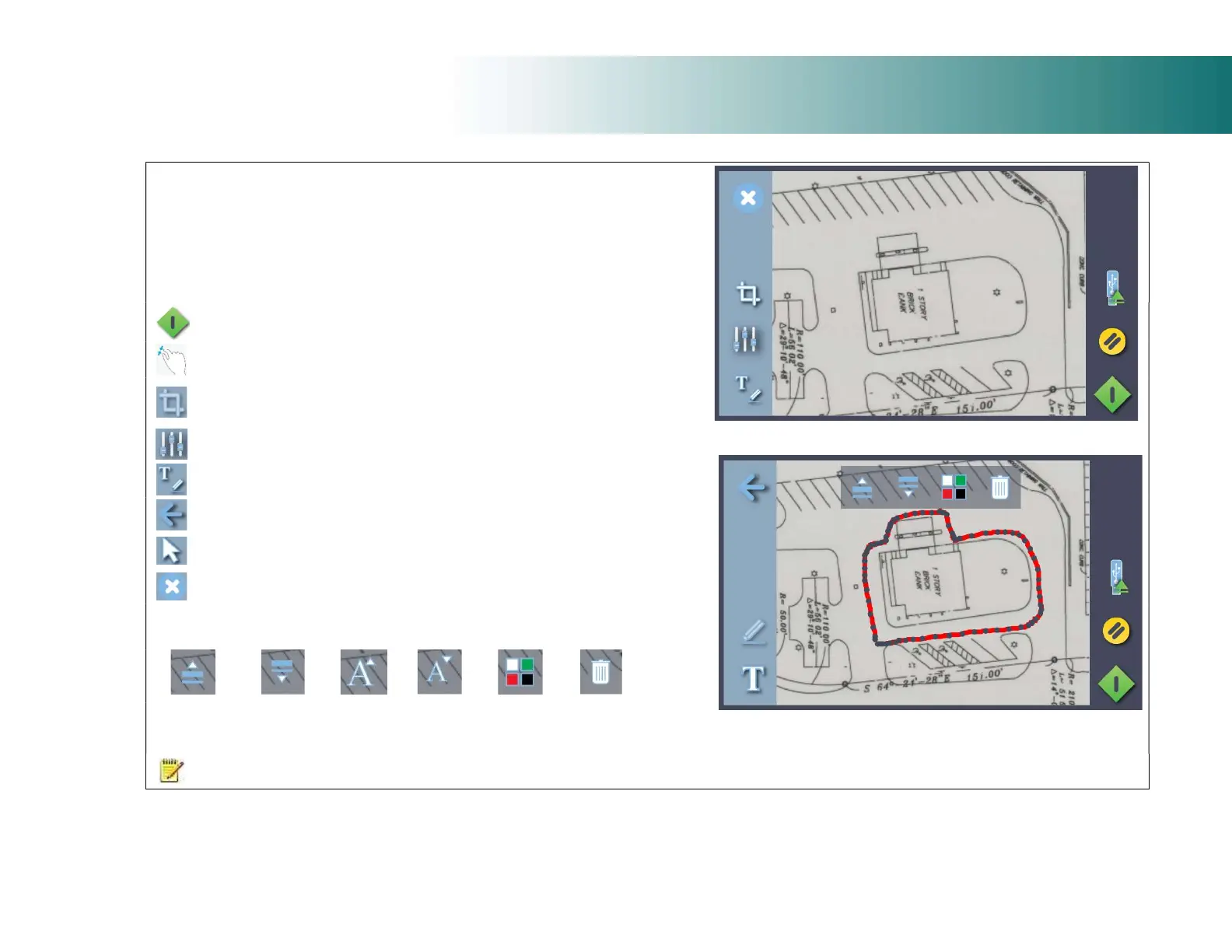
(Above) Validation Screen with Cancel, Crop, Adjust and Annotate
controls
Adjust Screen with Return, Freehand Line (selected) and Text
controls
Proceed or Save validation changes into the copy
Zoom the onscreen image
Remove image data outside of the crop lines
Adjust scanned image using white and black levels (improve brightness)
Go to annotation screen to add text and/or freehand lines
Return to validation screen from annotation screen
Select text for change or deletion. See note below
Cancel validation changes
Active Edit Controls (appear when annotation selected)
thickness
line
thickness
text size
font size
or color
NOTE: Pressing the green button stores any validation edits permanently into the
scan file. Changes cannot be reversed after leaving the validate screen.













 To Next Page