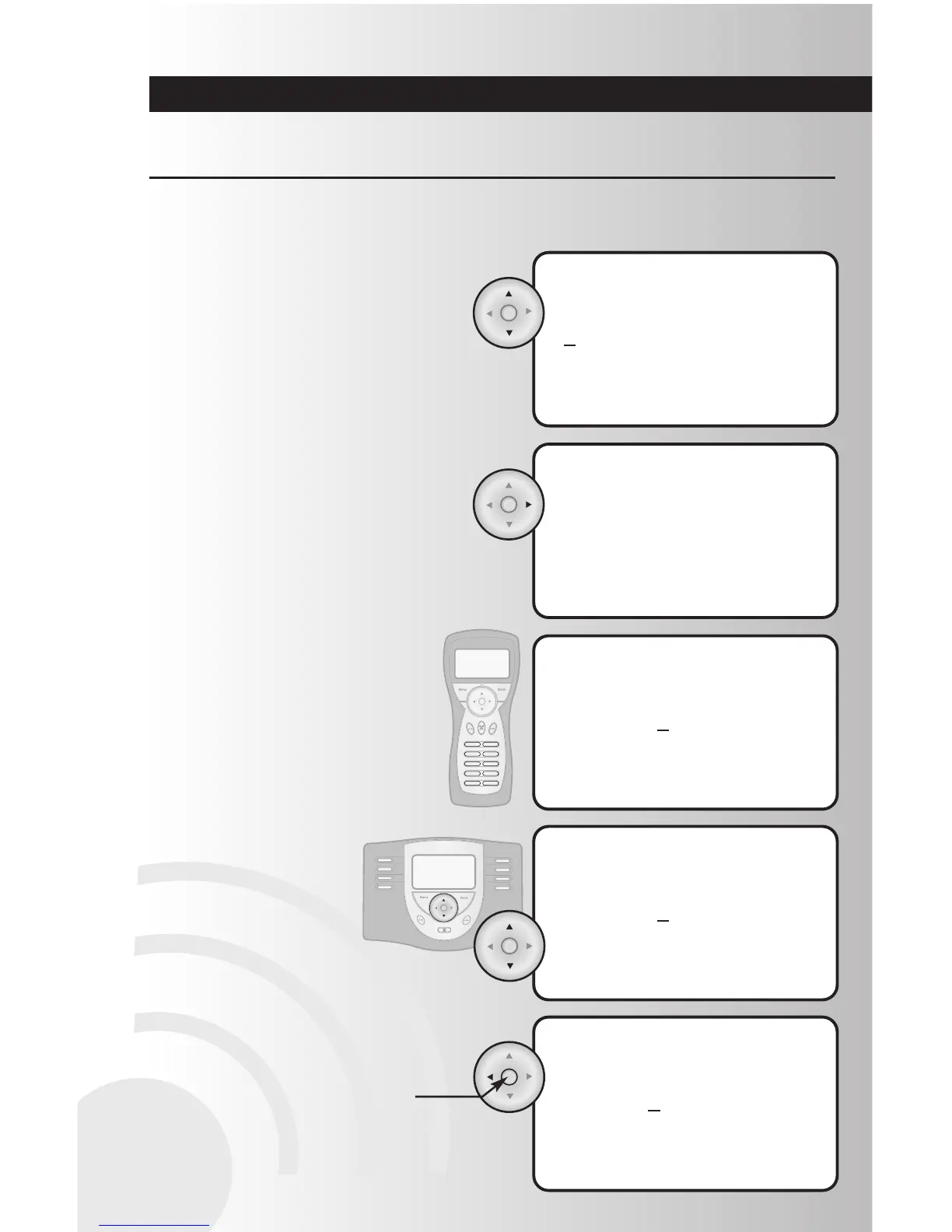
• To find a letter when entering a name,
use the up and down arrows to scroll through
a list containing the alphabet and a space
key. Up arrow starts with lower case letters
and down arrow starts with underscore,
space, then numbers (9-0) and the upper
case letters. You can hold the up or down
arrow and the letters will automatically
scroll. Let go when you get to the letter or
number you want.
Create Custom Names
• To go to next letter, press the right arrow
once. Use right arrow to move cursor one
space to the right.
• To enter a number instead of a letter
(handheld controller only), press the
number on the number pad.
• To enter a number instead
of a letter (table top
controller), use the up and
down arrows to scroll
through numbers.
• To erase the previous letter or number,
press the left arrow once.
• To save your entry, press the OK button
located at the center of the arrow pad.
Note: All Data will be lost for current
operation if a button is not pressed on the
controller within 60 seconds.
Several features of the wireless system give the option to create custom names. More detailed instructions
for each of these features is included in this manual. Here are some tips to introduce you to the process:



 To Next Page