216 • Crestron Zūm® Wired Solutions Product Manual — Doc. 9349B
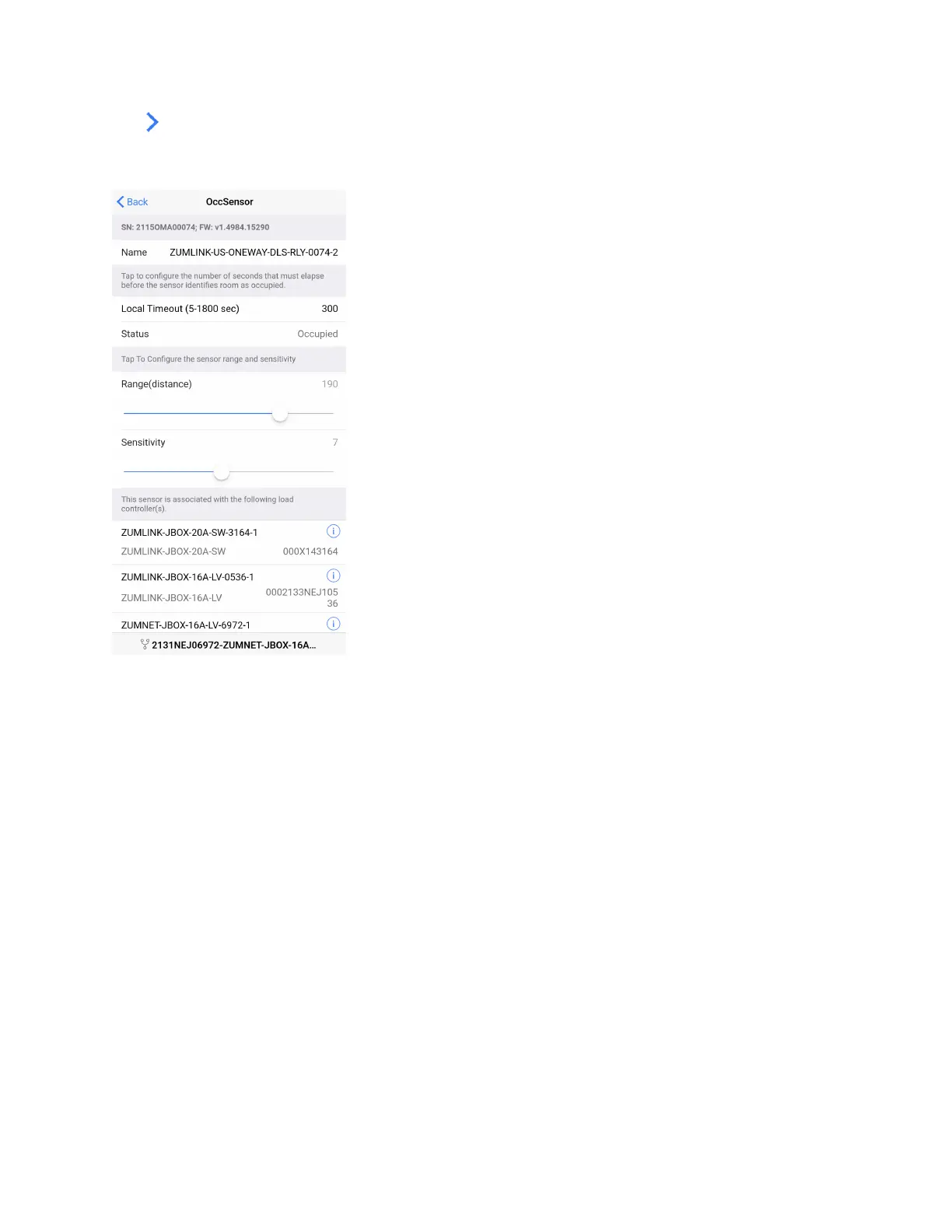
Tap next to the presence detector to adjust the Name, Timeout, Range, and Sensitivity, as well
as review the room Status and connected loads. Refer to Adjust Ultrasonic Sensitivity on page
216 for best practices on adjusting sensitivity.
Adjust Ultrasonic Sensitivity
You can adjust the Ultrasonic (US) sensitivity in US and Dual Technology (DT) presence
detectors. Passive Infrared (PIR) sensitivity is fixed and cannot be adjusted in PIR or DT presence
detectors.
1. Occupy the space where the US or DT presence detector is installed, and access Sensor
Test Mode in the Zūm app. Refer to Sensor Test Mode on page 213.
2. In the Zūm app, locate the desired presence detector(s) in the list and tap Sensor Test
Mode to begin the test.



 To Next Page