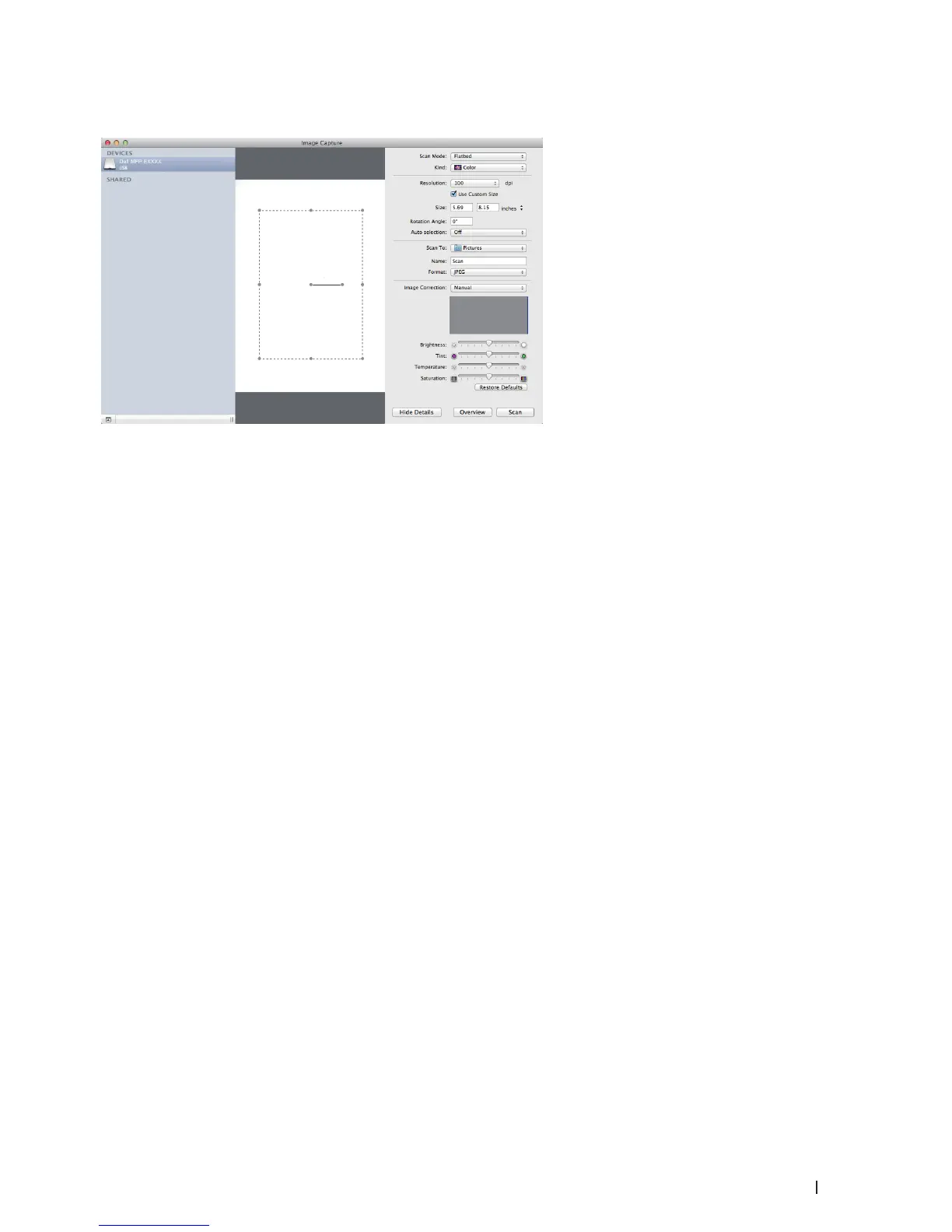
115Scan
ICA Driver Settings
NOTE: Item names and assignable values listed here may vary depending on the machine.
Scan Mode
Select Document Feeder, or Flatbed.
Kind
Select Color, Black & White, or Text.
Resolution
Select the resolution for your document.
Use Custom Size
Select this check box to customize the document size when scanning from the Flatbed.
Scan Size/Size
Select the paper size of the document being scanned.
Orientation / Rotation Angle
Select the orientation of the document being scanned.
Auto selection
If you selected Use Custom Size when using the Flatbed, choose the Image Capture's automatic detection features
here.
Scan To
Select the destination folder or destination application.
Name
Type the prefix text for the name of the scanned image.
Format
Select the file format of the scanned data.
Combine into single document
When you select PDF or TIFF for the file format, select this check box to scan and save a multiple-page document
as one file.
Image Correction
Select Manual to adjust Brightness, Contrast, Tint, Temperature and Saturation.










 To Next Page