322 Routine Maintenance
Clean the Paper Pick-up Rollers
Cleaning the paper pick-up rollers periodically may prevent paper jams by insuring the proper feeding of paper.
If you have paper feed problems, clean the pick-up rollers as follows:
1. Press and hold
to turn off the machine.
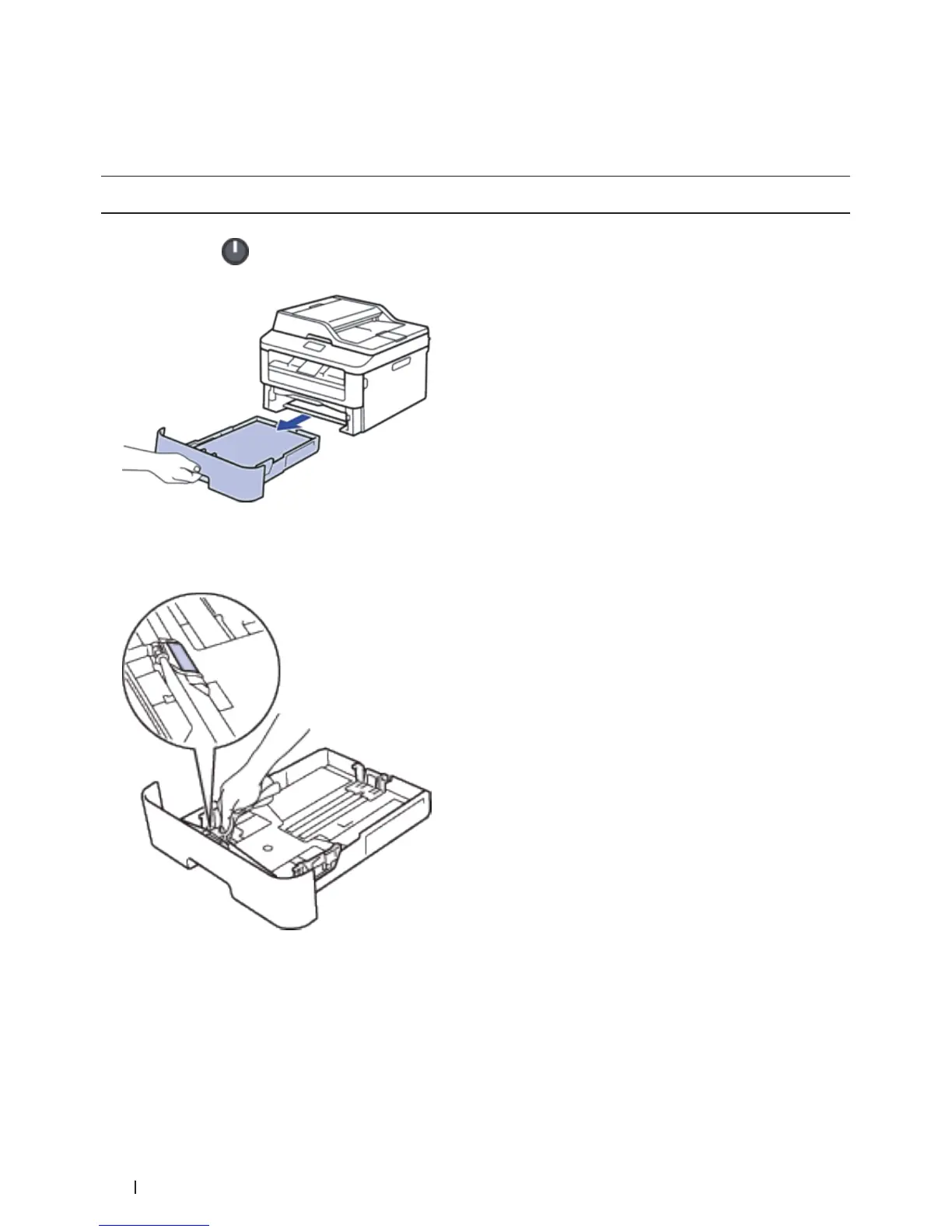
2. Pull the paper tray completely out of the machine.
3. If paper is loaded or something is stuck inside in the paper tray, remove it.
4. Tightly wring out a lint-free cloth soaked in lukewarm water, and then wipe the separator pad on the paper tray
to remove dust.
5. Wipe the two pick-up rollers inside the machine to remove dust.










 To Next Page