26 Introduction to Your Dell Machine
Resolution (for Dell E515dn)
Press to change the Fax resolution.
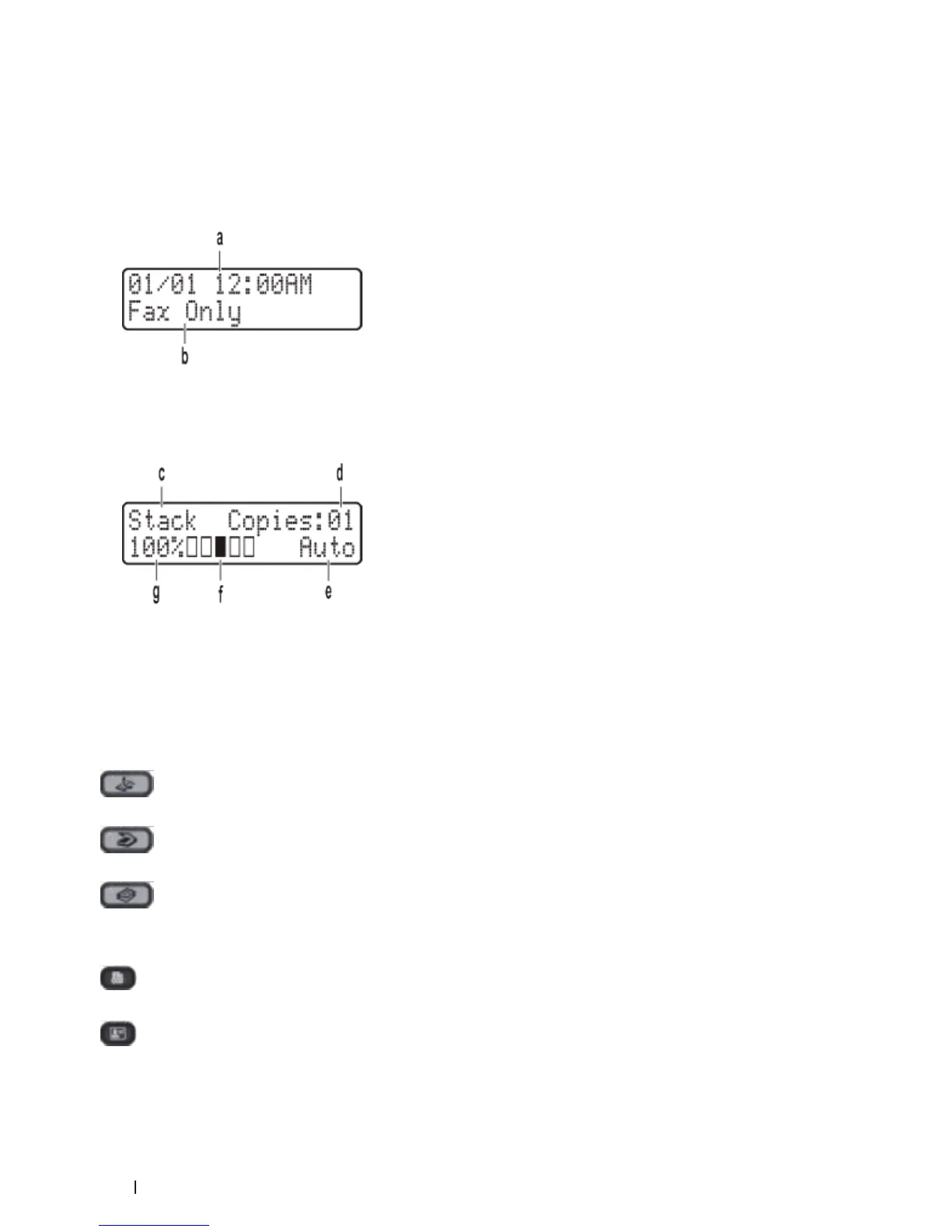
4. Liquid Crystal Display (LCD)
Displays messages to help you set up and use the machine.
If the machine is in Fax Mode, the LCD displays:
a. Date & Time
b. Receive Mode
When you press Copy, the LCD displays:
c. Type of copy
d. Number of copies
e. Quality
f. Contrast
g. Copy ratio
5. Mode buttons
(Fax)
Press to switch the machine to FAX Mode.
(Scan)
Press to switch the machine to SCAN Mode.
(Copy)
Press to switch the machine to COPY Mode.
6. Copy buttons
(Options)
Press to access temporary settings for copying.
(ID Copy)
Press to copy both sides of an identification card onto a single page.










 To Next Page