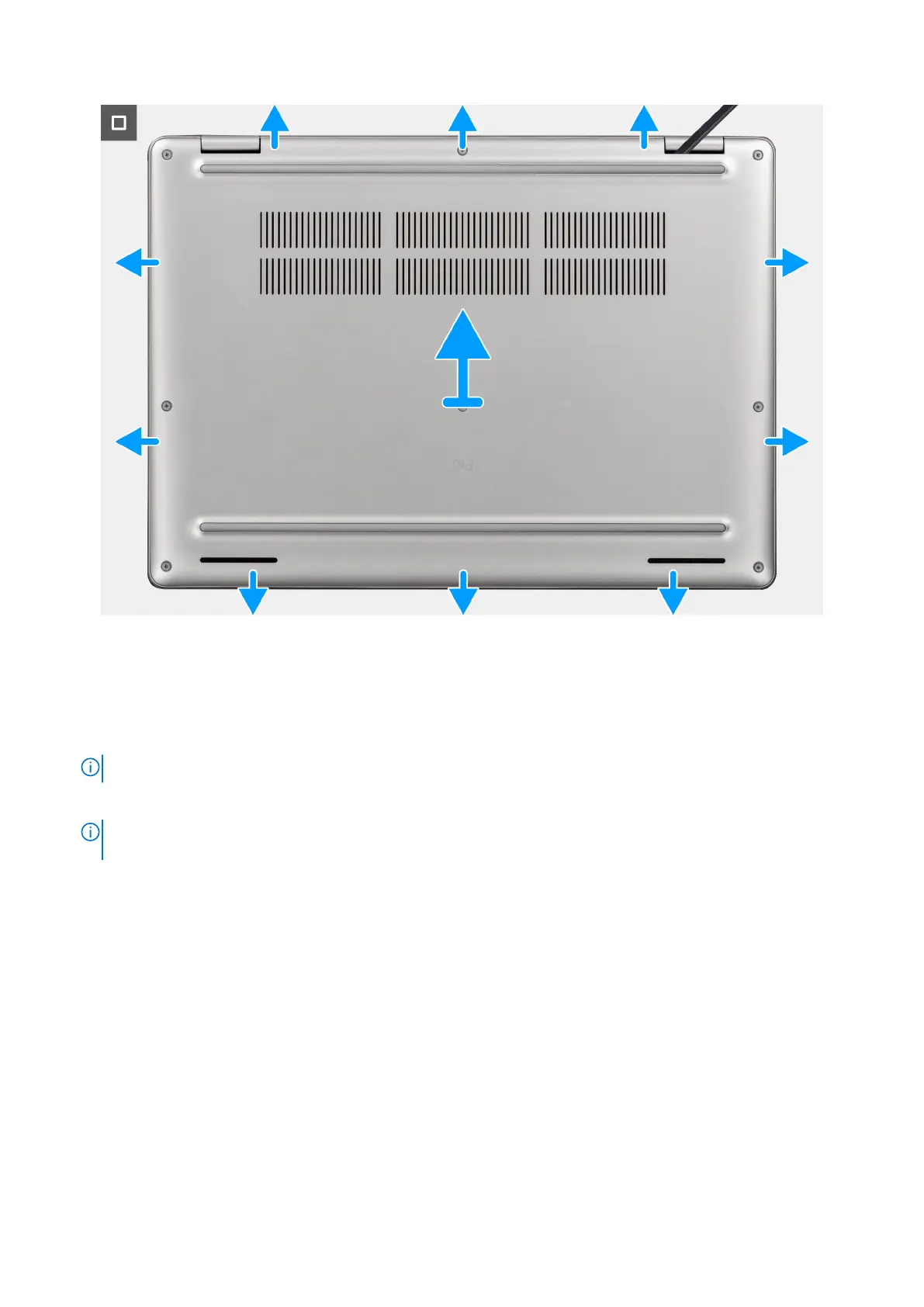
Figure 20. Removing the base cover
Steps
1. Loosen the eight captive screws that secure the base cover in place.
2. Using a plastic scribe, pry open the base cover from the recesses that are located in the U-shaped indents at the top edge
of the base cover near the hinges.
NOTE: To remove the base cover, pry it open from the U-shaped indents at its top edge near the display hinges.
3. Lift the base cover off the keyboard and palm-rest assembly.
NOTE:
Ensure that your computer is in Service Mode. If your computer is unable to enter Service Mode, disconnect the
battery cable from the system board. To disconnect the battery cable, follow the below steps.
4. Disconnect the battery cable from the system board using the pull tab.
5. Press and hold the power button for five seconds to ground the computer and drain the flea power.
44
Removing and installing Customer Replaceable Units (CRUs)



 To Next Page