SEVEN PLUS User’s Guide | 23
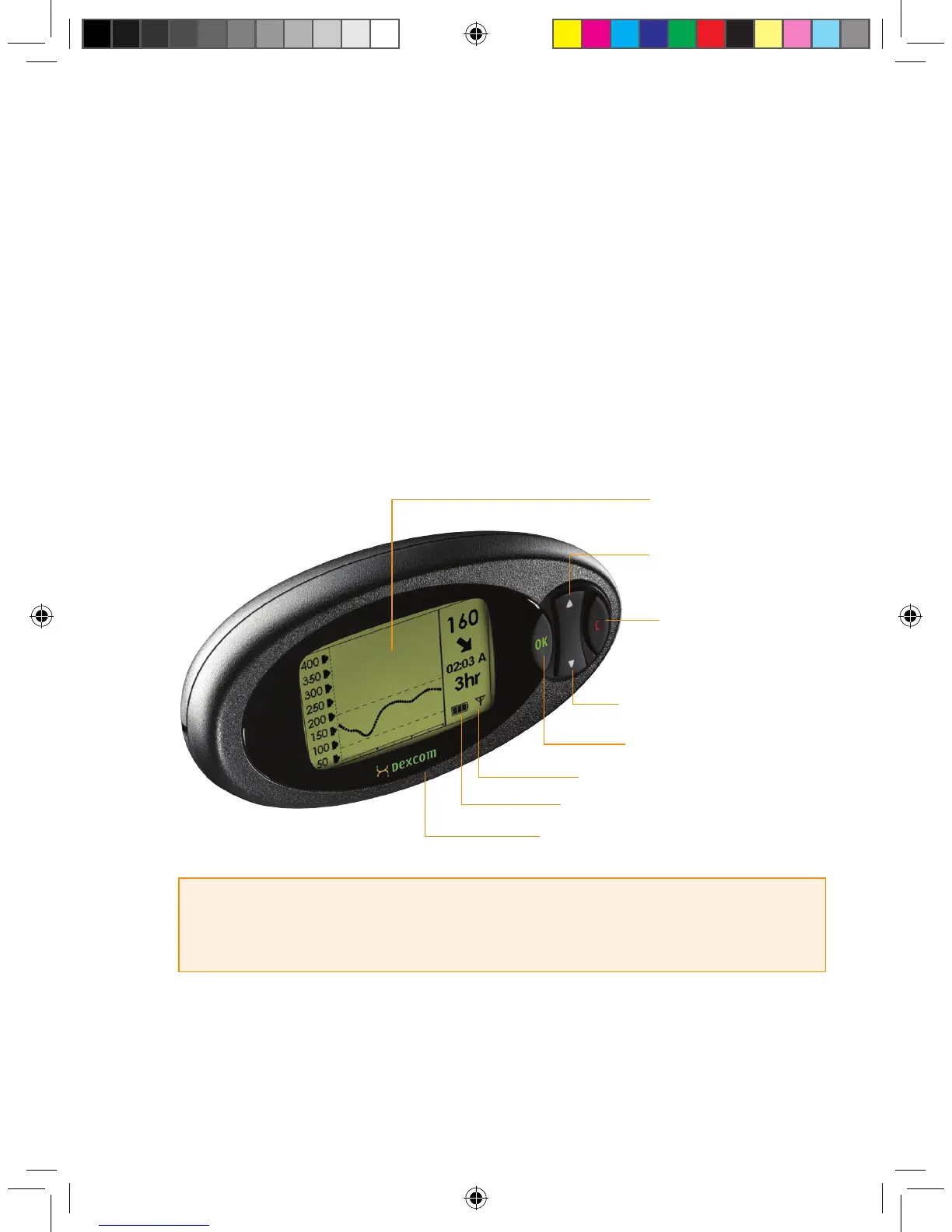
The Receiver has 4 buttons to move you through the screens. The screens display glucose
readings and trend graphs (“Trend Graphs”) and allow you to change your Receiver settings
(“Menu Screens”). The Receiver is programmed with a specic Transmitter ID Number so your
Receiver and Transmitter can talk with each other. Each time you insert a new Sensor, you will
need to notify the Receiver (see Chapter 3, Section 3.8, “Beginning a Sensor Session”).
Each Sensor must be “calibrated” before glucose readings are displayed on the Receiver.
To calibrate, you can hand enter ngerstick readings (see Chapter 4, Section 4.1.1, “Using
OpenChoice for Calibration”) from any FDA-cleared meter or you can calibrate with the OneTouch
Ultra meter using a Connection Cable
(see Chapter 4, Section 4.1.2, “Using Auto Upload for
Calibration”).
HELPFUL HINTS:
• During nighttime use you may want to place the Receiver under
your pillow or on your nightstand.
Receiver
Display Screen
Red C Clear Button
Down qA rrow Button
Connection port to OneTouch
Meter and battery charger
Green OK Button
Up p Arrow Button
Antenna Symbol
Battery Life Indicator



 To Next Page