88 | SEVEN PLUS Continuous Glucose Monitoring System
7.1 AUTOMATIC SENSOR SHUT-OFF
The Receiver will tell you how much time you have remaining until your SEVEN Sensor session
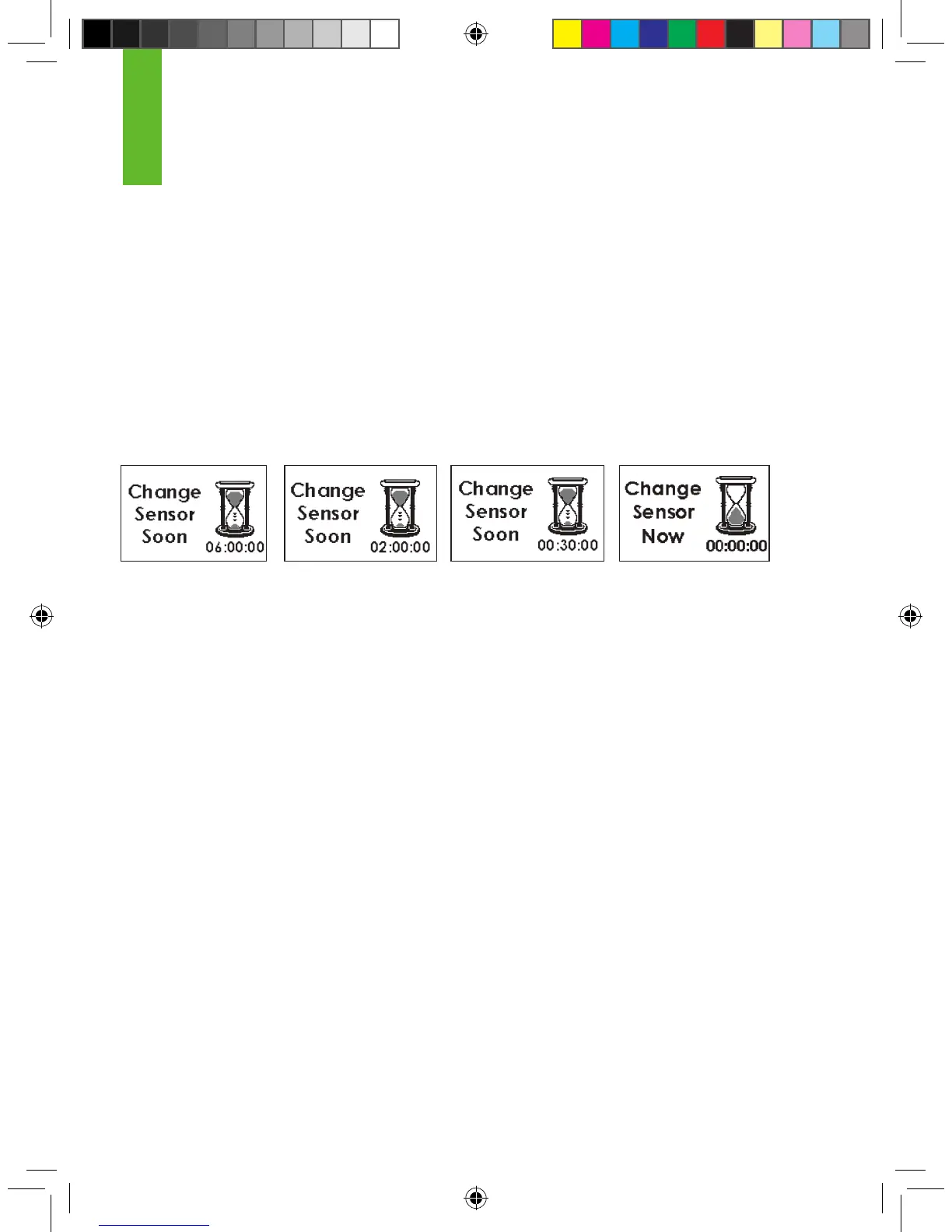
is complete. The Expiration Screen will appear 6 hours and 2 hours before your 7-Day session
ends.
At 30-minutes and 0-hours before your 7-day session ends, the Receiver will display the Expira-
tion Screen. You can set the Receiver to vibrate and/or beep with these 30-minute or 0-hour dis-
plays if you choose (see Chapter 2, Section 2.3, “Setting your Alerts”). After the 6-hour, 2-hour,
and 30-minute reminders you will still continue to receive System readings. You can clear all of
these screens by pressing the C button on the Receiver. You must remove your Sensor after
the nal Sensor Expiration Screen (00:00:00) appears.
Once the Final Expiration Screen appears, press the C button to clear this notica-
tion.
7.2 EARLY SENSOR SHUT-OFF
In some cases your Sensor Session may end before you have completed a full 7-day period.
You should review Chapter 10, “Technical Information,” of this User’s Guide to determine how
often you should expect this to happen. Examples of why this may occur are described on the
next page.
6-hour Sensor
Expiration
Notication
2-hour Sensor
Expiration
Notication
30-minute Sensor
Expiration
Notication
(+ vibration if set)
Sensor Expiration
Notication
(+ vibration if set)
End of session
7



 To Next Page