SEVEN PLUS User’s Guide | 25
Alerts To change the settings for Alerts and
notications from your Receiver, including High, Low,
Out of Range, Rate of Change, and Other Alerts
Section 2.3
Settings To change the time and date and
Transmitter ID number and to look up your SEVEN PLUS’
hardware and software
numbers
Section 2.2
Shutdown To temporarily turn off all communications between
your Sensor, Transmitter and Receiver
Section 5.5
Stop
Sensor
To end a Sensor wear session early
• This option only appears in the middle of Sensor use
Section 7.2
1.5.2 RECEIVER SCREENS & PROMPTS
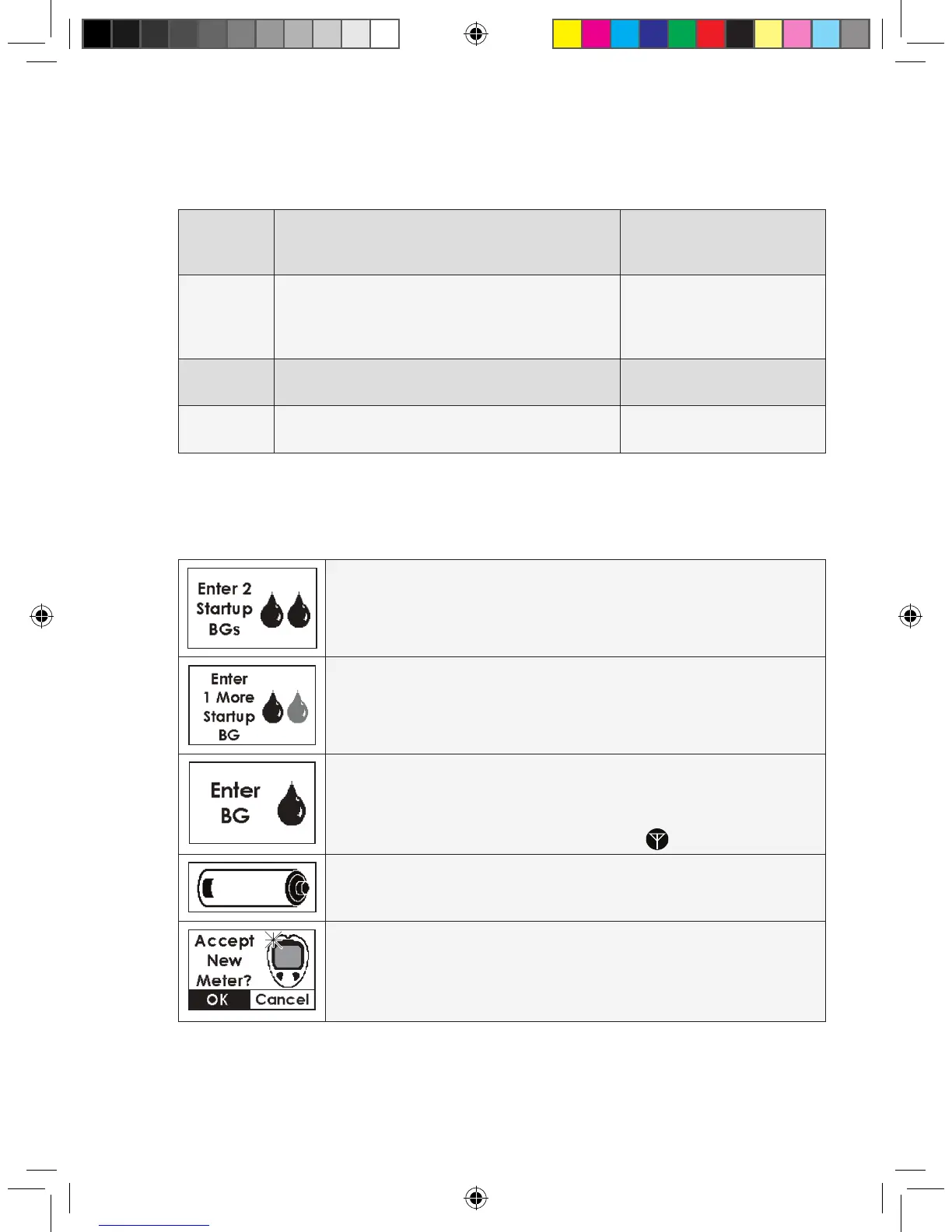
The following prompt screens may appear on the Receiver during use:
DOUBLE BLOOD DROP PROMPT: Appears about 2 hours after you
insert a new Sensor and tells you that you need to take 2
ngerstick readings on your meter and enter them to calibrate.
SHADED-OUT BLOOD DROP PROMPT: This tells you that only
1 ngerstick reading has been successfully entered. You need to take and enter
at least 1 more ngerstick reading using your
meter for calibration.
SINGLE BLOOD DROP PROMPT: This Screen appears during
Calibration Update or Re-Calibration. This means it is time for you to take a ngerstick on
your BG meter and enter it into the Receiver. But rst check the Status Box. Only enter
ngerstick readings if the Status Box shows the Single Blood Drop or a Glucose Reading.
Do not enter any ngerstick readings if there are “???” or “ ” in the Status Box.
LOW BATTERY NOTIFICATION: Your Receiver battery is running low and
needs to be recharged. Charge the battery as soon as possible.
NEW METER SCREEN (Auto Upload only): A new OneTouch Ultra
meter has been plugged into your Receiver. This meter has a different serial number
from the meter that was last connected to the Receiver. If you receive this screen
during Auto Upload calibration, you will have to re-take any ngersticks needed for
calibration and then connect the 2 devices again for Calibration Update.



 To Next Page