24 | SEVEN PLUS Continuous Glucose Monitoring System
1.5.1 MOVING THROUGH THE RECEIVER SCREENS
1. Turn on the Receiver by pressing any button.
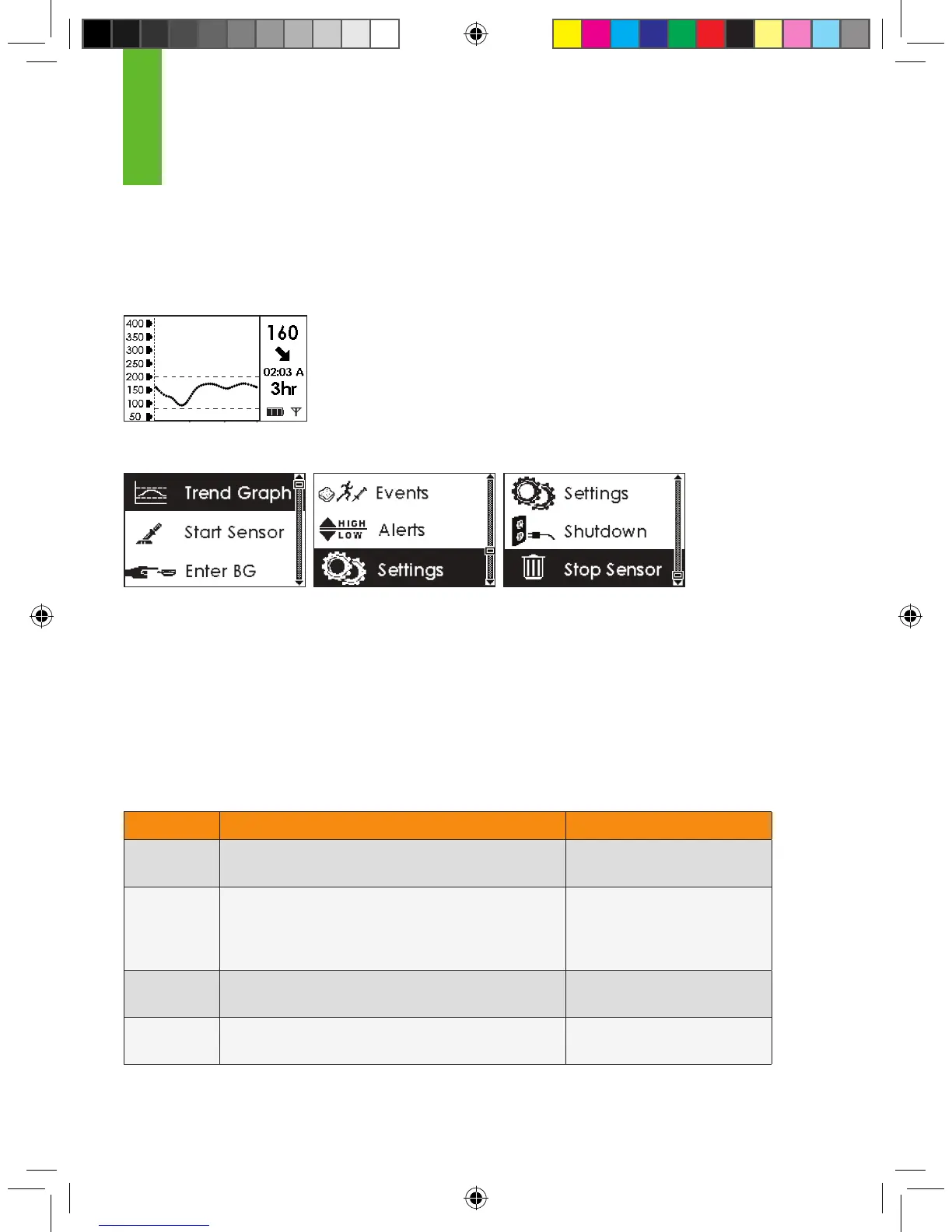
2. The Trend Graphs will appear.
a. The default screen is the 3-Hour Trend Graph, but you may see
additional glucose information over
time by pressing the Up p and Down q Arrow
buttons to see the 1-Hour, 6-Hour, 12-Hour, and
24-Hour Trend Graphs.
3. From any Trend Graph, press the OK button to enter the Menu Screens.
a. The Up p and Down q Arrow buttons allow you to scroll through and highlight different
Menus.
b. Press the OK button when the option you want is highlighted. You will then enter that
Menu.
c. Press the C button to return to the previous Menu.
4. More information on Receiver Menus can be found in the sections listed below:
Menu Purpose User’s Guide Reference
Trend
Graph
To return to the Trend Graphs Section 5.1
Start
Sensor
To start a new Sensor.
• This option only appears if a Transmitter ID has been
entered and if you are not in the middle of using a
Sensor
Section 3.8
Enter BG To enter your ngerstick blood glucose
readings for calibration (OpenChoice)
Section 4.1.1
Events To enter information about meals, insulin, exercise,
and health
Section 6.1
1



 To Next Page