82 | SEVEN PLUS Continuous Glucose Monitoring System
c. Use the Up p and Down q Arrow buttons to scroll until you select the day you want. Then
press the OK button.
d. Use the Up p and Down q Arrow buttons to scroll until you select the hour you want.
Then press the OK button. When you choose the hour, the AM/PM will adjust automatically
(e.g. if you go from 11AM to 12PM, AM will switch to PM).
e. Use the Up p and Down q Arrow buttons to scroll until you select the minute you want.
Then press the OK button.
9. You will see an event summary screen.
a. Press the OK button to conrm.
Press the C button if the information is incorrect and you want to back-up.
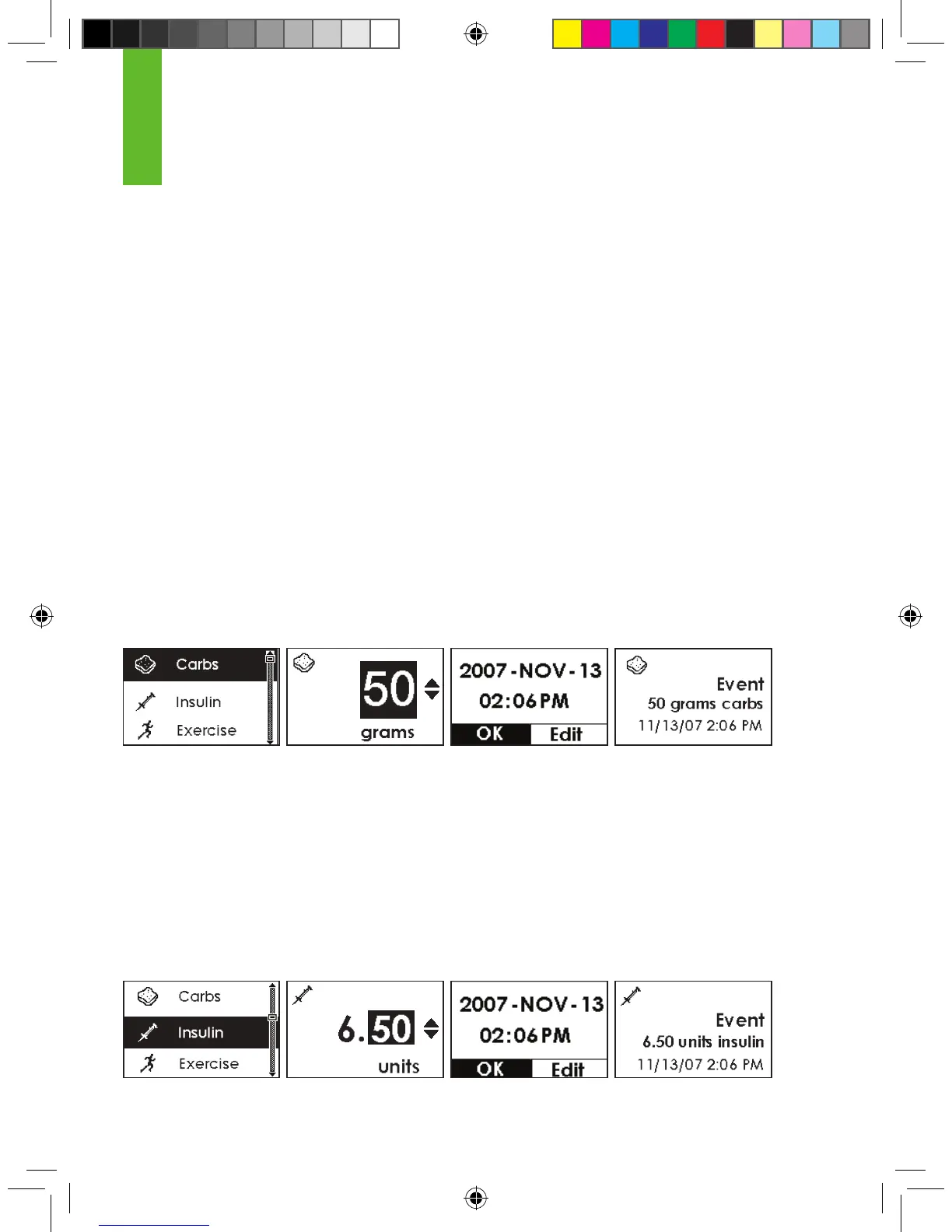
6.1.2 CARBOHYDRATES
You can enter the carbohydrates you eat by using the Carbs Menu.
•
You can enter 0-200 grams.
•
When you enter this menu, you will either see the last number of Carbohydrates grams you
entered or you will see 50 grams (default).
6.1.3 INSULIN
You can enter the insulin you take by using the Insulin Menu.
•
You can enter 0-250 units.
•
When you enter this menu, you will either see the last Insulin units you entered or you will see
10 units (default).
•
You cannot set different types of insulin.
6



 To Next Page