32 | SEVEN PLUS Continuous Glucose Monitoring System
2.2 THE SETTINGS MENU
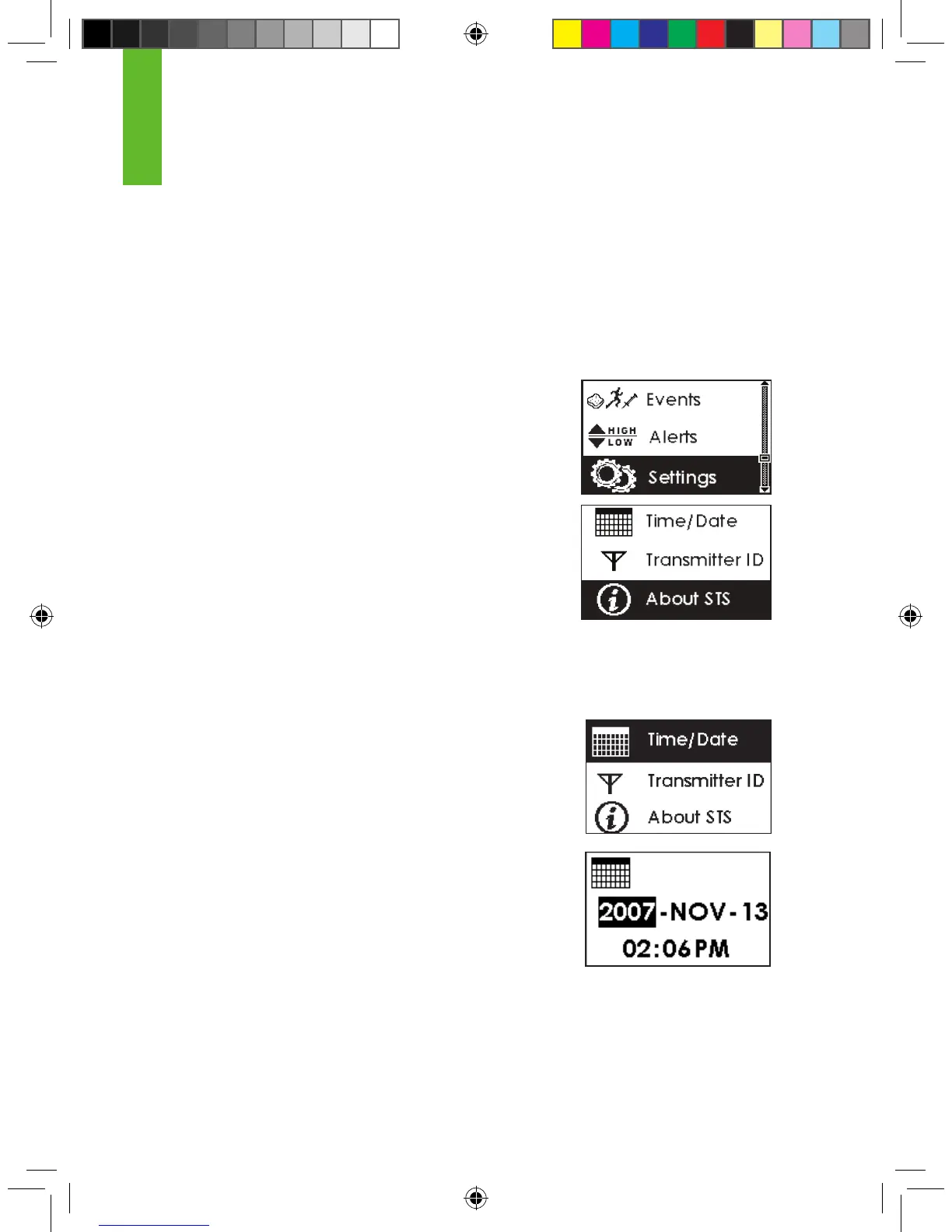
The Receiver lets you set the Date and Time and the Transmitter ID. It also shows you what
Software version you have.
To reach the Settings Screens, follow these steps:
1. Press any key to turn on the Receiver’s display.
2. Press the OK button to reach the Menus.
3. Use the Up p and Down q Arrow buttons to scroll
until you highlight “Settings.”
4. Press the OK button to go into the Settings Menu.
5. Use the Up p and Down q Arrow buttons to scroll through the
Settings:
a. Time/Date b. Transmitter ID c. About STS
6. Press the OK button to enter the Settings option you want.
2.2.1 SETTING YOUR RECEIVER TIME AND DATE
1. From the Settings Menu, highlight “Time/Date” and press the OK
button to enter the Time/Date Setting Screen.
2. Use the Up p and Down q Arrow buttons to scroll until you
select the year you want. Then press the OK button.
a. You can scroll by 1 digit at a time.
3. Use the Up p and Down q Arrow buttons to scroll until you
select the month you want. Then press the OK button.
4. Use the Up p and Down q Arrow buttons to scroll until you
select the day you want. Then press the OK button.
5. Use the Up p and Down q Arrow buttons to scroll until you select the hour you want. Then
press the OK button.



 To Next Page