SEVEN PLUS User’s Guide | 73
5.3.2 LOW GLUCOSE ALERT
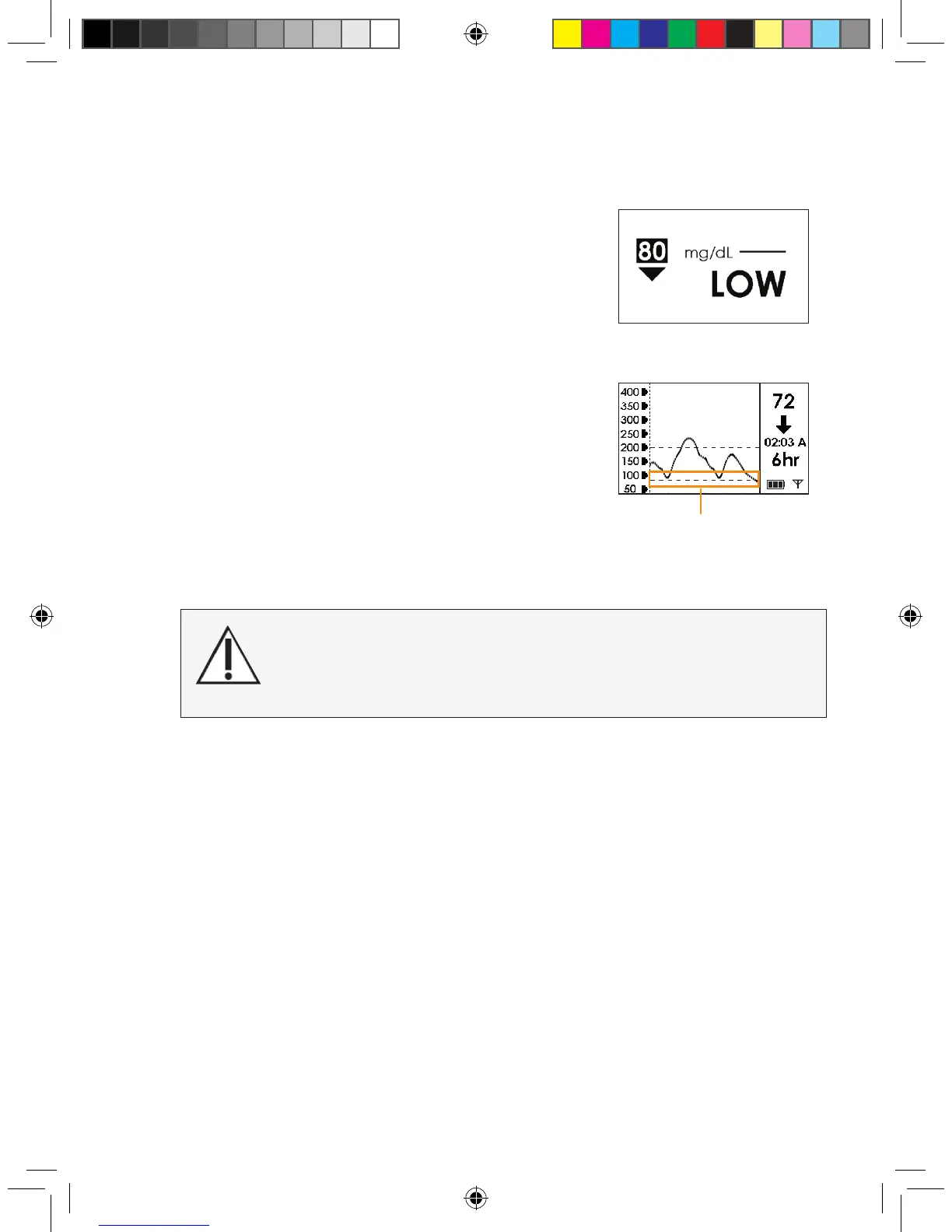
When your SEVEN PLUS glucose readings are at or below
your Low Alert level, the following screen will appear. You can
set the Receiver to beep and vibrate when this screen appears
(see Chapter 2, Section 2.3, “Setting your Alerts”). The default is
set at 80 mg/dL, but you can change this.
When you set the Low Glucose Alert, it will appear as a dashed
line on your Glucose Trend Graphs.
The Receiver will continue to alert until you press a button or
until your glucose readings rise above your Low Glucose Alert
setting. At the default setting, the Receiver will not re-alert you
after you have pressed a button to clear the alert. But, you can
choose to have the Receiver re-alert you every 30 minutes or
1, 2, 3, 4, or 5 hours after pressing a button. You can do this
by changing your Snooze settings (see Chapter 2, Section 2.3,
“Setting your Alerts”).
5.3.3 LOW GLUCOSE ALARM
The Receiver also has an automatic Low Glucose ALARM set at 55 mg/dL.
This ALARM is a feature in addition to your personal glucose alerts. You cannot change
or turn off this ALARM or its re-Alert settings.
•
When your SEVEN PLUS glucose reading is at or below 55mg/dL the Receiver will notify you
with 4 low beeps and vibration in this order:
- 1st 5-minute ALARM: “Vibrate”
- 2nd 5-minute ALARM: “Vibrate” “Beep” “Beep” “Beep” “Beep”
- 3rd 5-minute ALARM: “Vibrate” “Beep” “Beep” “Beep” “Beep” (louder)
•
The Receiver will vibrate and beep every 5 minutes after the 3rd ALARM if your readings are
still at or below 55 mg/dL until you press the C button.
Low Glucose Alert set
at 80 mg/dL
Low Glucose Alert Setting
Symptoms related to low or high blood glucose levels should
not be ignored. If you have symptoms of low or
high glucose, use your blood glucose meter to check the Sys-
tem results.



 To Next Page