54 | SEVEN PLUS Continuous Glucose Monitoring System
3.9 SENSOR START-UP PERIOD
The Sensor needs a 2-hour Start-Up period. This is so the Sensor can get used to its new inser-
tion site. During the Start-Up period, check every so often to make sure the Antenna Symbol is in
the lower right corner of the Trend Graphs. Also make sure your Receiver battery is charged.
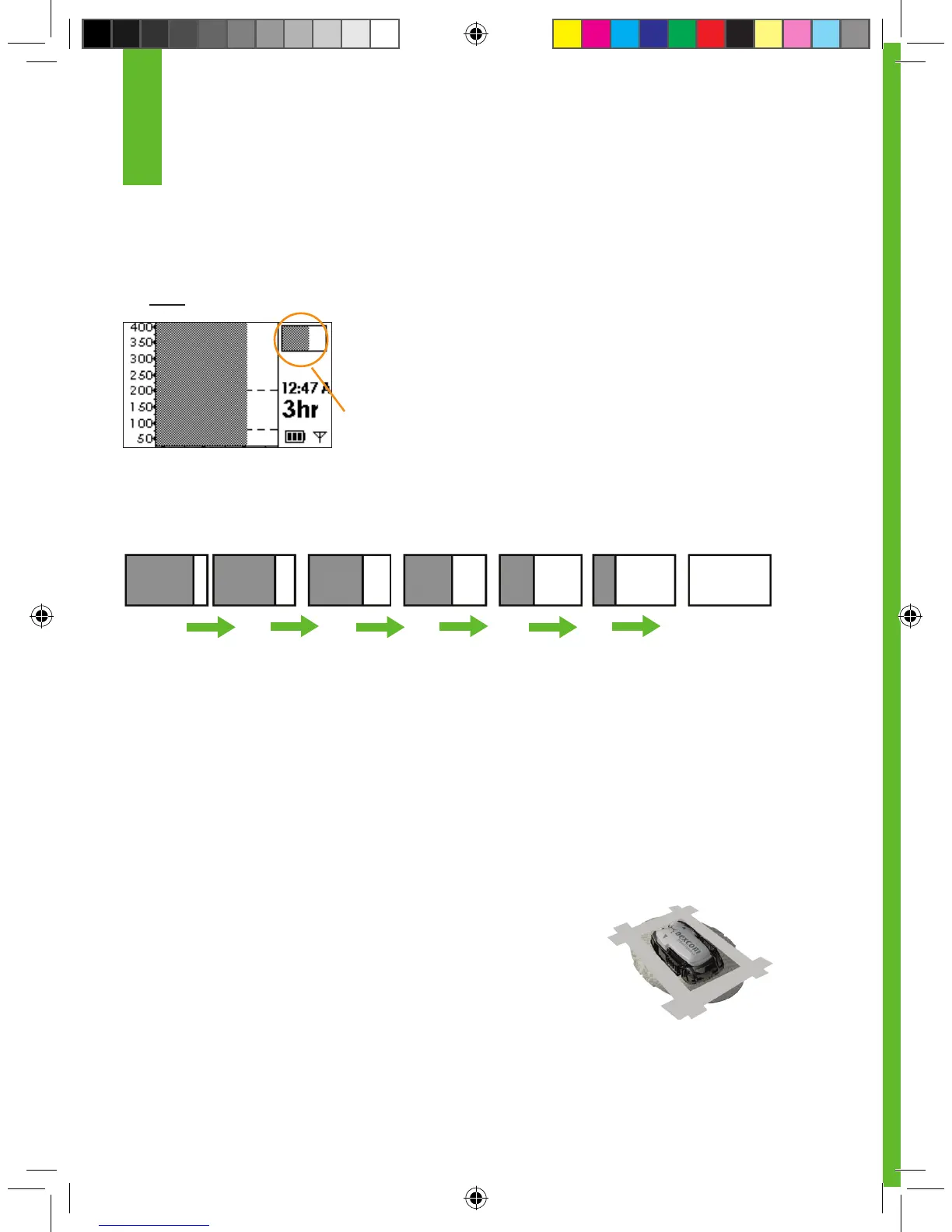
When you press any button during the Start-Up period to turn
on the Receiver dislplay, your Trend Graphs and Status Box will
be shaded dark gray.
A partial grey status box indicates your Sensor is still
in the Start-Up period
Over time, the partial dark gray block on the screen will start to disappear to the left, indicating
that you are getting closer to initial calibration time. See the pictures below for an example of what
this looks like.
At the end of the 2-hour Start-Up period the Receiver will let you know that it is time
to calibrate your Sensor. Chapter 4 tells you how to calibrate your Sensor.
3.10 THE SEVEN PLUS AND WATER
Your Sensor (including the installed Transmitter) is water resistant when showering, bathing, or
swimming. The Sensor has been tested to be water resistant when submerged for up to 3 ft for a
maximum of 30 minutes. For added protection you can use a shower cover. The Receiver is
not water resistant. Do not get your Receiver wet at any time.
3.11 TAPING THE SENSOR POD
The Sensor Pod should stay attached on its own. But, if the patch is
peeling up, you can use medical tape (such as Blenderm
TM
) for extra
support. If you use tape, only tape over the white adhesive patch on all
sides for even support. Do not tape over the
Transmitter or any of the plastic parts of the Sensor Pod. Do not tape
under the Sensor Pod or leave any substance on the skin where you
insert the Needle.
3
Start
Ready for
calibration



 To Next Page