72 | SEVEN PLUS Continuous Glucose Monitoring System
5.3 GLUCOSE ALERTS AND ALARM
The SEVEN PLUS lets you create your own personal settings for how you want the Receiver to
tell you what is going on. The Low and High Glucose Alerts will tell you when you fall outside of
your target glucose range, and Rise and Fall Alerts let you know when your glucose levels are
changing fast. The SEVEN PLUS also features a non-adjustable Low Glucose ALARM that will
tell you when your glucose levels may be reaching potentially dangerous low levels.
With the SEVEN PLUS, you can set High and Low Glucose Alerts that help tell you when your
glucose readings are out of your “target range.” The High and Low Glucose Alerts also have
different tones (high and low beeps) to notify you. This feature can be helpful during times when
you may not test your blood glucose (such as sleeping, driving, exercise, or long meetings).
5.3.1 HIGH GLUCOSE ALERT
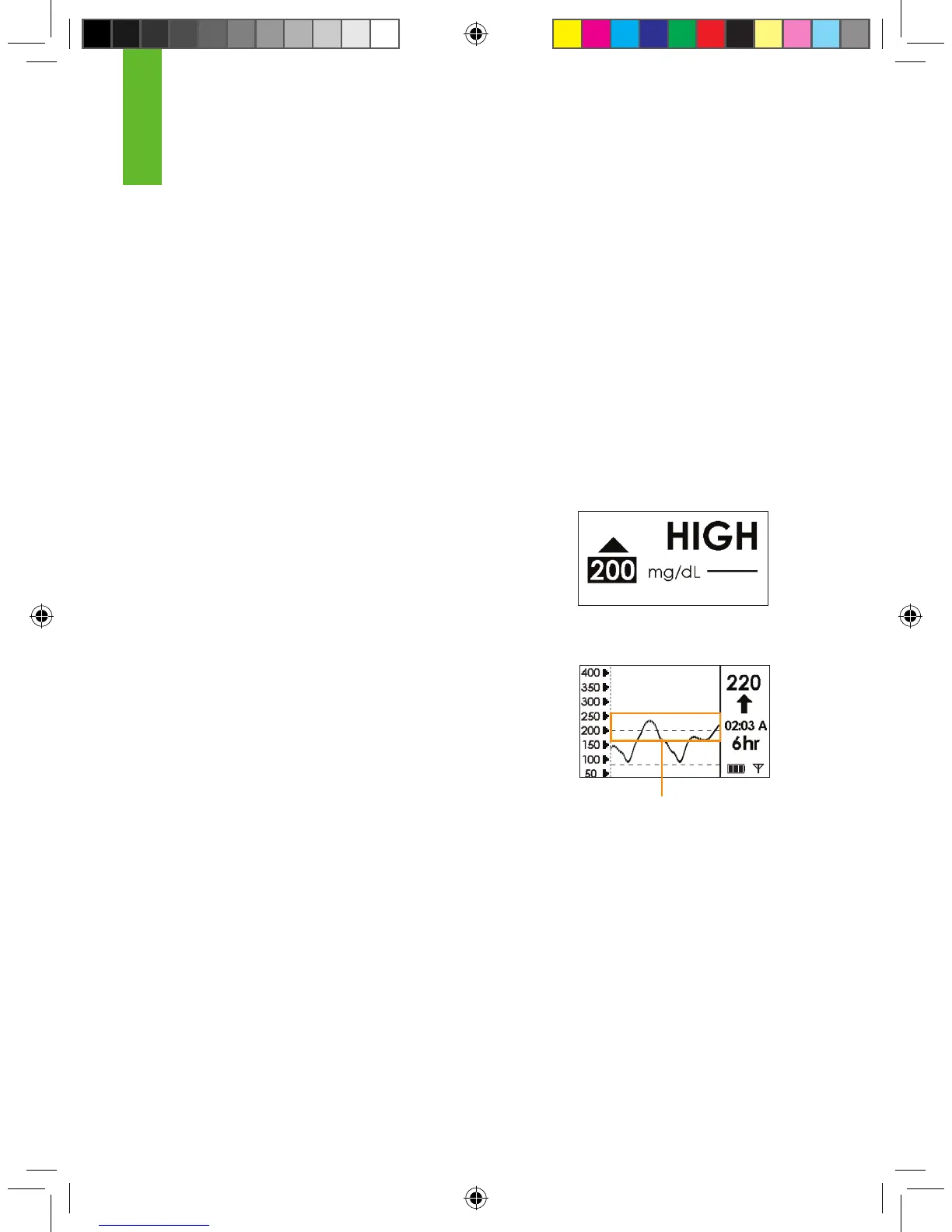
When your SEVEN PLUS glucose readings are at or above your
High Alert level the screen shown to the right will appear. You can
set the Receiver to beep and vibrate when this screen appears
(see Chapter 2, Section 2.3, “Setting your Alerts”). The default is
set at 200 mg/dL, but you can change this.
When you set the High Glucose Alert, it will appear
as a dashed line on your Glucose Trend Graphs.
The Receiver will continue to alert until you press a
button or until your glucose readings drop below your High Glucose
Alert setting. At the default setting, the Receiver will not re-alert
you after you have pressed a button to clear the alert. But, you can
choose to have the Receiver re-alert you every 30 minutes or 1, 2,
3, 4, or 5 hours after pressing a button. You can do this by changing your Snooze settings (see
Chapter 2, Section 2.3, “Setting your Alerts”).
High Glucose Alert set
at 200 mg/dL
High Glucose Alert Setting
5



 To Next Page