SEVEN PLUS User’s Guide | 71
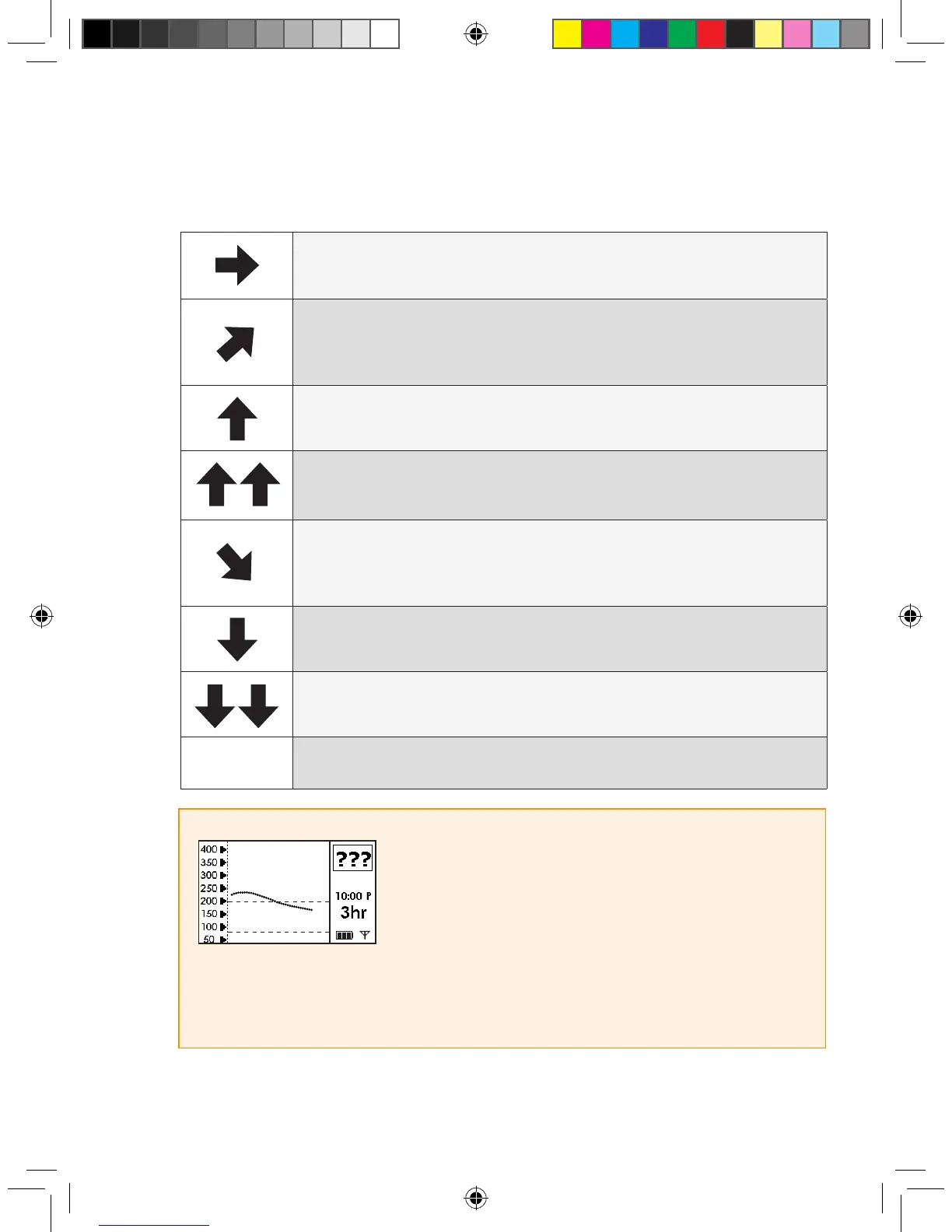
This table shows the different Trend Arrows your Receiver will display:
Constant: Your glucose is steady (not increasing/decreasing more than 1
mg/dL each minute)
Slowly rising: Your glucose is rising 1-2 mg/dL each minute
Rising: Your glucose is rising 2-3 mg/dL each minute
Rapidly rising: Your glucose is rising more than 3 mg/dL each minute
Slowly falling: Your glucose is falling 1- 2 mg/dL each minute
Falling: Your glucose is falling 2-3 mg/dL each minute
Rapidly falling: Your glucose is falling more than 3 mg/dL
each minute
no arrow
No Rate of Change Information: The Receiver cannot always calcu-
late how fast your glucose is rising or falling
HELPFUL HINTS:
• The Trend Arrows do not appear during Missing Glucose
Information (see Chapter 5, Section 5.4, “Glucose Status”). If
the “???” Symbol, the Out of Range Symbol, or the blood drop
Calibration Update Symbol appears in the Status Box, the Rise
and Fall Arrows will not appear.
• If the Rate of Change Arrow is missing, but you are concerned that your blood glucose level may
be rising or falling, take a ngerstick and use your blood glucose meter to check your readings.



 To Next Page