58 | SEVEN PLUS Continuous Glucose Monitoring System
4.1.1 USING OPENCHOICE FOR CALIBRATION
The steps below show you how to hand-enter your ngerstick readings for calibration:
1. Take a ngerstick reading using your meter.
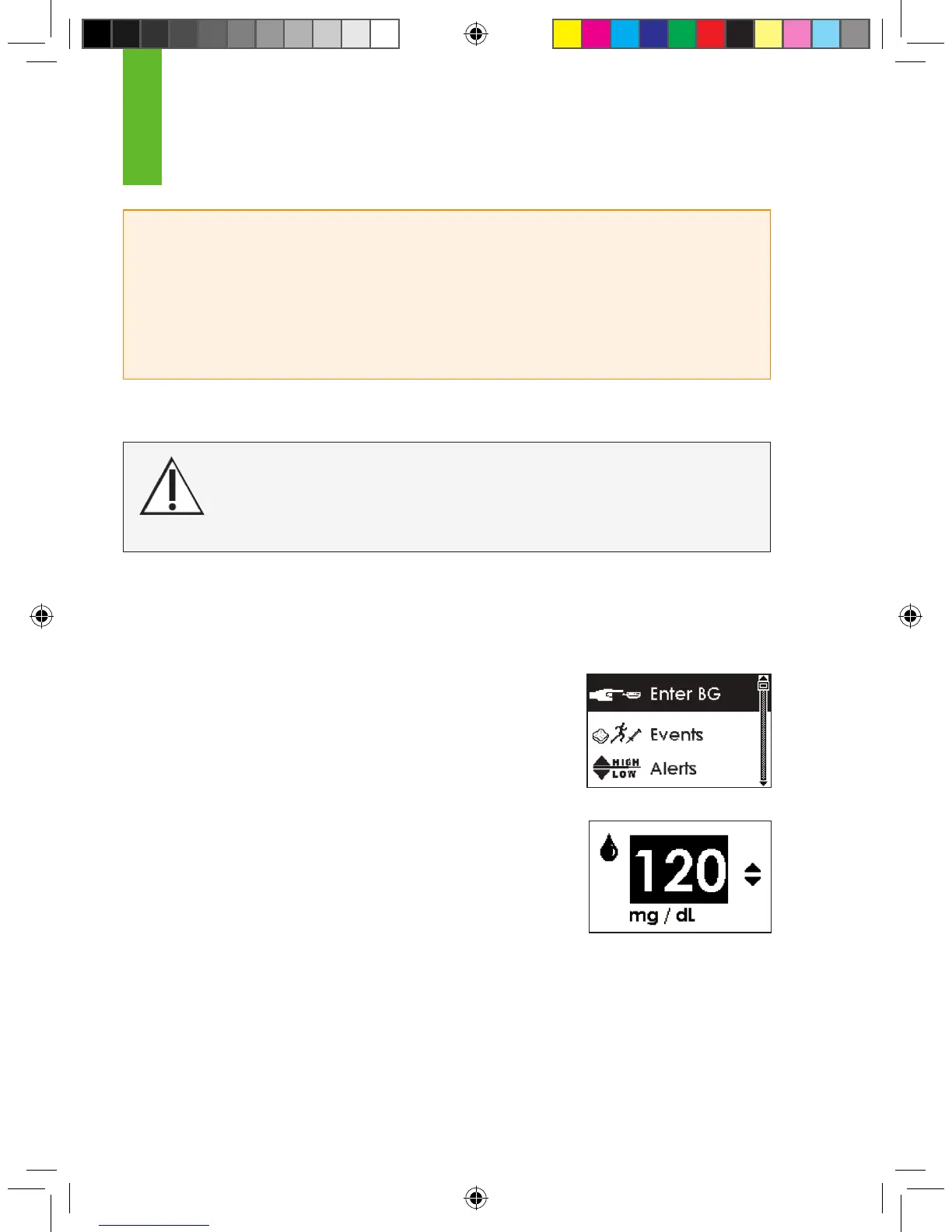
2. From any Trend Graph, press the OK button to reach the Menus.
3. Use the Up p and Down q Arrows to scroll until you highlight
“Enter BG.”
Note: “Enter BG” is not the rst menu option at the top of
the screen.
4. Press the OK button to select this option. You will see a screen
with a blood drop and a number in mg/dL units.
a. During initial calibration the SEVEN PLUS will default to the
reading of 120mg/dL.
b. If there has been a reading in the past 15 minutes, the Enter
BG Screen will display your current continuous glucose reading as your starting point. Do not
use the glucose reading for calibration. Use only your BG meter reading.
4
HELPFUL HINTS:
• If you use Auto Upload, all ngerstick readings taken with your OneTouch Ultra meter can affect
calibration. Do not share your blood glucose meter with other people.
• Do not use alternative BG site testing (blood from your palm or forearm, etc.) for calibration. You
must take your blood glucose from your ngertips only for calibration.
For OpenChoice Calibration you must enter the exact ngerstick reading that your
blood glucose meter displays. Enter all ngerstick readings for calibration within
5 minutes. Entering incorrect ngerstick readings or ngerstick readings that oc-
curred more than 5 minutes ago will affect device performance.



 To Next Page