38 | SEVEN PLUS Continuous Glucose Monitoring System
2.3.3 SETTING OTHER ALERTS
The SEVEN PLUS provides many other notications that you can
set in the “Other Alert” Menu. See Chapter 11, Appendix I for a
complete list of “Other Alerts.”
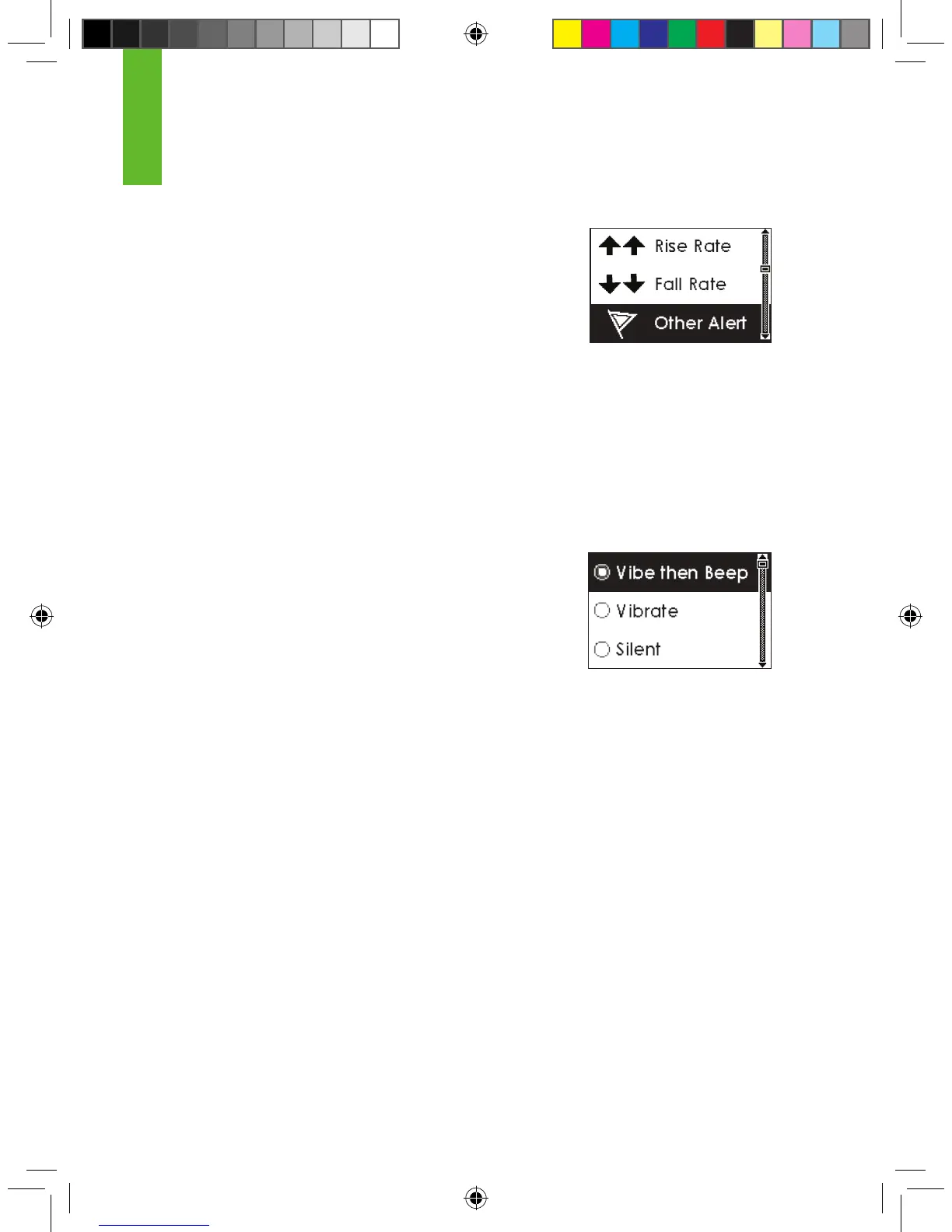
The default setting for all of these Alerts is “Vibe then Beep.” In the
“Vibe then Beep” setting, the Receiver will notify you with vibrations and a medium beep tone
when these events occur. You can change the settings for all Other Alerts jointly. The following
steps show how to move through the Other Alert settings.
1. Select the Alert you want as described in Section 2.3.1, “Reaching the Alerts Menus.”
2. Use the Up p and Down q Arrow buttons to scroll to the type of Alert notication you want
to receive:
a. Vibrate then Beep (the rst alert will vibrate, then every 5 minutes the Alert will vibrate and
beep).
i. The “Other Alerts” sound is one medium tone
beep.
b. Vibrate (no sound, the Receiver will vibrate only).
c. Silent (a screen will appear, but there will be no sound or
vibration).
3. Press the OK button to select the type of Alert notication you want. Once you press OK
you will return to the Trend Graphs.
2



 To Next Page