” )
When you take and enter a ngerstick for 12-Hour Update Calibration (Section 4.3, “Calibration
Update”), the System checks how well it is functioning compared to the blood glucose meter. Dur-
ing each calibration update attempt, the System may tell you that
another ngerstick reading is needed. This Re-Calibration can also be
prompted during Start-Up Calibration. The Calibration Update Screen
will appear (shown to the right).
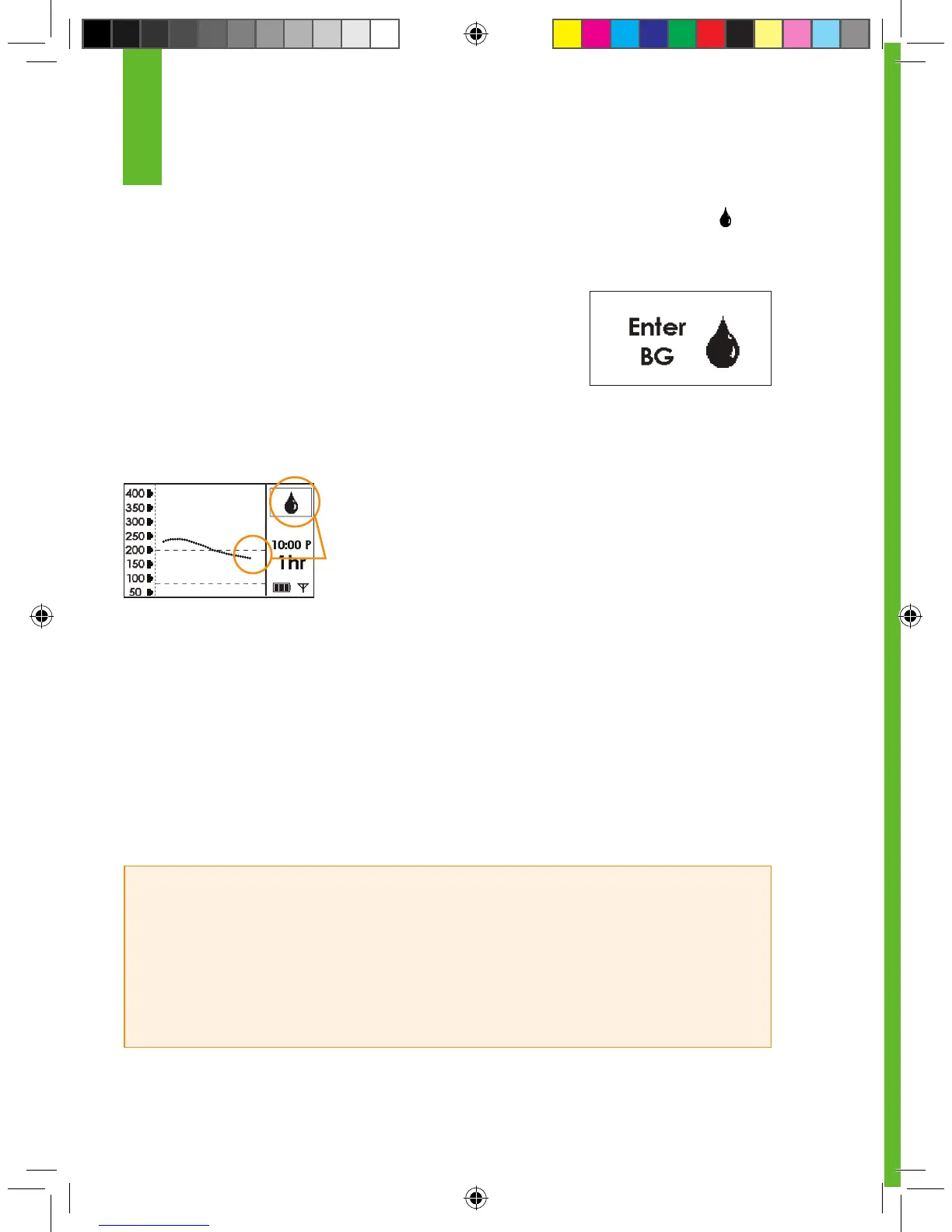
You can clear this Screen by pressing the C button. The display will
return to the Trend Graph. A blood drop symbol in the Status Box will appear.
This Status Box Symbol tells you that the System needs at least one more
ngerstick reading. You won’t see glucose readings or get Alerts/Alarm when the Blood Drop is still
in the Status Box.
You should take another ngerstick and enter this information to the Receiver.
1. Your System should calibrate immediately.
2. After successful Re-Calibration the System will display glucose readings, trends and provide
Alerts and your ALARM again.
HELPFUL HINTS:
• Refer to Section 8.4, “Error Code Troubleshooting,” if you see “Sensor Error #0” or “Sensor Error
#1” on your Receiver during calibration.
• If you have not received any glucose readings in the past hour, and have attempted Re-
Calibration by taking and entering at least 3 ngersticks that
are 15 minutes apart each, then contact DexCom Technical Support at
1-888-SEVENGO (738-3646). There may be a problem with your Sensor.
4
No glucose data
Awaiting Fingerstick Reading (Blood Drop) Symbol
Calibration Update Screen



 To Next Page