52 | SEVEN PLUS Continuous Glucose Monitoring System
3.7 TRANSMITTER AND RECEIVER COMMUNICATION
Keep your Receiver within 5 feet (1.5 m) of the Sensor/Transmitter for best communication. To
check that the Receiver and Transmitter are talking, press any Receiver button to see the Glucose
Trend Graphs.
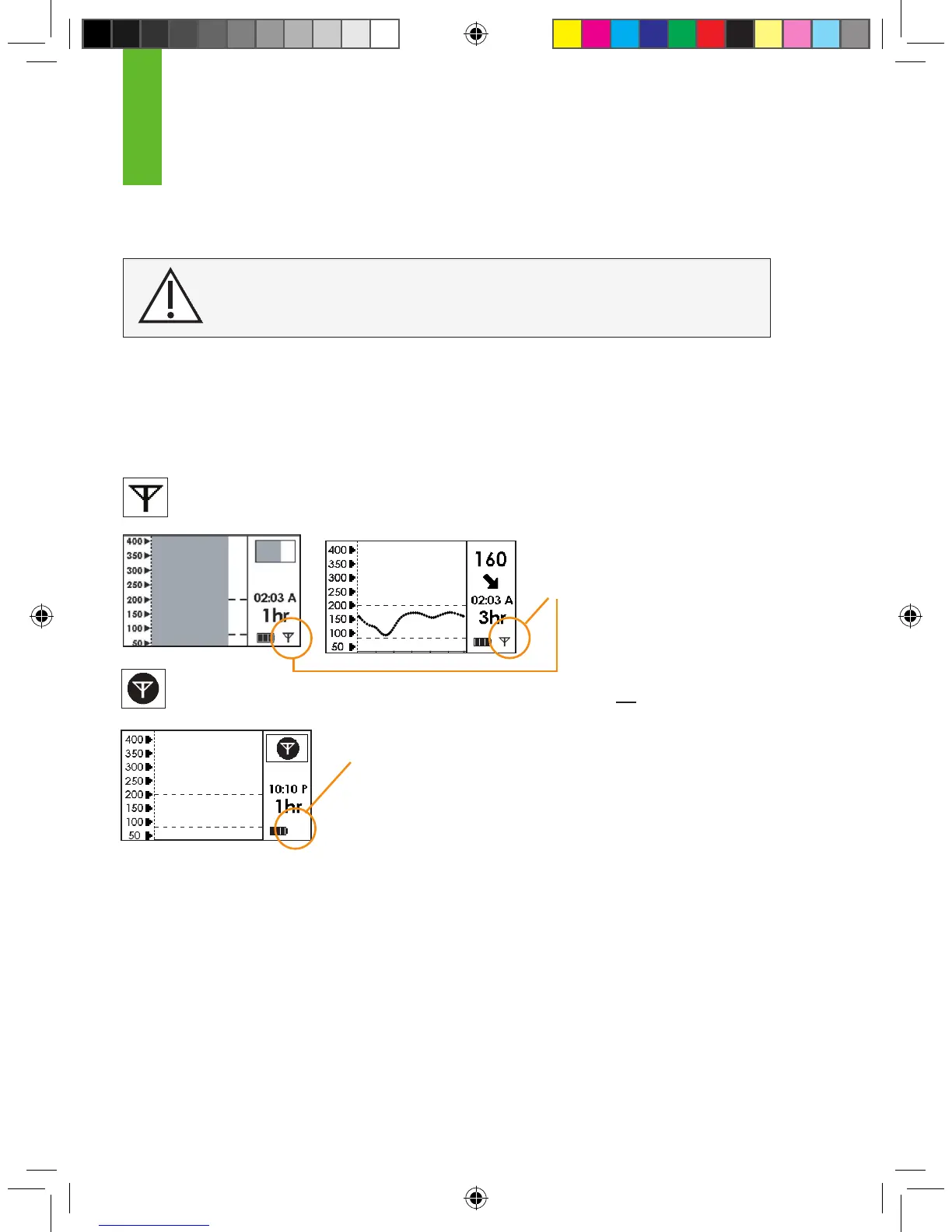
Note the difference between the two Antenna Symbols below:
This Antenna Symbol shows that the Transmitter and Receiver are talking.
This Out of Range Symbol shows the Transmitter and Receiver are not talking.
If you see the Out of Range Symbol in your Status Box, then review
the following troubleshooting tips.
•
Is the Receiver within 5 feet (1.5 m) of your Sensor Pod/Transmitter? If the
Receiver is not close enough, then move it within 5 feet of the Sensor Pod/
Transmitter. Check the Status Box in 5-10 minutes to see if the Out of Range Symbol is gone, and
the normal Antenna Symbol is in the lower right corner
of the Receiver screen.
•
If the Receiver and Transmitter are still not talking, then check to make sure the correct Transmit-
ter ID Number is entered into your Receiver (See Chapter 2, Section 2.2.2, “Setting your Transmit-
ter ID”).
3
CONTRAINDICATION: The SEVEN PLUS must be removed
prior to Magnetic Resonance Imaging (MRI).
The Antenna Symbol
should appear here
The Antenna Symbol is missing



 To Next Page