SEVEN PLUS User’s Guide | 33
When you choose the hour, the AM/PM will adjust automatically (e.g. if you go from 11AM to
12PM, AM will switch to PM).
6. Use the Up p and Down q Arrow buttons to scroll until you select the minute you want.
Then press the OK button.
2.2.2 SETTING YOUR TRANSMITTER ID
Any time you use a new Transmitter or Receiver, instead of the Transmitter and Receiver that
came in your kit, you must enter the Transmitter ID into your Receiver. The Transmitter ID is a
series of 5 numbers and letters on the back
of the Transmitter.
Entering the ID will begin the unique wireless radio-frequency (RF) communication between the
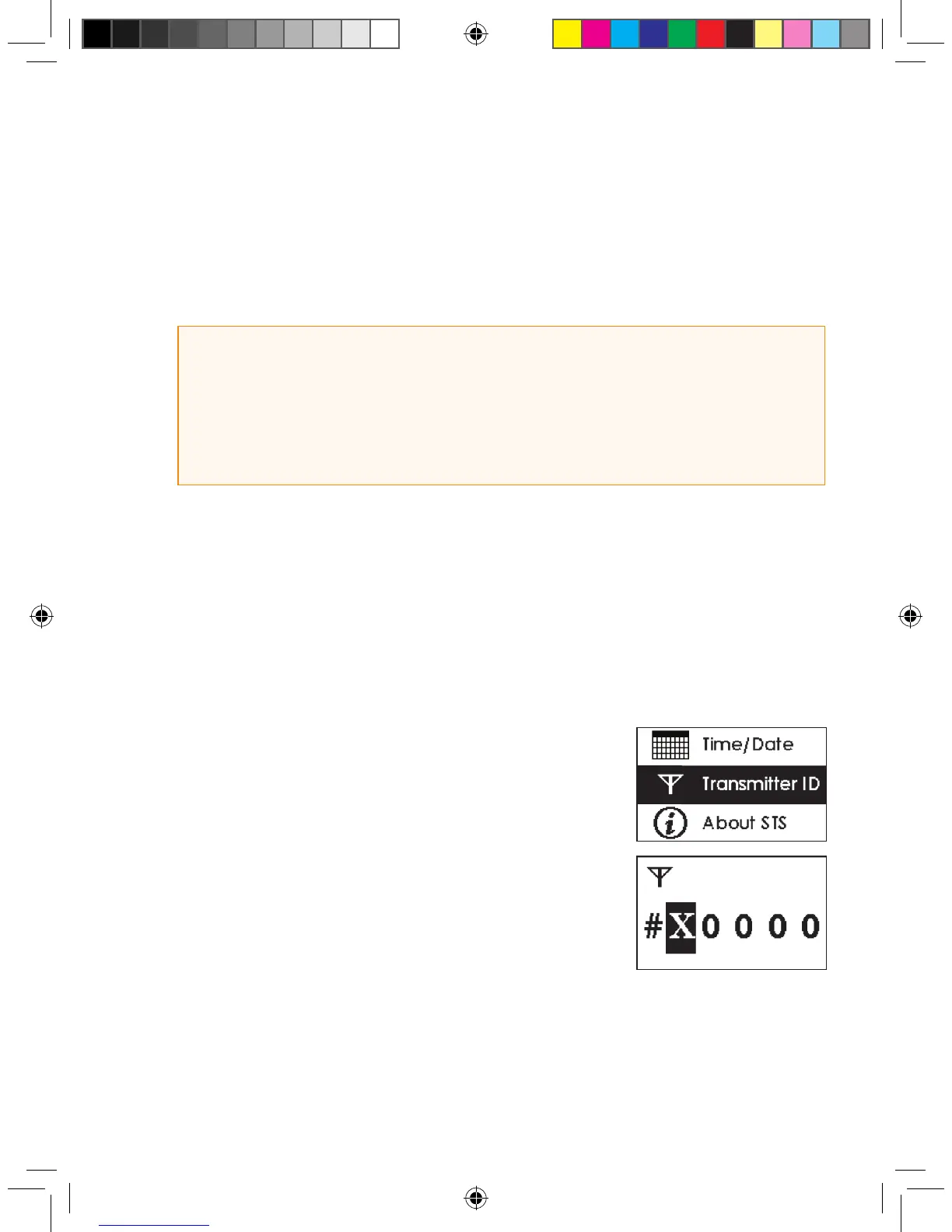
Transmitter and Receiver. To enter the Transmitter ID, perform the following steps:
1. From the Settings Menu, highlight “Transmitter ID” and press the
OK button to enter the Transmitter ID Screen.
2. The rst digit will be highlighted. Use the Up p and Down q
Arrow buttons to scroll until you select the number or letter you
want.
a. The digits will “wrap” around, so you can scroll in either direc-
tion if you mistakenly pass the number
or letter you want to enter.
3. Press the OK button to select that letter or number and move to
the next.
4. Continue to follow steps 2-3 until you have entered and accepted the last letter/number by
pressing the OK button. Press the C button if you make a mistake and want to go back.
HELPFUL HINTS:
• Make sure to set the correct time on your Receiver.
• When setting the time, hold the OK button to cycle through the elds quickly.
• The Receiver date is set to Pacic Standard Time (PST) at the factory.
• You might need to reset the Receiver’s time if the back-up battery dies. The Time Loss Alert will
automatically take you to the Time/Date Setting Screen.



 To Next Page