96 | SEVEN PLUS Continuous Glucose Monitoring System
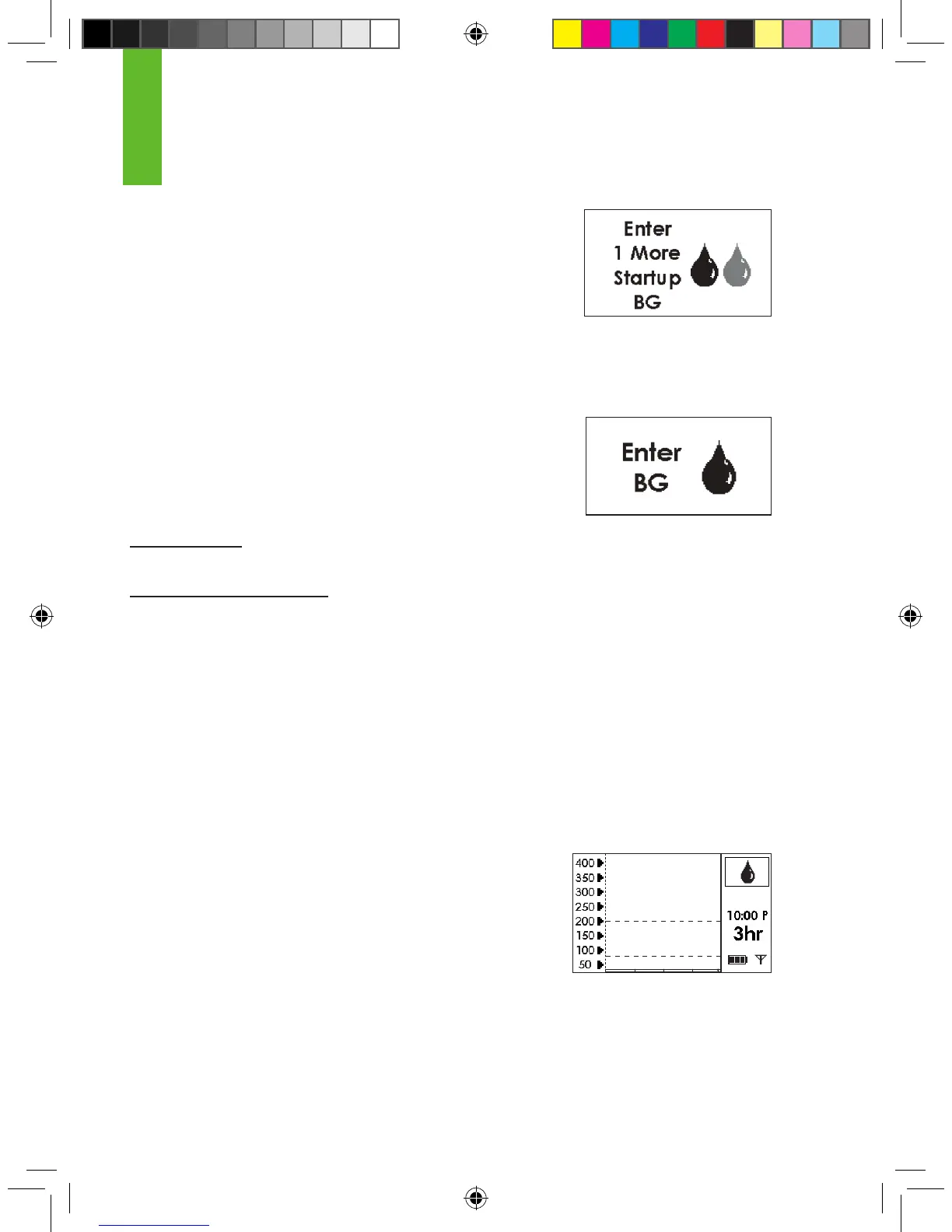
Shaded-Out Blood Drop Prompt
The Shaded-Out Blood Drop Prompt means you need
1 more ngerstick for Start-Up Calibration.
This symbol will appear and the Receiver will make a medium tone
and vibrate once (if set to “Vibe then beep”). The Receiver will
continue to show the Shaded-Out Blood Drop Prompt every 15
minutes until you successfully take the ngerstick and enter it into
the Receiver.
Single Blood Drop Prompt
The Single Blood Drop Prompt means you need 1 more ngerstick
to calibrate. This symbol will appear when it is time for the 12-Hour
Calibration Update or if the Receiver needs another ngerstick for
re-calibration.
•
12-Hour Update: The symbol will prompt you again every 15
minutes until a new ngerstick is successfully entered.
•
Additional ngerstick needed: The Receiver will vibrate and will make a sound. The Receiver will
notify you two more times (to enter a ngerstick), or until a new ngerstick is successfully entered.
8.2.2.2 Status Box Symbols During Blood Drop Prompts
If you are prompted by the Repeat Double Blood Drop, Shaded-Out Blood Drop, or Single Blood
drop, make sure you rst check the Status Box on your Receiver before you take another nger-
stick. Then follow the steps below:
1. Clear the prompt from the Screen by pressing the C button.
2. Check the Status Box in the upper right corner of your Receiver. You will decide what to do based
on the Receiver Status Symbol that is shown in the Status Box:
a. If the “Awaiting Fingerstick Reading” Blood Drop Symbol
(shown to the right) is displayed:
•
Take 2 more ngersticks if you are prompted by the Double Blood
Drop.
•
1 more ngerstick if you are prompted by the
Shaded-Out or Single Blood Drop. (Readings must
be within 40-400 mg/dL).
•
Enter your ngerstick readings into the Receiver.
Awaiting Fingerstick Reading
(Blood Drop) Symbol
8
Shaded-out Blood
Drop Prompt
Single Bolld Drop Prompt



 To Next Page