76 | SEVEN PLUS Continuous Glucose Monitoring System
5.4.2 MISSING GLUCOSE READINGS
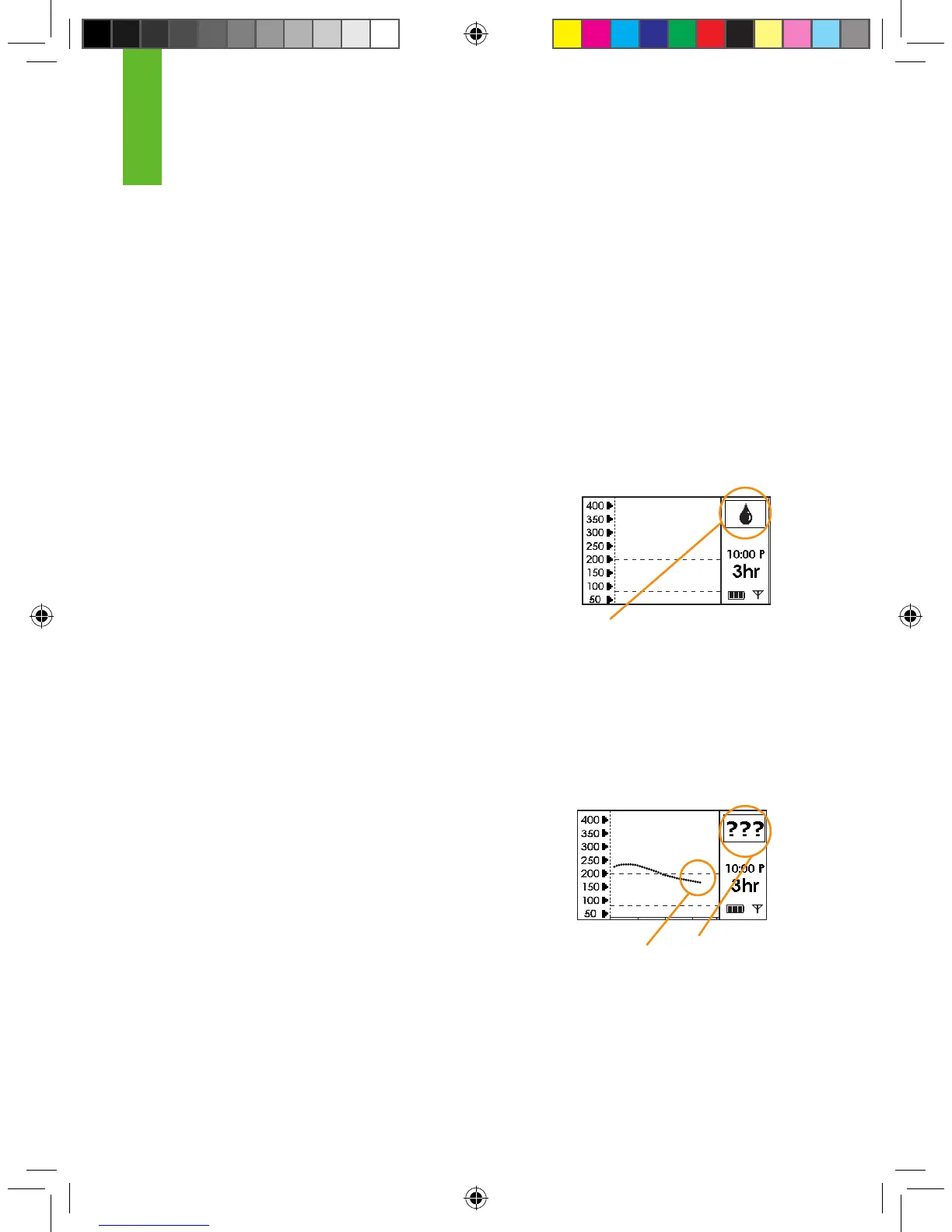
Glucose readings usually appear in the Status Box. At certain times, a notication symbol can ap-
pear in the Status Box instead of the glucose readings. These notications are helpful in trouble-
shooting. The table in this section shows the symbols that might appear in the Status Box.
Missing Glucose Information can happen when:
1. The System needs another ngerstick reading for calibration because the
Sensor readings do not match the recent ngerstick reading you just entered.
2. The Receiver does not understand the Sensor signal.
3. The Transmitter and Receiver are out of range. Make sure the Transmitter and Receiver are
within 5 feet of each other.
For calibration errors see Chapter 8. The following sections will
tell you what happens when the Receiver does not understand the
Sensor signal, and when your Transmitter and Receiver are out of
range.
If your Receiver is not displaying glucose information, look at the
Status Box in the upper right corner of any Trend Graph.
5.4.3 SYSTEM GLUCOSE ERRORS
Sometimes the SEVEN PLUS may tell you that it cannot provide a glucose
reading. When this occurs you will see 3 question marks (???) in the Receiver Status Box.
Check the placement of your Sensor to make sure it is still sticking well to your skin. Also make sure
nothing is rubbing the Sensor Pod (i.e. clothing, seat belts, etc.).
Check to see if the Transmitter is snapped in on both sides.
Oftentimes this error happens when the SEVEN PLUS
detects problems with the glucose signal or insertion area. Sec-
tion 10.1 tells you how often you might expect seeing this error.
Sometimes the SEVEN PLUS can x the issue and start providing
glucose readings. However, if it has been 3 hours, contact Technical
Support.
Status Box
No Glucose Data
5



 To Next Page