98 | SEVEN PLUS Continuous Glucose Monitoring System
8.3 SENSOR FAILED TROUBLESHOOTING
In some cases your Sensor Session may stop before the end of a full 7-day period. You should
review Chapter 10 of this User’s Guide to see how often you should expect this to happen to
you. Follow the user guidelines below to have the best results with your System.
•
Do not use expired Sensors
•
Store Sensors at room temperature (see Chapter 9 for Maintenance and Storage)
•
Quality check your blood glucose meter
•
Make sure your Transmitter is snapped in fully
•
Make sure your Sensor Pod is not dislodged or peeling up
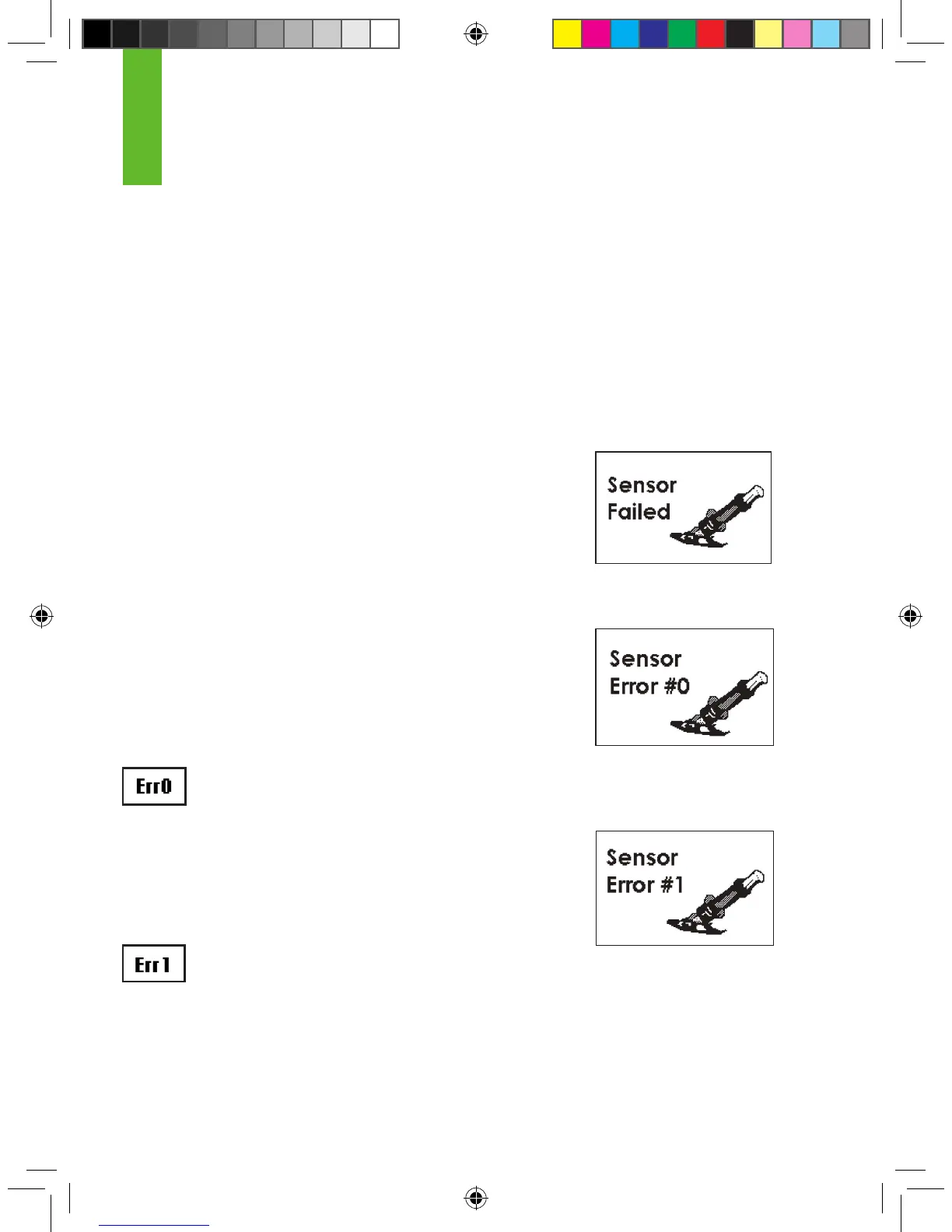
During use your Receiver may detect a series of problems that make
your Sensor unable to calculate System Glucose Readings (see
Chapter 5 Section 5.4.3, “System Glucose Errors”). At this time the
System will automatically turn off and display the following screen:
8.4 ERROR CODE TROUBLESHOOTING
The screen to the right means your Sensor cannot calibrate. If you
see this screen, enter at least 1 more calibration ngerstick reading
in the next 10-15 minutes. If you still do not see readings after you
enter 2 more ngersticks in the Receiver, the Sensor may need to
be replaced.
If you clear this screen by pressing the C button, you will
see this error code (shown to the left) in the Status Box.
The screen to the right tells you that the Sensor is not calibrating
correctly. If you see this screen, wait approximately one hour. Then
you may enter at least 1 more calibration ngerstick reading. If no
readings are displayed on the Receiver, the Sensor may need to
be replaced.
If you clear this screen by pressing the C button, you will
see this error code (shown to the left) in the Status Box.
Failed Sensor Screen
8
Sensor Error #0 Screen
Sensor Error #1 Screen



 To Next Page