SEVEN PLUS User’s Guide | 87
At the end of your Sensor Session, or wear period, you will need to remove the
Sensor Pod. Gently peel up the adhesive patch from your skin (this will pull out
your Sensor Probe). Then remove the Transmitter from the Sensor Pod and
keep it for your next glucose monitoring session (see Chapter 7, Section 7.3,
“Transmitter Removal”).
Your Sensor Session might end on time when the Sensor expires (after 7 days). You can also
choose to end the wear period early, or it might end early (less than 7 days) due to a Sensor
failure.
Once your Sensor use has ended, glucose readings will no longer be shown on the screen.
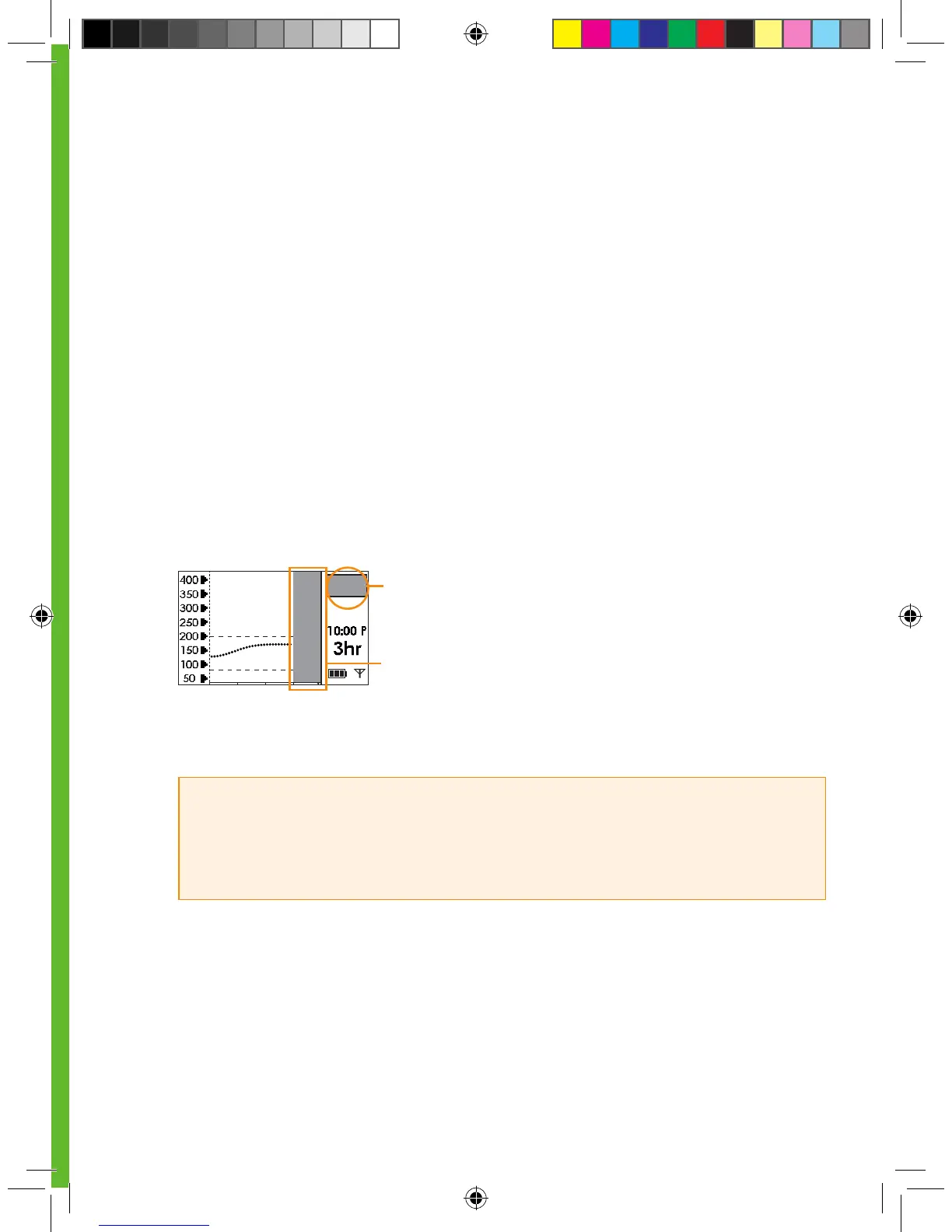
The Receiver screen will indicate that the Sensor Session has ended by displaying the gray
rectangle in the Status Box.
Over time the Receiver display (Trend Graph area) will continue to “gray out” until a new Sensor
is inserted.
A grayed out Status Box indicates that your Sensor
Session has ended
HELPFUL HINTS:
• Remember to save your Transmitter after each Sensor removal. The same Transmitter is used
for each session until you have reached the end of the Transmitter battery life. The Sensor can be
thrown in the trash.
The screen begins to gray out after your Sensor Session
has ended



 To Next Page