DOBOT CR5 User Guide 5 Function Description of Software
Issue V3.5.3.1 (2020-05-09) User Guide Copyright © Yuejiang Technology Co., Ltd
55
The robot has been powered on.
NOTE
The details on how to connect external equipment and use it are not described in this
topic.
Procedure
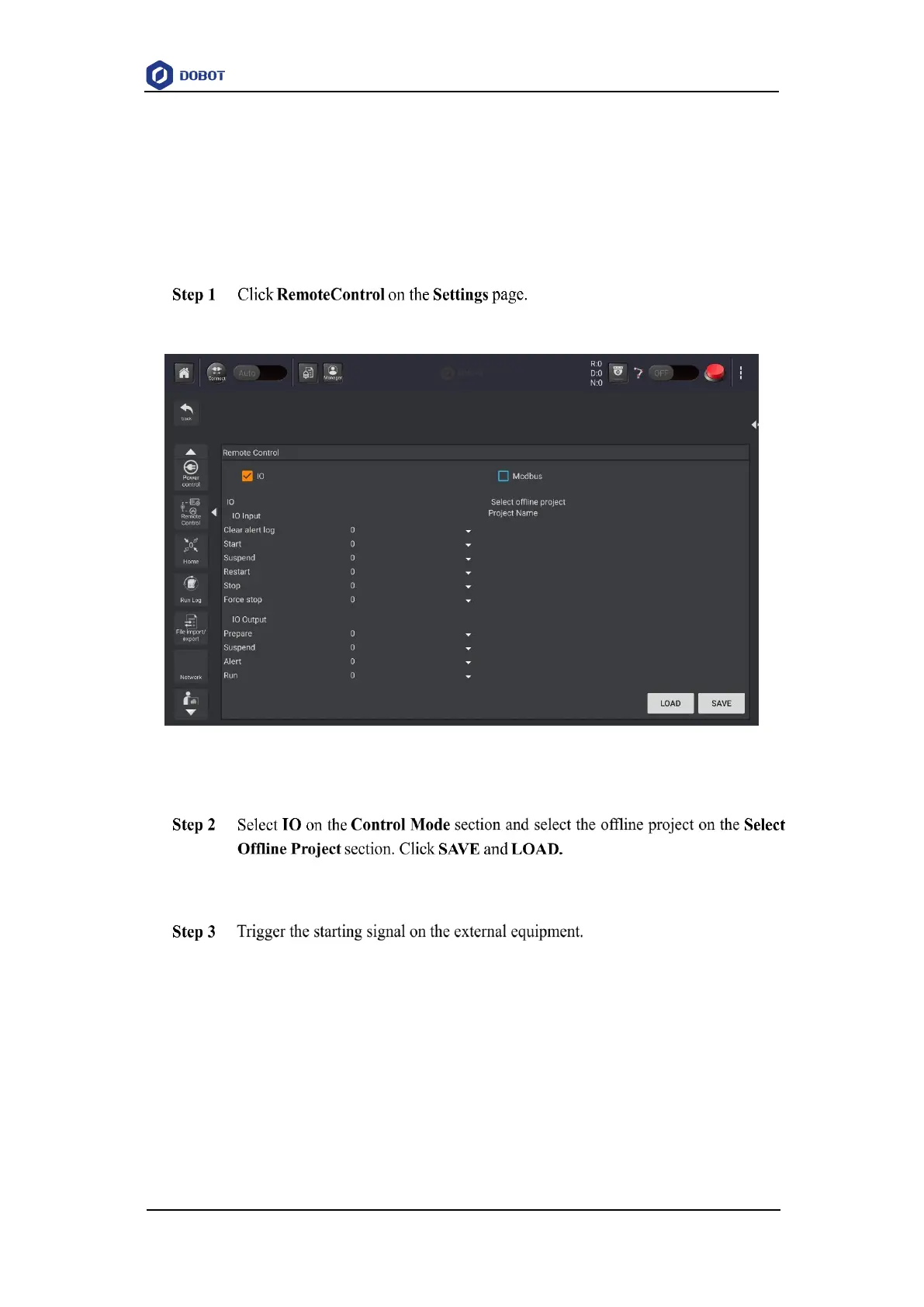
The remote control page is displayed, as shown in Figure 5.17.
Figure 5.17 Remote control page
Right now, only the emergency stop button and the real-time coordinates displaying
section are available.
The robot will move as the selected offline project. If the stop signal is triggered, the
remote I/O mode will be invalid.
5.1.3.2 Remote Modbus
When the remote mode is Modbus mode, external equipment can control a robot in this mode.
For details about Modbus registers, please see 6.16.1Modbus Register Description.



 To Next Page