Vigor2925 Series User’s Guide
96
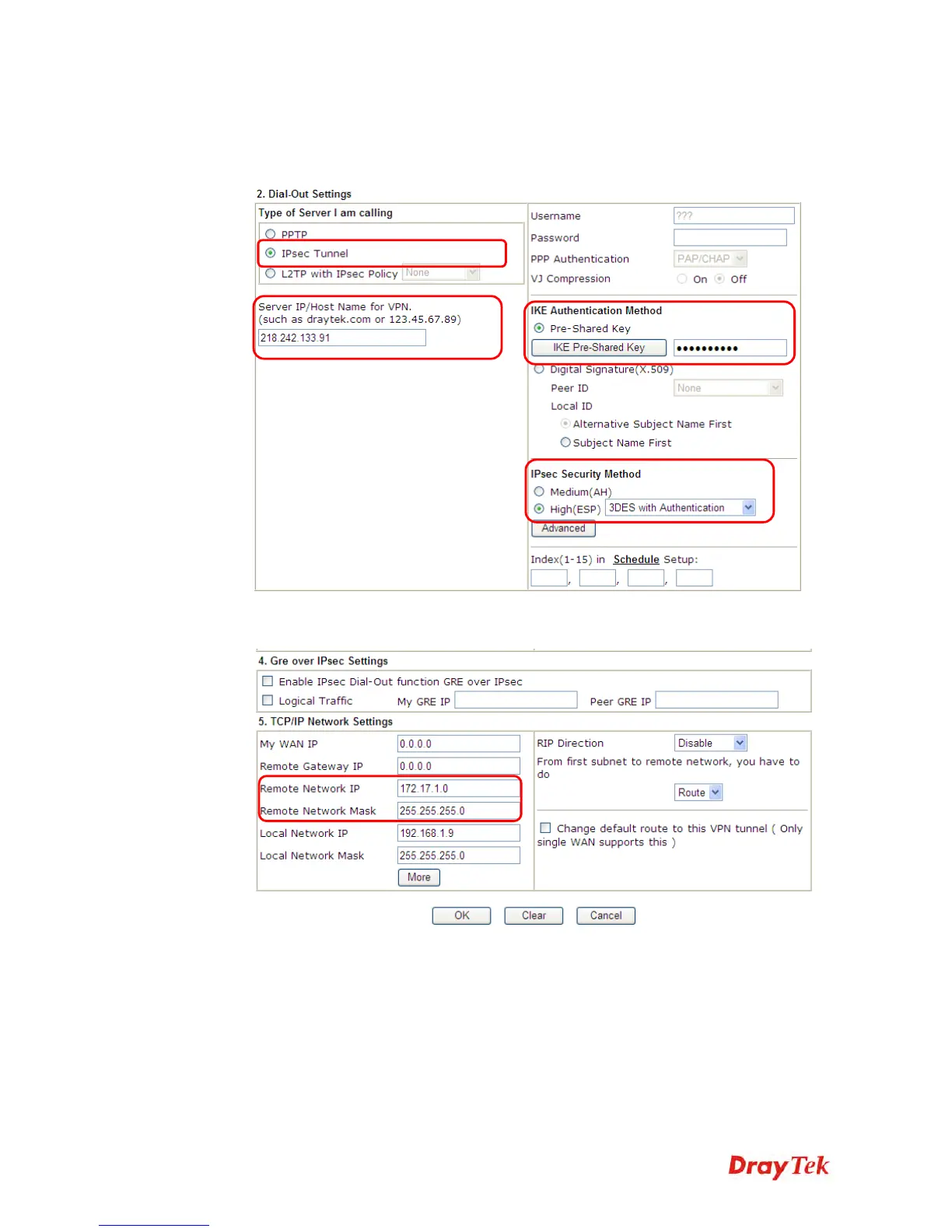
4. Now navigate to the next section, Dial-Out Settings to select the IPSec Tunnel service
and type the remote server IP/host name (e.g., 218.242.133.91, in this case). Press the
IKE Pre-Shared Key button to set the PSK; and select Medium (AH) or High (ESP)
as the security method.
5. Continue to navigate to the TCP/IP Network Settings for setting the LAN IP for the
remote side.
6. Click OK to save the settings.












 To Next Page