Vigor2925 Series User’s Guide
474
button. Checking the checkbox in title will select all SMS in
this page.
Index
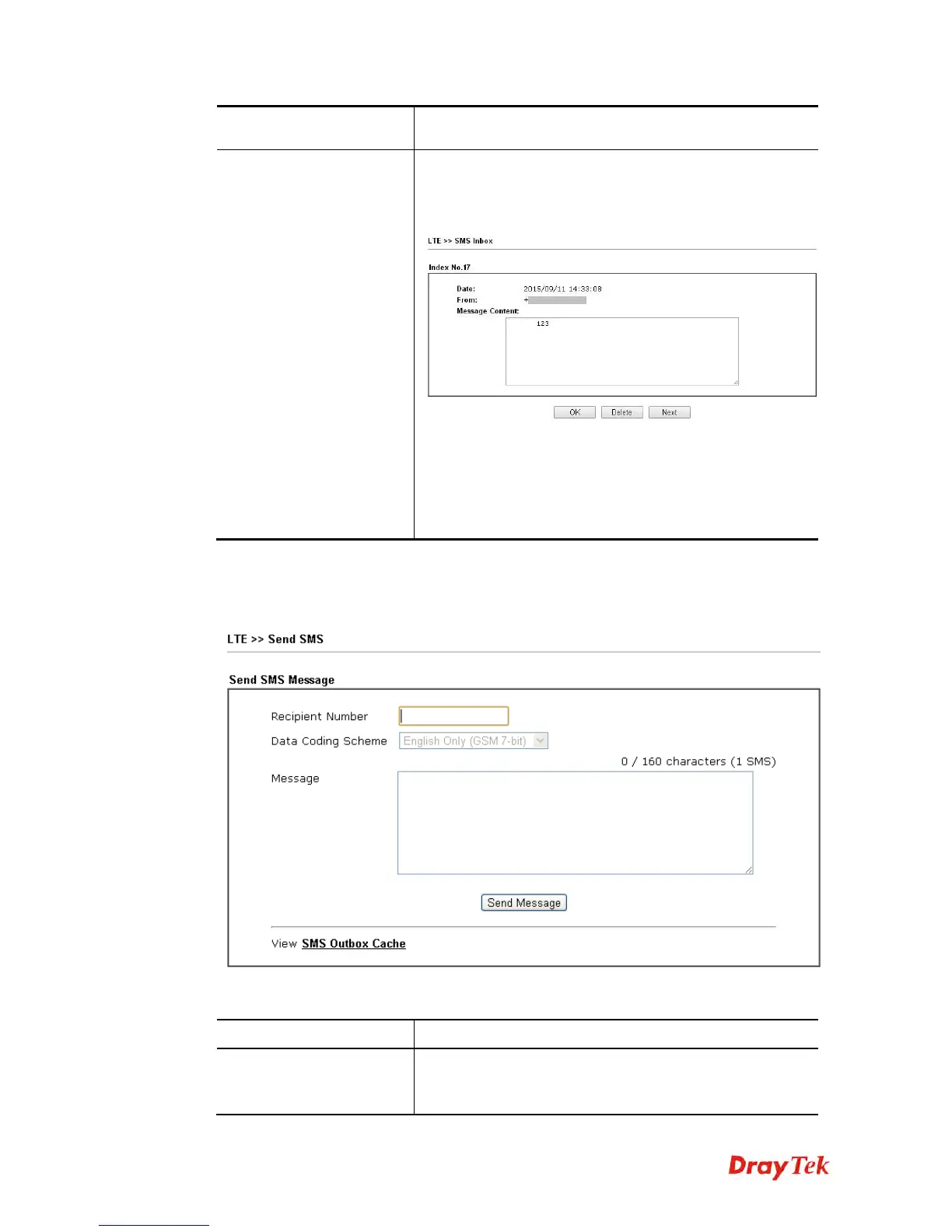
If you want to read the full content of the message of the
SMS, click the index link of that SMS to open the following
page. It will change all SMS of the message into "read"
state.
Message Content - Display the full content of the message.
OK - Return to previous page.
Delete - Click it to delete all SMS of this message and
return to previous page.
Next - Click it to see the content of next SMS index.
4
4
.
.
1
1
7
7
.
.
3
3
S
S
e
e
n
n
d
d
S
S
M
M
S
S
This page is used to send SMS messages by the LTE SIM card. It also displays the number of
SMS required to send the message.
Available settings are explained as follows:
Item Description
Recipient Number
Type the phone number of the recipient.
The format can be an international phone number
( +8869123455678) or a general phone












 To Next Page