Vigor2925 Series User’s Guide
546
4
4
.
.
2
2
1
1
.
.
1
1
2
2
F
F
i
i
r
r
m
m
w
w
a
a
r
r
e
e
U
U
p
p
g
g
r
r
a
a
d
d
e
e
Download the newest firmware from DrayTek's web site or FTP site. The DrayTek web site is
www.DrayTek.com (or local DrayTek's web site) and FTP site is ftp.DrayTek.com.
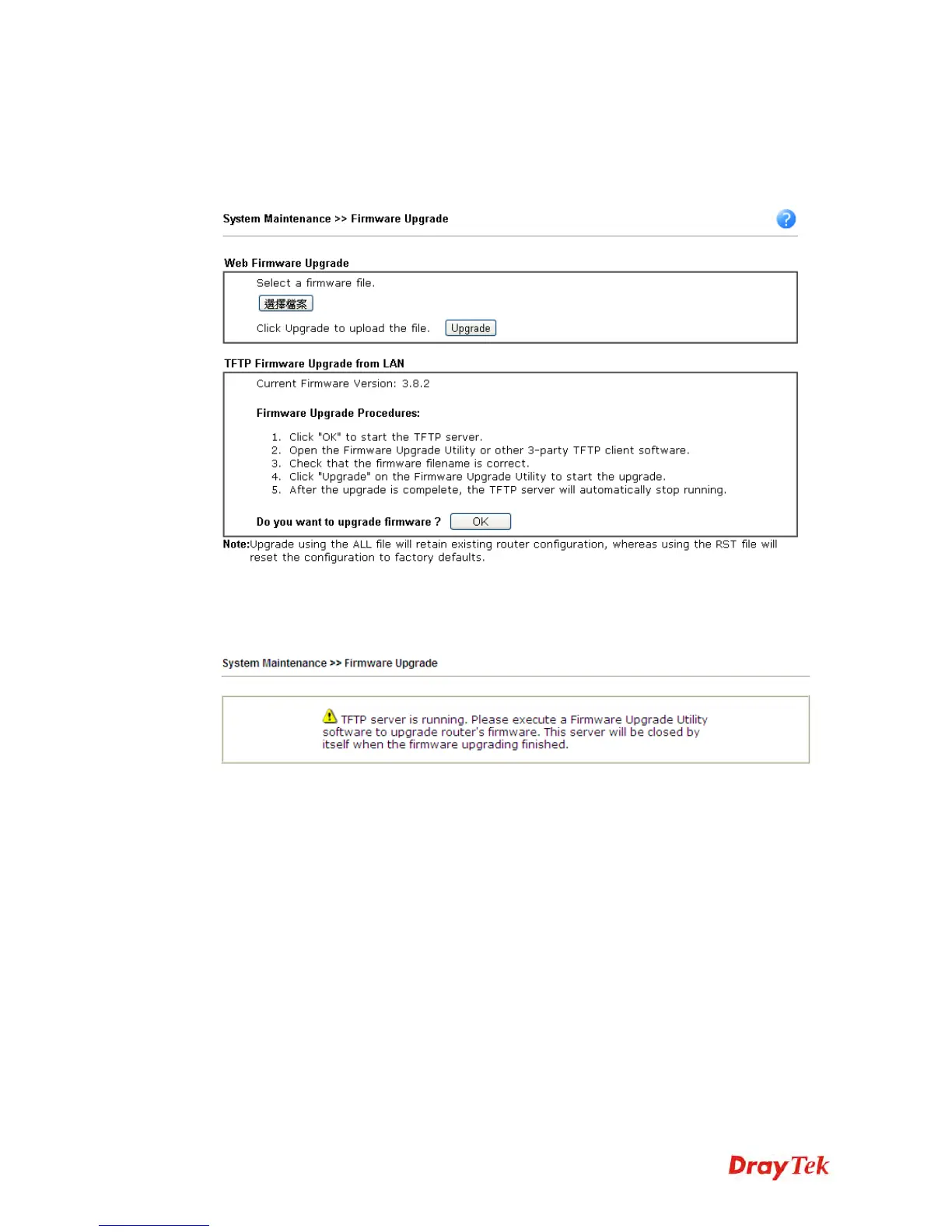
Click System Maintenance>> Firmware Upgrade to launch the Firmware Upgrade Utility.
Choose the right firmware by clicking Browse. Then, click Upgrade. The system will upgrade
the firmware of the router automatically.
Or, click OK. The following screen will appear. Then, execute the firmware upgrade utility.












 To Next Page