Vigor2925 Series User’s Guide
151
3. Click OK to save the configuration.
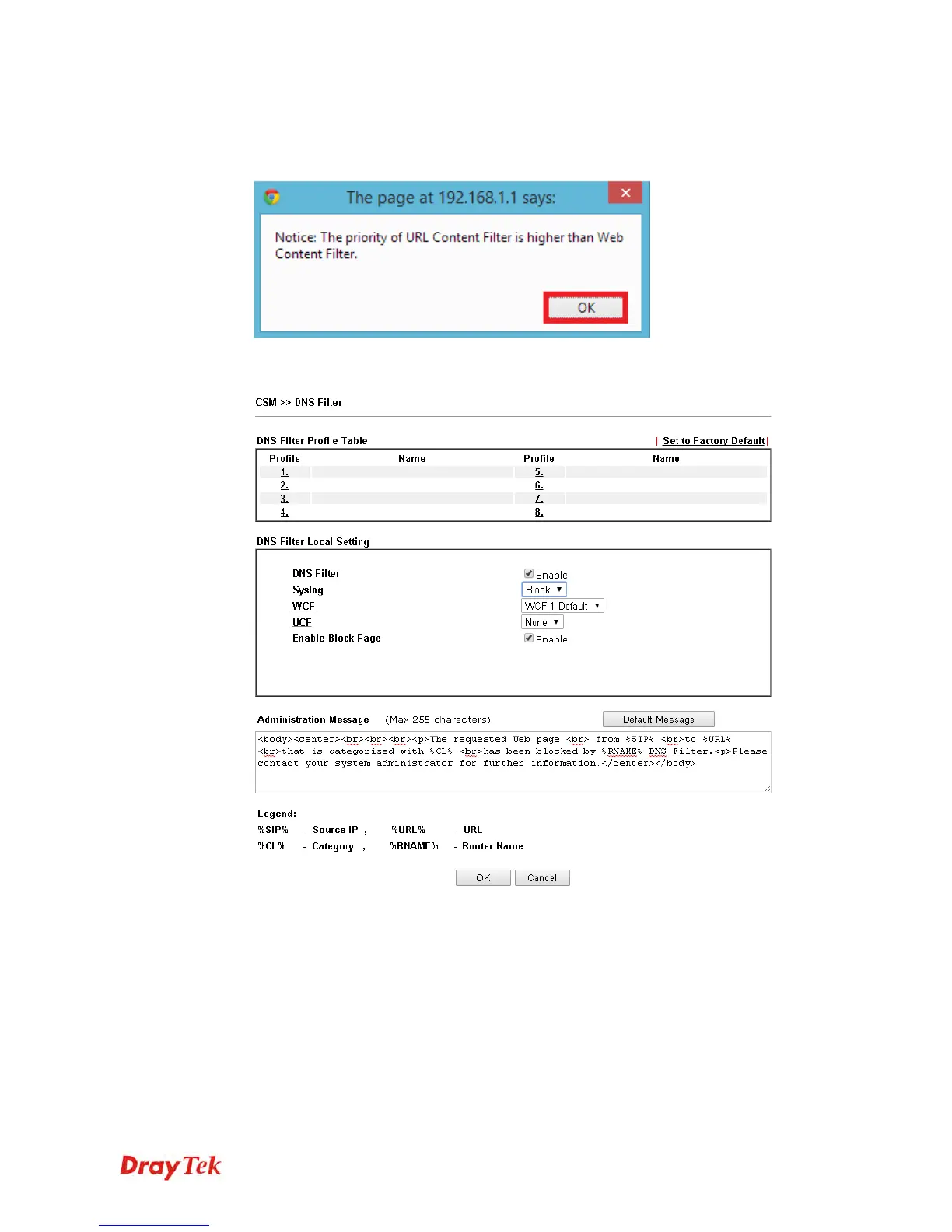
4. A message box will appear. It's a message which reminds that the priority of URL Content
Filter is higher than Web Content Filter. Just press OK button to continue.
5. Open CSM>>DNS Filter. On the DNS Filter Local Setting, enable the DNS filter;
choose Block as the Syslog; choose WCF-1 Default.
6. Click OK to save the DNS filter configuration.
Now, all settings about blocking search engine and social website are complete. Please try to
access into www.google.com (the search engine) to see the result.












 To Next Page